navigation

Calculating eCommerce total cost of ownership is the only way to avoid buying a B2B platform you can’t afford to maintain.
Whether you’re outgrowing your current platform or planning an overhaul from scratch, you need a forecast that accounts for hidden costs alongside the obvious upfront costs.
This guide outlines what you will encounter across a three- to five-year lifecycle:
- how to calculate eCommerce TCO
- where B2B costs tend to accumulate
- how newer factors such as AI affect the model
- how platform pricing models and strategic platform choices change long-term costs
- and ways to reduce avoidable spend
What Is eCommerce Total Cost of Ownership?
eCommerce total cost of ownership (TCO) is the full cost of implementing, operating, maintaining, expanding, and eventually replacing an eCommerce platform over a defined period, typically three to five years. For a B2B online business, this forecast reflects the real cost of platform ownership rather than the sticker price on a proposal.
Initial costs are only part of the picture. Some expenses stay fixed, while ongoing operational costs can rise with sales volume, platform usage, and changing business requirements.
That is why TCO is a forecast, not simply the sum of vendor invoices. A useful estimate needs to account for how both the business and the technology supporting it are likely to change over time.
How to Calculate eCommerce TCO
When calculating TCO, add what you’ll spend to launch the platform, keep it running, and make changes as your business grows.
eCommerce TCO = One-time costs + Recurring costs + Usage-based costs + Planned future costs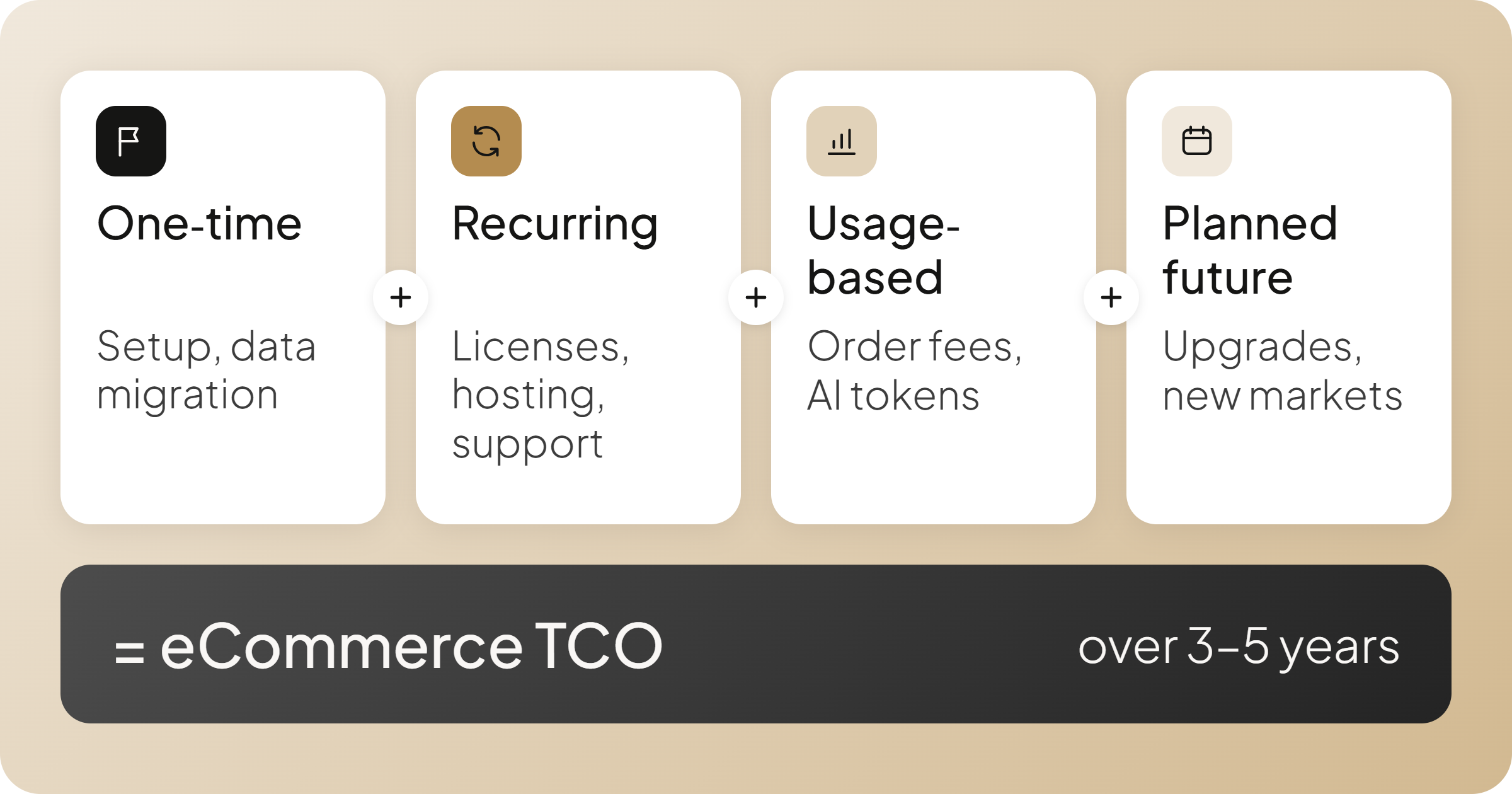
The tricky part is knowing the true cost of what belongs in each category. Some expenses, like an ERP integration, can cost money upfront and continue generating maintenance fees for years.
One-Time, Recurring, and Usage-Based eCommerce Costs
| Cost category | One-time costs | Recurring costs | Variable or future costs |
| Platform licensing | Setup fees | Monthly subscriptions, annual licensing fees | Fees tied to sales, orders, or users |
| Hosting and infrastructure | Environment setup, infrastructure costs | Base hosting fees, monitoring | Extra compute or storage during a sudden spike in traffic |
| Implementation | Design, development, testing, data migration | — | Enhancements and change requests |
| Integrations | Connecting enterprise resource planning, customer relationship management, inventory management software, and other systems | Integration maintenance | Third party costs (connector fees, API usage, middleware charges) |
| Extensions and apps | Installation, configuration | App subscriptions, paid modules | Usage-based charges, higher service tiers |
| Maintenance and upgrades | — | Updates, bug fixes | Major upgrades, compatibility work |
| Security and compliance | Initial audits, security setup | Monitoring, security checks | New compliance obligations (PCI DSS and GDPR), remediation, additional audits |
| AI capabilities | Setup, data preparation | AI subscriptions, monitoring | Tokens, credits, actions |
| Staffing and training | Initial training | In house team, platform administration, ongoing training | External developers, specialist support, added capacity |
| Support | — | Support contracts | Premium support tiers |
| Expansion or migration | — | — | New markets, platform replacement, data export |
Once you’ve identified your costs, add up the one-time expenses and estimate recurring and other ongoing expenses over three to five years. Factor in your ongoing hosting costs on scalable infrastructure, and include planned upgrades and expansion projects.
Then test your estimate against different growth scenarios. What happens if online sales double, order volumes increase, or you need another ERP integration?
This gives you a more useful basis for comparing platforms than their initial price tags.
Keep the scope clear
Your TCO model should cover the technology and people required to run and maintain commerce. General marketing costs such as paid ads and email marketing belong in your eCommerce operating budget, but they are not part of platform TCO.
Payment fees can be included when they are directly tied to the commerce or payment setup you are comparing.
Use our interactive TCO calculator to explore how development, maintenance, and ongoing operating costs add up over time.
How Platform Pricing Models Affect Long-Term Costs
The cost breakdown above shows what to budget for. But beyond base subscription fees, some platform charges need extra scrutiny because the way they are calculated changes your costs as you sell online and grow.
Consider three common pricing models:
| Pricing model | What can increase your bill |
| GMV-based | Higher sales value, even if order volumes stay the same. |
| Order-based | More transactions, even if total revenue changes little. |
| Revenue-tiered subscription | Crossing a revenue threshold that moves you into a more expensive plan. |
For a B2B eCommerce business, average order value and purchasing frequency make a difference. A manufacturer selling high-value equipment and a parts distributor processing thousands of smaller orders through an online store may face very different costs under the same pricing model.
Also check what counts toward billable volume, as definitions vary depending on the vendor contract. You can find that offline purchase orders, returns, or quotes submitted by sales reps can trigger unexpected transaction fees. Those contract terms introduce additional costs that change the calculation considerably.
AI and Agentic Commerce: New Costs to Account For
While agentic commerce helps replace routine manual processes, AI introduces expenses that traditional eCommerce budgets often miss.
An AI purchasing agent might search a catalog, check inventory, compare products, and prepare a quote during a single customer interaction. Depending on the services involved, those steps may generate multiple usage charges before an order is placed.
And consumption fees are only part of the picture.
| AI cost area | What to include in your TCO estimate |
|---|---|
| Licensing | Advanced features add-ons, per-user licenses, and developer AI tooling seats. |
| Consumption | Tokens, credits, actions, and model API usage. |
| Data and infrastructure | Product data preparation, enrichment, vector databases, and semantic search infrastructure. |
| Management and quality | Prompt and model management, monitoring, evaluation, and human review. |
| Governance and security | Access controls, protection of customer data, AI governance, and security oversight. |
The key is to estimate what an AI-powered task costs from start to finish, not simply what the feature costs to activate. Managing prompts, data quality, and security oversight adds continuous operational overhead beyond raw API charges.
Ask vendors which capabilities are included in the license, which require external services, and how consumption is measured. When you allocate resources for your budget, estimate those costs at the level of adoption you expect, rather than the volume seen during a small pilot.
Why Is eCommerce TCO Different for B2B Businesses?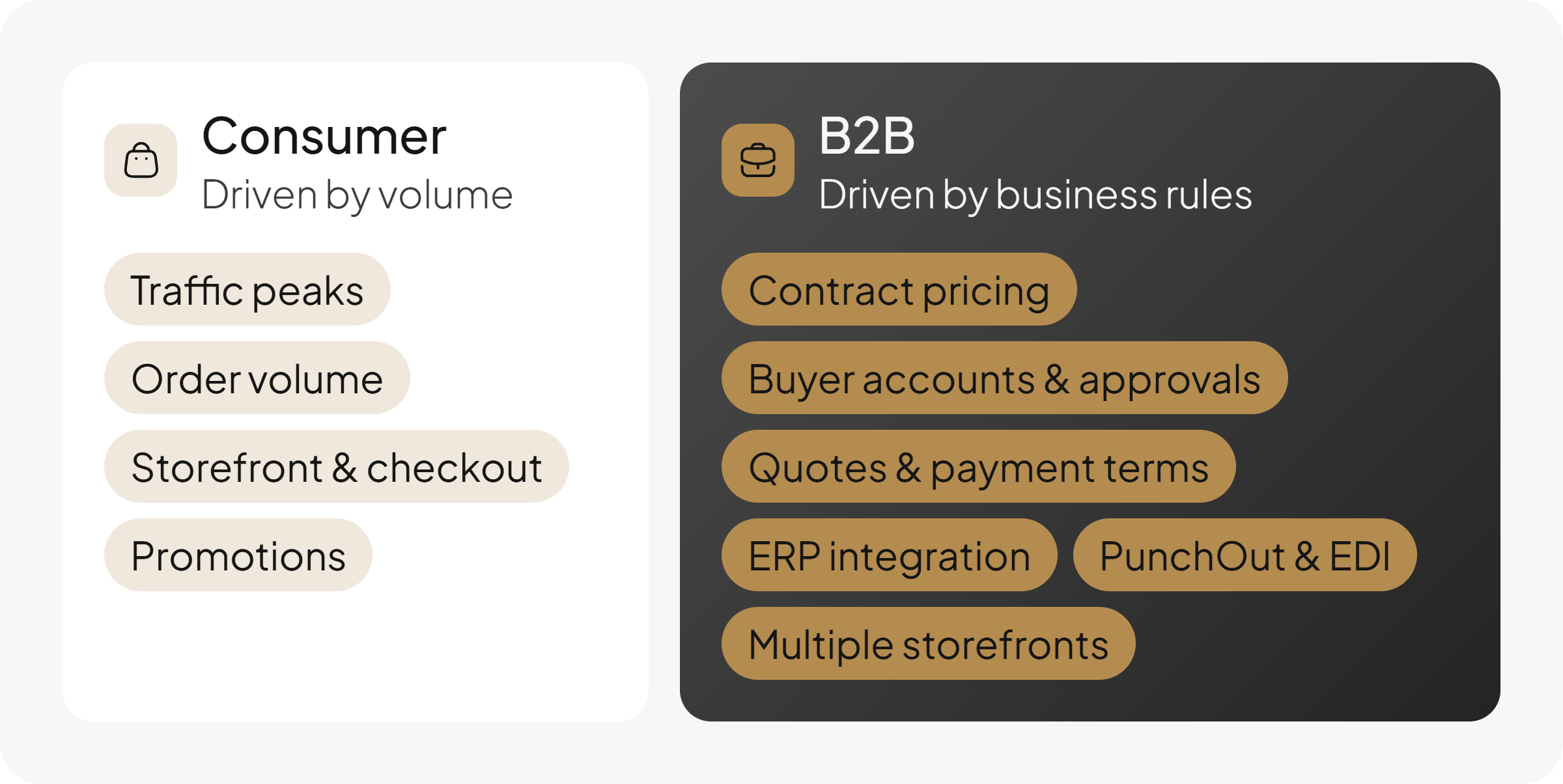
Platform fees and AI consumption show how costs can rise with usage. But in B2B, one of, if not the key factor driving expenses is the number of business rules each transaction must satisfy.
While consumer retail often emphasizes top-of-funnel customer engagement, wholesale operations depend on critical capabilities that govern commercial accounts and pricing agreements.
A manufacturer may have a fraction of a consumer retailer’s traffic, yet its digital storefront must recognize who is buying, which contract prices apply, who can approve the purchase, and what the ERP says about inventory and credit.
Multiply those requirements across customers, business units, and markets, and even modest order volumes can involve substantial development and maintenance costs.
Common B2B requirements can affect TCO very differently depending on how well the platform supports them natively:
| B2B requirement | Why it adds cost on B2C-first platforms | TCO impact |
| Contract pricing and catalogs | Customer-specific prices, catalogs, and units of measure may require custom logic or extensions. | Development, ERP/PIM integration |
| Buyer accounts and approvals | Consumer account models often lack purchasing hierarchies, spending limits, and approval workflows. | Customization, maintenance |
| Quotes and payment terms | Standard checkout may not support RFQs, purchase orders, or invoicing. | Extensions, development |
| ERP integration | Standard connectors may not cover credit limits, inventory allocation, or B2B order processes. | Integration, ongoing support |
| PunchOut and EDI | Corporate procurement connections often require specialist connectors or middleware. | Connector fees, maintenance |
| Multiple storefronts and sales teams | Multi-brand operations and sales-assisted ordering may need additional tools or licenses. | Licensing, customization |
For B2B companies, the number of rules, how frequently they change, and how many connected commerce systems depend on them can matter more than order volume. Those are the factors to examine when estimating ongoing costs.
They also help explain why some B2B eCommerce projects become far more expensive to maintain than others.
B2B eCommerce Platform Choices That Shape Long-Term TCO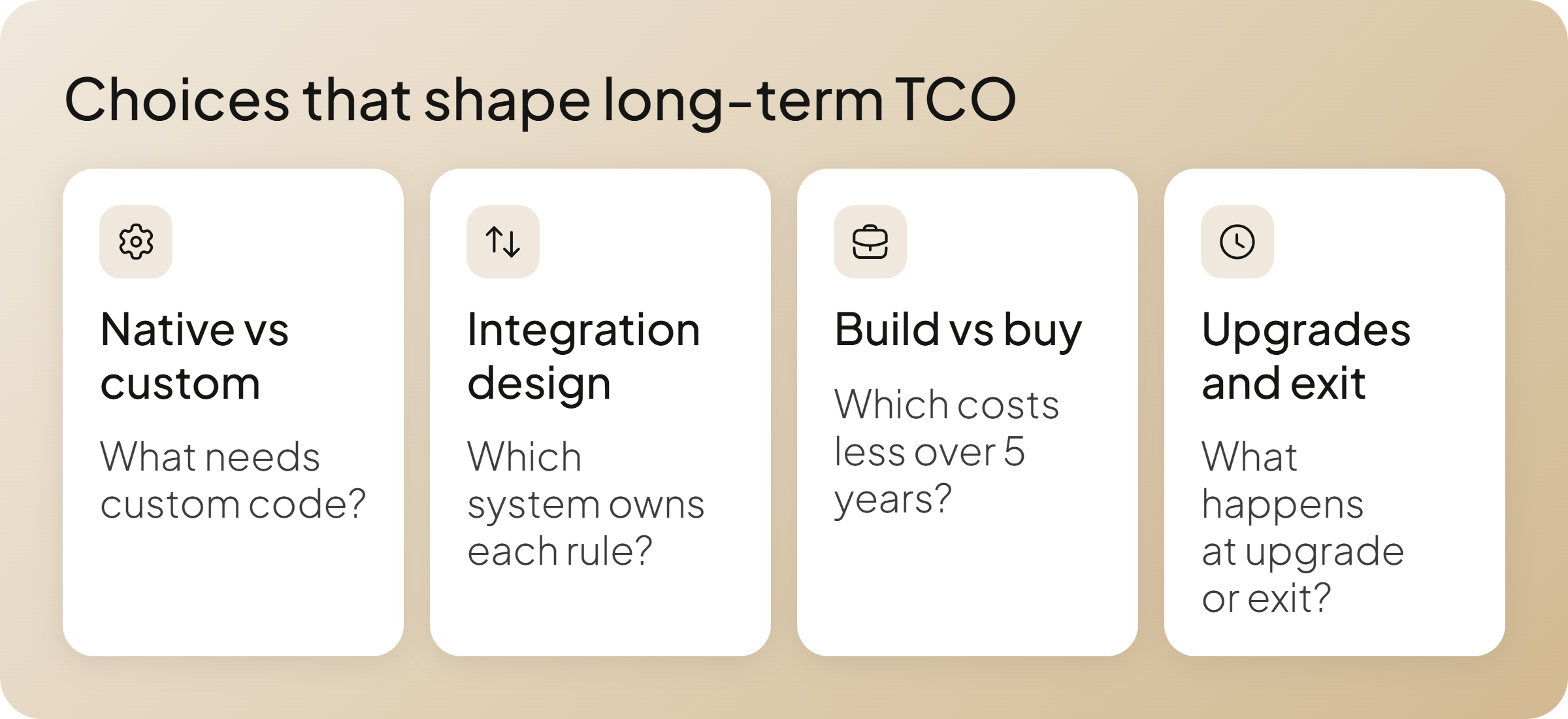
Long-term TCO is often shaped by decisions made well before those costs become visible. Platform fit, integration architecture, what you choose to build yourself, and the platform lifecycle all affect how much work the business takes on over time.
1. Native Capability vs. Custom Development
Customization is normal in B2B. The concern is what has to be customized.
If a platform needs custom development for requirements that are basic to your business, such as contract pricing, account hierarchies, approvals, or multiple units of measure, that code becomes a permanent ownership cost. Writing that logic from scratch adds to your initial development time and drives up developer costs every time you update the platform.
Before selecting a platform, classify requirements into two groups:
- Differentiating logic: Processes that are specific to how your company sells and may justify custom development.
- Core operating requirements: Capabilities the platform will need to support every day and across future releases.
The more core operating requirements that fall into custom code, the more maintenance and upgrade work belongs in your TCO estimate.
Not sure what should come standard today? See 12 capabilities to look for in a B2B eCommerce platform.
2. Integration Design and Long-Term Ownership
Integration cost grows quickly when responsibility for the same rule is spread across systems.
Customer pricing is a common example. If price calculations happen partly in ERP, partly in commerce, and partly in middleware, a pricing change requires development and testing across all three environments. That scattered setup quickly inflates your ongoing maintenance budget.
For major commerce objects such as customer, price, inventory, quote, and order, document:
- Which system owns the data or rule.
- Which systems can change it.
- How quickly changes need to reach commerce.
- What happens when the connection fails.
- Who owns changes to the integration.
This exercise often exposes architecture that will be expensive to operate long before anyone writes an API.
The same applies to composable architectures. Independent components can be valuable when teams regularly need to replace or evolve them independently. If that flexibility sees little use, the business still pays for additional integrations and operational ownership.
3. Building vs. Buying a Commerce Platform
AI-assisted development has lowered the cost of building custom software, making a custom commerce platform more viable for some companies.
But lower build cost doesn’t equal lower TCO. A custom platform also puts long-term ownership on your team: maintenance, security, integrations, testing, modernization, and the engineering capacity required as the business changes.
If you’re comparing a custom build with a commercial platform, model both over three to five years.
Include:
- Initial development or implementation costs.
- Ongoing engineering and maintenance.
- Infrastructure and AI development tooling.
- Upgrades, security, and dependency changes.
- The cost of adapting the platform as business requirements change.
AI changes several of these costs. It can also lower implementation and upgrade effort if you buy a platform. That means the build-vs-buy calculation should account for AI on both sides, rather than treating it as an automatic advantage for custom development.
Want to model this decision in more detail? Our B2B eCommerce Build vs. Buy Guide looks at how AI changes development economics.
4. Support, Upgrades, and Exit Costs
A vendor’s upgrade model can materially affect what you spend in years three, four, and five. Every custom integration and core database connection demands ongoing attention as new versions roll out.
Before signing, find out:
- How often major upgrades are required.
- How long each version receives support.
- Who is responsible for updating customizations and integrations.
- Whether older versions incur additional support costs.
- What has to be rebuilt or migrated if you leave.
Exit cost belongs in the model even when B2B replatforming is not planned. Customer and product data may be portable while pricing logic, workflows, and integrations still have to be recreated.
A new platform that looks cheaper over years one and two can become the more expensive option once a mandatory upgrade or migration enters the forecast.
How to Reduce eCommerce Platform TCO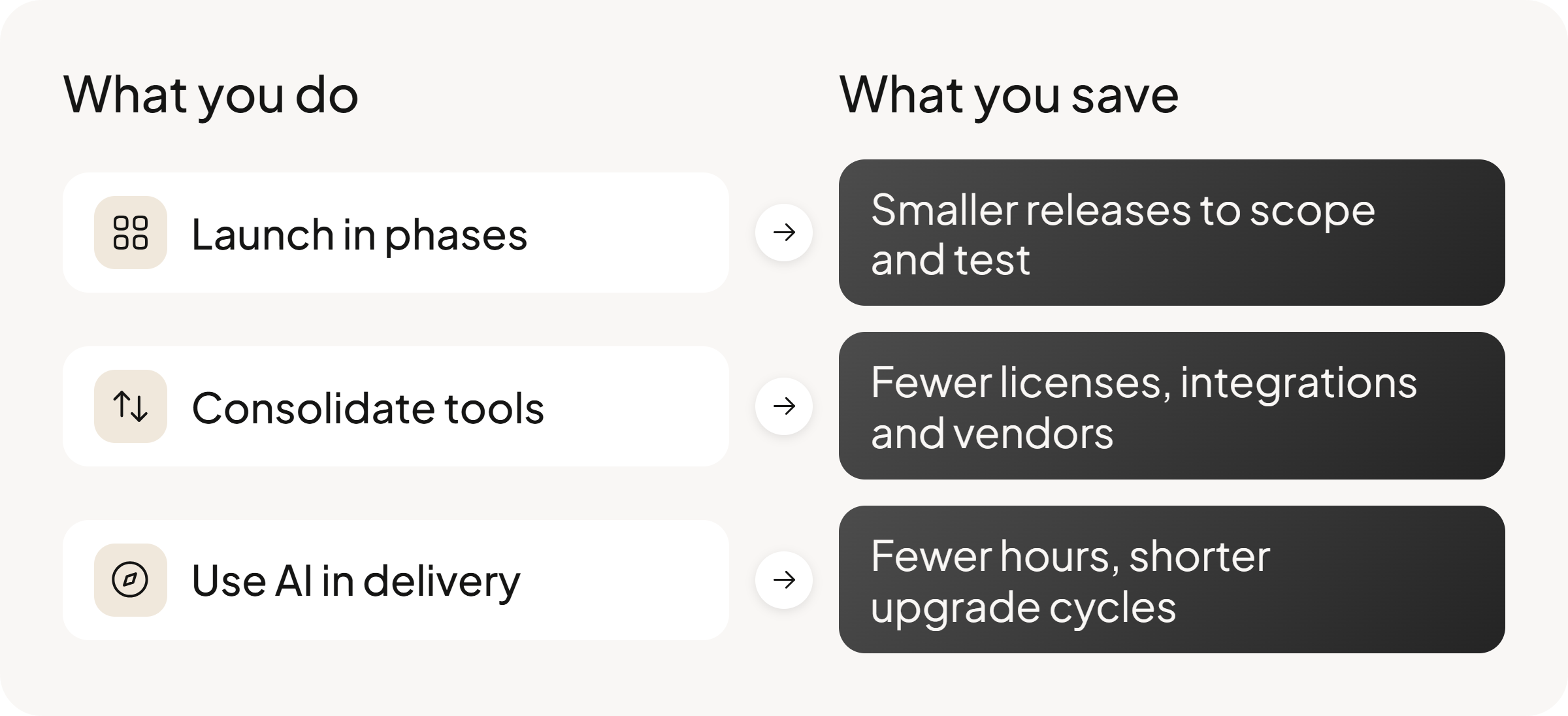
Once the platform and architecture are set, TCO comes down to how you roll out, consolidate, and maintain what you’ve built.
Launch in Phases
Start with the workflows that can deliver value fastest, then add the harder pieces once the foundation is proven. The right strategy focuses on phased deployments that support sustainable growth without overextending engineering capacity.
Cambium Networks took this approach with a five-phase rollout. It started with ordering, then added price exceptions and quoting, followed by returns, credit memos, and promotions.
Smaller releases are easier to scope and test, and they let teams validate integrations and business rules before repeating them elsewhere.
For larger modernization programs, the same logic applies through the strangler pattern: move capabilities incrementally rather than replacing everything at once.
Consolidate Overlapping Tools
Every separate CRM, quoting tool, CMS, or payments application adds more than a subscription. It also adds another integration, upgrade path, and vendor relationship to maintain.
Look for capabilities that can be retired when the commerce platform takes over their job.
DiversiTech did this by replacing Salesforce and bringing CRM and commerce onto the same OroCommerce platform. At the same time, the platform became the commercial layer across 12 ERP environments, giving the business one order flow while ERP consolidation continued behind it.
The TCO saving comes from what disappears: licenses, integrations, duplicated data flows, and maintenance work.
Use AI to Lower Delivery and Maintenance Costs
After launch, a large share of TCO sits in upgrades, integration changes, migration work, and maintaining custom code.
AI-assisted development can reduce effort in tasks such as:
- Mapping data during migrations.
- Generating regression tests.
- Documenting older customizations.
- Identifying code likely to break during an upgrade.
Ask implementation partners where AI is used in delivery and how that changes their estimates. If the same upgrade still requires roughly the same effort it did before AI-assisted development became part of the workflow, ask why.
Those gains should be visible in the estimate, whether through fewer billed hours, shorter upgrade cycles, or lower maintenance effort.
How OroCommerce Helps Keep TCO Under Control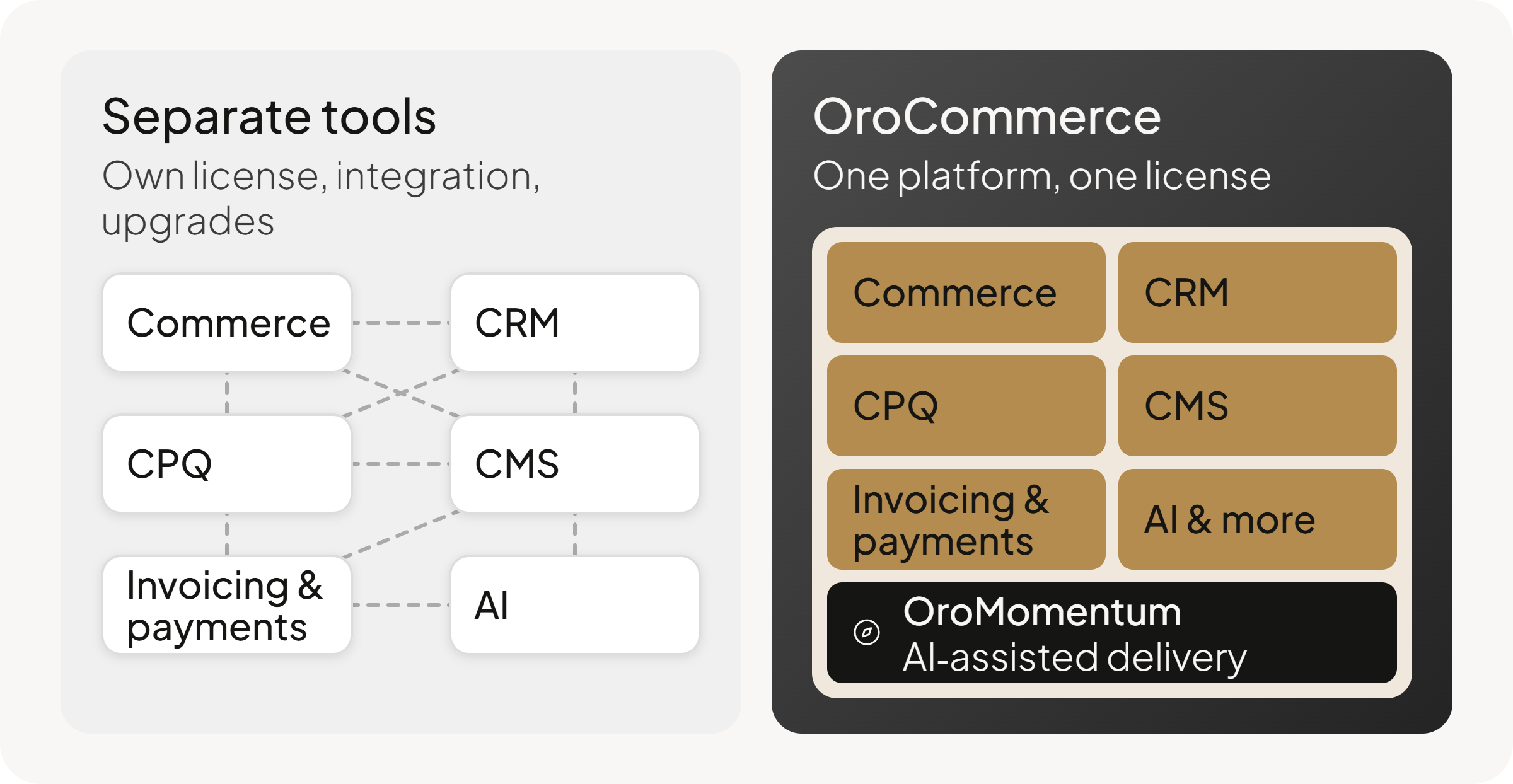
OroCommerce is designed to reduce the extra software, custom development, and engineering work that often accumulate around B2B commerce.
- Spend less rebuilding standard B2B requirements. Customer-specific pricing, account hierarchies, approvals, RFQs, workflows, and multi-organization support are part of the platform, so teams can reserve custom development for requirements specific to their business.
- Expand without multiplying commerce stacks. Multiple sites, brands, regions, and business units can run on the same platform while keeping their own catalogs, pricing, permissions, and processes.
- Keep more costs predictable as requirements grow. One license covers OroCommerce’s B2B capabilities, including CRM, invoicing & payments, CMS, CPQ, and AI, reducing the need to add separate products as the commerce program expands.
- Reduce engineering effort around the platform. We use AI-assisted development, called OroMomentum, for implementation, extension work, and upgrades, targeting parts of TCO that sit outside the software license.
Want to compare that against your current stack and cost model? Book a conversation with our team.
Conclusion about eCommerce Total Cost of Ownership
The goal of calculating total cost of ownership is not finding the cheapest software. It’s to remove surprises.
Every platform costs money to run. The projects that stay on budget are the ones where leaders accepted their operational requirements upfront, instead of paying developers to discover them in year two.
Treat your cost model as an honesty test. Push on the pricing models, the integration limits, and the support terms before you sign anything.
Once the surprises are off the table, the right choice gets obvious.
Frequently Asked Questions
Are open source platforms cheaper than commerce cloud platforms?
Sometimes, but the licensing model tells only part of the story. Open source platforms can give companies more control over infrastructure and development, while a managed commerce cloud shifts more responsibility to the vendor. Most companies should compare the full cost of hosting, development, support, integrations, upgrades, and internal staffing before deciding.
How does TCO differ between Salesforce Commerce Cloud and OroCommerce?
The main difference is how costs are structured.
- Salesforce Commerce Cloud: Pricing is tied to GMV, and some capabilities may require separate products, licenses, or integrations.
- OroCommerce: Pricing is also primarily GMV-based, while one license covers core B2B commerce capabilities, CRM, AI, CMS, and multiple sites.
For TCO, compare the full three-to-five-year cost: licenses, add-ons, integrations, implementation, upgrades, and internal resources.