
navigation

Most B2B organizations have technically digitized. You likely have some version of a B2B customer portal running right now.
So it’s frustrating to see data like Deloitte Digital’s 2026 research. When asked if their sales process is automated, 72% of suppliers say yes. Only 47% of buyers agree. Buyers are also three times more likely to report that a supplier is difficult to do business with.
The disconnect happens when a portal acts like a glorified file server. If buyers have to call your sales team to confirm a contract price or verify branch inventory, the digital buying process failed. It added a delay instead of accelerating the deal.
This guide breaks down what separates an ignored portal from an adopted one and details the hidden costs of poor functionality. We also show how leading manufacturers and distributors deploy these systems at scale.
What Is a B2B Customer Portal?
A B2B customer portal is a secure web based platform where business customers authenticate with a secure login to see their negotiated pricing, check inventory, place orders, and manage their account details.
Everything displayed changes based on which account authenticated. That is the main difference between a portal and a public website. Your website is your public front. Anonymous visitors see the catalog with list pricing, or they see no pricing at all. The portal is what that same site becomes the moment business clients log in to handle their business transactions.
Running both on one platform makes sense. Companies that split them up end up maintaining two separate product catalogs and confusing their customers about where to go. When clients engage with a unified platform, it builds better customer relationships because they never have to guess which URL holds their data.
| Public website | Customer portal | |
| Audience | Anyone | Authenticated accounts |
| Pricing | List or none | Contract pricing |
| Catalog | Full public range | Approved products per account |
| Actions | Browse, request access | Order, reorder, pay, manage users |
Core Features of an Adopted B2B Portal
A portal only creates value if your customers log in. To build that habit, the platform must handle the heavy lifting of their daily administrative tasks. Let’s look at the specific capabilities that make your digital channel the easiest path to purchase.
Customer-Specific Pricing and Personalized Catalogs
Where you store your pricing logic matters. Calling out to the ERP on every page load guarantees a slow experience. Running a pricing engine in the commerce layer keeps the portal fast and gives your team control over the catalog.
When you get the architecture right, you can deliver what the buyer expects:
- Up to date pricing: You update volume breaks and tier logic dynamically.
- Account specific pricing: Buyers see their negotiated margins instantly. You might call this custom pricing or personalized pricing, but the goal is the same. The buyer never has to guess what an item costs.
- Customer specific catalogs: You only show accounts the products they are approved to buy. Relying on custom product catalogs prevents confusion and stops unnecessary calls to your support desk.
Real-Time Inventory Visibility
Buyers hate backorders. They check product availability before committing, and they expect precision. If your portal runs on nightly batch updates, you force them to make decisions based on old data.
The data backs this up. According to the 2025 B2B Buyer Perspectives survey, 74% of buyers check stock counts before completing a transaction. We will reference this research throughout the guide, but the lesson here is simple. Showing allocated stock instead of on-hand stock defeats the purpose of an online channel.
To prevent your customers from calling your support team, your portal must deliver:
- Up to date information: Buyers need to see exact inventory levels.
- Branch-level accuracy: A customer in Lyon doesn’t care about warehouse totals in Marseille.
- Real time data access: When buyers trust the number on the screen, they click submit.
Survey Report: See how your business stacks up on the digital experience and what buyers are asking for next
Multi user access and account management features
Your buyers do not shop alone. A typical order moves from a floor manager to a procurement officer to an accounts payable clerk. Our survey data confirms this, with 48% of buyers expecting personalized dashboards for multiple users from the same company.
One shared login per customer account creates a messy paper trail. It leaves you guessing who approved a purchase and forces your team to manually revoke access when a buyer’s employee quits. Role-based access controls eliminate this confusion by defining clear purchasing limits for every user.
To support large clients, your platform needs dedicated account management features. Corporate buyers require a hierarchy where the head office sees everything and regional branches only see local data. Giving your customers tools for independent account management mirrors how they naturally operate and removes the administrative burden from your internal staff.
Order Management and Quick Reordering
Since most B2B orders are repeats, the second order needs to be faster than the first. Quick reorder remains a rare feature. While 75% of suppliers offer basic order tracking, very few provide fast reorder tools, according to our survey of B2B professionals.
Buyers need to reorder directly from their order history with one click. They expect to upload CSV files when they handle bulk ordering for weekly runs. Relying on manual order entry guarantees mistakes.
When you force manual data entry, the wrong SKU gets caught on screen instead of at the dock. Buyers need comprehensive order management tools to check their order status independently. Putting them in control of online ordering speeds up the entire cycle.
Invoice Access and Online Payments
Invoice retrieval belongs in the finance department, not sales. When 99% of buyers say having orders, invoices, and payments in one place matters, they mean it. Buyers need to access invoices, map them to specific orders, and check due dates.
They also need to handle online payments using their terms rather than a standard card checkout. Larger accounts require invoice routing inside their own organization. When a portal lacks invoice access, the buyer’s AP department defaults to calling your finance team.
Detailed Product Content and Guided Discovery
Technical catalogs defeat browsing. A buyer sorting through 4,000 abrasive variants will not scroll indefinitely. The portal should expose your PIM attributes as filters rather than burying them in a spec sheet PDF attached at the bottom of the page.
Providing detailed product descriptions keeps buyers engaged. Regulatory and safety documentation belongs on the product page too. Since 67% of buyers we surveyed for the B2B Buyer Perspectives report rely on custom search functionality to find products, guided selection helps them filter by application, thickness, and grain until they land on the right part.
Further reading: AI Search for eCommerce: Why B2B Needs More Than a Smarter Search Bar
The Portal as a Shared Workspace
Seller adoption dictates buyer adoption. Your sales reps hate portals that hide account activity.
Gartner research shows why collaboration matters. Buyers complete an average of only 1.8 purchasing activities via digital self-service. When they work with a rep while using digital tools, they complete 3.0 activities. A successful digital channel acts as a bridge between the customer and your internal staff.
To support this hybrid buying behavior, your platform must deliver:
- Shared cart visibility: When a buyer stalls at checkout, the rep needs to log in and see the identical cart to troubleshoot the issue.
- Contextual customer relationship management: A seller needs to see what the account viewed and which invoices are overdue before they pick up the phone.
- Time for ongoing customer relationships: AI-powered sales order automation tools instantly extract data from emailed purchase orders to build a draft order. The rep sees a clean draft to review instead of a messy PDF to type out. Removing data entry gives your team time to advise clients.
Win the Hybrid Buyer: Deeper Dive into Next Generation Of B2B Commerce Portals
The Cost of Missing Essential Features
Listing capabilities is the easy part. Making sure they match how your buyers work is where things break down. When a feature falls short of customer expectations, your buyer stops typing and picks up the phone. Here is what happens when standard portal tools miss the mark.
| Feature | What the buyer does | The operational failure |
| Customer-specific pricing | Sees contract price at login | Buyer calls to confirm price before ordering |
| Real-time inventory | Checks branch stock before committing | “Call for availability,” order goes back to email |
| Role-based access | Requisitioner orders, approver signs off | One shared login, no spend control |
| Order management | Reorders, uploads CSV, tracks status | Your team rekeys orders from PDFs |
| Invoice access and payments | Pulls invoices, pays on account | AP calls your finance team |
| Product content | Finds the right SKU unaided | Wrong part ships, return gets processed |
| Rep visibility | Rep sees account activity before the call | Rep walks in with no context |
Key Benefits of a B2B Customer Portal
When companies list the key benefits of a portal, they usually rely on empty buzzwords. We prefer to look at the mechanics. A well-built digital channel changes how your business operates. It moves buyers away from traditional methods and creates measurable financial returns.
1. Deflect Routine Support Questions
Administrative tasks belong in a self-service environment. Moving order tracking and invoice retrieval online immediately reduces your customer service workload. When buyers stop contacting customer service for basic answers, you achieve immediate operational efficiency.
Your customer service team spends their time solving complex problems instead of reading tracking numbers aloud. Deflecting these routine phone calls creates lower operational costs.
For example, Braskem saves more than 22,000 internal work hours a year while processing 12,000 orders a month through their portal. That drop in manual admin time directly impacts your customer service costs.
2. Stop Order Errors at the Source
Rekeying an order from a PDF puts the error inside your own four walls. When the buyer builds the cart, they catch their own mistakes before the order submits. You save money on the credit memo, the return freight, and the restock process.
3. Capture More Revenue per Account
A superior customer experience dictates your growth. Deloitte Digital found that suppliers estimate they lose 13% of sales bids to poor buyer experiences. Conversely, a good digital experience generates a 36% revenue uplift. Buyers reported spending about 29% more with suppliers who are consistently easy to work with.
A platform that caters to natural customer behavior builds lasting customer loyalty. When you improve customer satisfaction, your buyers spend more money. High customer satisfaction leads directly to long-term business success.
4. Shift Sales Talent from Admin to Advising
Every order a rep types by hand is an hour they cannot spend on an account that needs judgment. Lactalis cut manual processes by 44% and grew digital orders 230% across 12 markets on a single platform.
Make sure your commission structure honors the digital channel. If reps lose credit for online orders, they will force the buyer back to email.
Types of B2B Customer Portals
Portal type follows the commercial relationship. Who logs in determines what rules the system enforces.
Dealer and Distributor Portals
When your customer is a reseller, your portal has one main job. It must protect their margins. To do that, the platform needs to enforce tiered pricing and territory restrictions automatically. Your dealers also need access to marketing assets and warranty claim forms in a single environment.
Many wholesalers worry that a digital channel will cause channel conflict. They fear undercutting their own dealer network. You solve that problem through software configuration rather than written policies. A properly built dealer portal separates your direct buyers from your dealers and shows everyone the correct price.
This matters right now because buying habits are shifting. Industry data shows 92% of buyers currently ordering through EDI plan to move to other channels. They want a modern interface. Building a dedicated dealer portal captures those buyers while keeping your reseller network secure.
Further reading: The Complete Guide to B2B Dealer Portals
Branded Portals for Key Accounts
Sometimes a single buyer spends enough money to demand their own dedicated store. Providing a custom portal for a key account builds deep loyalty. You give them a clean space with their own logo, contract pricing, and negotiated catalog.
The problem happens when you try to scale this VIP treatment. If spinning up a new portal requires a fresh software build, your maintenance costs become impossible to manage.
Scaling this model requires a single-instance setup. You maintain one master database for all your operations. When a new major account signs a contract, you spin up a dedicated storefront connected to that central hub. You give the buyer a highly personalized experience while keeping your own IT overhead low.
B2B Customer Portal Examples
Azelis: 150 Portals on One Platform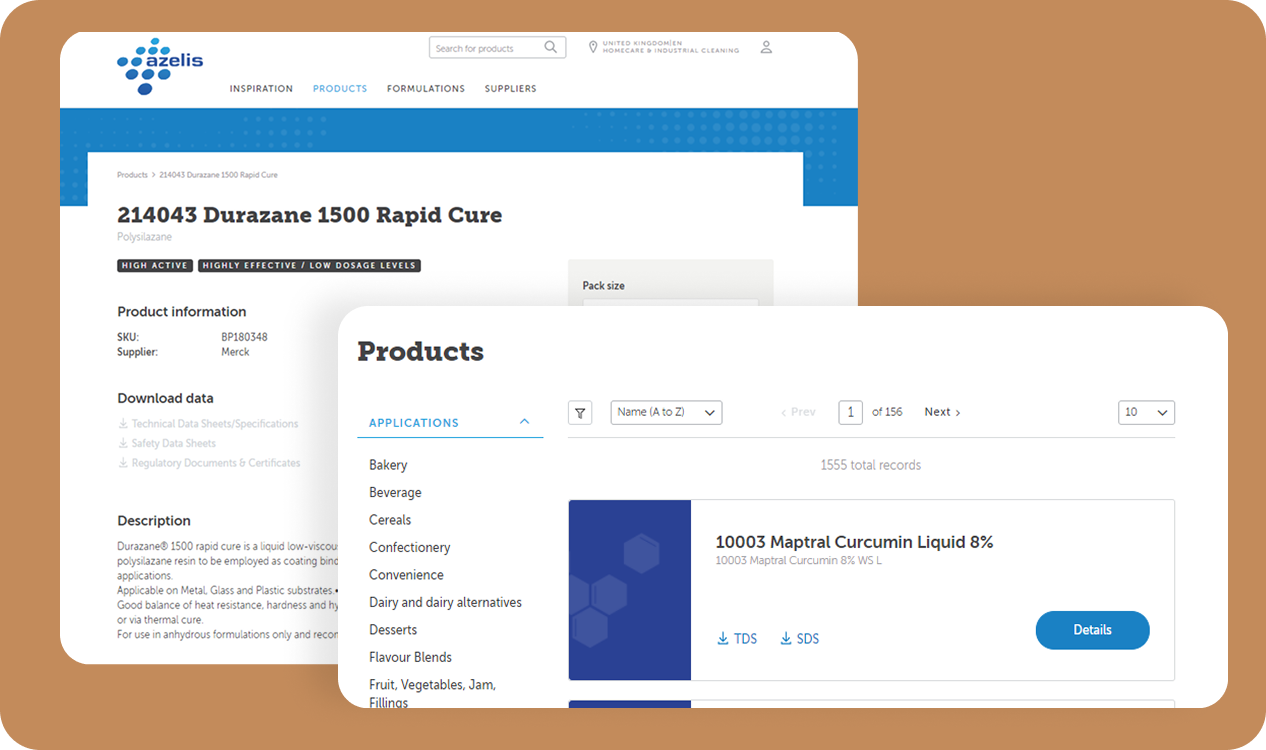
Azelis distributes specialty chemicals and food ingredients to 65,000 customers, generating €4.1 billion in annual turnover. Operating at that scale creates a massive data problem. Their catalog changes at every border because supplier mandates restrict product availability based on geography and market segment.
To handle this complexity, they built one instance using OroCommerce’s native multi-site architecture. The system syncs customer data across their ERP, CRM, PIM, and a central data lake. Trade agreement logic takes over the moment a buyer logs in, hiding restricted items and displaying negotiated prices automatically.
When Azelis enters a new region or acquires a local distributor, they follow this same blueprint. That repeatable process allows them to launch a fully compliant portal for a new market in as little as one week.
Braskem: 22,000 Work Hours Back
If you run a global wholesale business, manual order entry eventually breaks your operations. Braskem hit this wall. As the largest petrochemical producer in the Americas, their offline sales process frustrated buyers who expected modern purchasing tools.
They selected OroCommerce to build a custom portal called Bridge. Braskem required flexible solutions to handle complicated corporate hierarchies and mass order processing. Now, buyers log in to manage their own profiles and track shipments instantly.
To make this work, their implementation partner AAXIS integrated the portal tightly with SAP. This ensures pricing and account data stay perfectly synced across the entire company. Today, the portal serves 800 companies and processes 12,000 orders a month. Shifting those routine tasks to a digital storefront saves Braskem 22,000 work hours annually.
Ciranda: Long-Tail Accounts Onto Self-Service
Ciranda supplies organic and Fair Trade ingredients to North American food manufacturers. Their first portal ran on Shopify, and adoption was poor enough that leadership questioned whether eCommerce made sense at all.
Working with Americaneagle.com, they rebuilt on OroCommerce. Larger accounts get contract pricing, payment terms, and full order history. Long-tail accounts use a self service portal to register, request quotes, and pay invoices online. Giving the long tail robust self service options keeps the sales team focused on major accounts. Nine months in, online revenue jumped 150% and average order value grew 80%.
How to Evaluate a B2B Customer Portal
Building a portal that buyers actually use requires a heavy-duty technical foundation. To avoid launching a digital storefront that frustrates your customers, your evaluation must focus on three architectural requirements.
ERP Independence
Your digital channel cannot rely entirely on your back office. Deloitte found that 87% of suppliers are currently upgrading or planning to upgrade their ERP. If fixing a broken checkout flow requires an ERP change request, your commerce layer is too dependent. A dedicated commerce platform protects your buyer experience during those internal migrations.
Core B2B Logic
Do not accept workarounds. If a platform requires third-party plugins to handle corporate account hierarchies or custom pricing tiers, the system will eventually break. B2B workflows must exist in the native code.
Scalable Deployment and Licensing
Launching dedicated portals for key accounts drives loyalty. You need an architecture that supports multiple storefronts from one database to keep your IT costs down. You also need a vendor that ignores per-user fees. Charging for logins breaks the arithmetic on a portal meant to hold a customer’s entire buying team.
Running Customer Portals on OroCommerce
OroCommerce provides the purpose-built foundation for modern B2B sales. We engineered a single platform that unifies your product data, your buyers, and your sales team.
- Multi-Org Architecture: You can run multiple portals, brands, and regional sites from a single instance. Your tenth portal costs roughly the same to deploy as your second one.
- Native B2B Logic: Corporate account hierarchies, custom price lists, and approval workflows function out of the box. The purchasing rules your business relies on sit directly in the core code.
- Unified Sales Data: Our built-in CRM shares the exact same database as your storefront. Your sales reps and your buyers operate from a single source of truth.
- AI-Led Automation: Native tools like AI SmartOrder read emailed purchase orders and build draft carts automatically. AI SmartAgent handles routine inventory questions to protect your sales team’s schedule.
- Zero Per-User Fees: Our single license scales to your sales volume. You can invite a customer’s entire procurement team onto the platform to manage their own buying.
What Would Your Unified B2B Portal Look Like? Schedule a no-obligation session with our B2B experts
Conclusion
When you run digital commerce and human sales as separate channels, your buyers suffer. You force them to bridge the gap between your website’s limitations and your sales rep’s inbox.
Your portal serves as a strategic sales instrument. The best companies in this market understand that automation and human relationships work together. They use technology to handle the administrative heavy lifting. They build environments where the digital workflow actively supports the sales rep.
You have the opportunity to turn your portal into a collaborative workspace. The technology is ready. The question is whether your business is ready to use it.
B2B Customer Portal FAQs
What is customer self service?
It is a secure environment where business buyers log in to view contract pricing, check inventory, place and reorder, access invoices, and manage their account. Everything displayed resolves based on which account authenticated.
What are standard self service capabilities?
At minimum, a platform requires customer-specific pricing and catalogs, real-time inventory, role-based access with multiple users per account, reordering and bulk order entry, invoice access with online payment, and visibility for your sales team. Providing true self service removes bottlenecks from the purchasing cycle.
How does self service impact business processes?
Moving routine tasks online reduces manual work and lowers support costs. When buyers check their own order status outside of business hours, your internal teams stay focused on high-value operations rather than answering emails.
Can a B2B customer portal integrate with our ERP and CRM?
Yes, and the integration pattern matters more than the fact of it. Ask whether pricing and inventory are queried live or synced, and what happens to the portal when the ERP is unavailable.
How do you measure whether a portal is working?
Track the percentage of orders placed online, deflection rate on predictable support call types, order error rate compared to manual entry, and adoption among long-tail accounts specifically.