
navigation

Nobody wants to talk about how much of your B2B revenue still arrives as a messy email attachment. You can have the best digital catalog on the market, but some of your biggest buyers will always send their POs via spreadsheet or PDF. When that happens, your internal teams have to rekey those line items manually.
This guide compares the AI-powered tools for sales order automation built to kill this specific workflow.
Why AI-Powered Sales Order Automation Matters
Manufacturers and distributors pour budget into digital self-service, but a stubborn fact remains. A large share of your buyers won’t ever log into your portal. They keep emailing PDFs and legacy order forms, expecting your customer service team to force that data into your ERP systems.
The financial drag of this workflow is highly measurable:
- Reps drop up to 40% of their time into manual data entry.
- 74% of inbound PO documents arrive with a data-quality issue, usually outdated pricing or conflicting shipping details.
- A single order error costs an average of $18,000 in rework, reverse logistics, and warehouse management scrambles.
Throwing more headcount at the problem just scales your human errors. True sales automation handles the unstructured data to deliver fewer errors across the full process. It bridges the gap between old buying habits and your modern tech stack, letting your team get back to managing customer relationships.
What AI Changes in Sales Order Management
You’ve likely tried automation before. Web order forms just shift the data-entry burden onto the buyer. Template-based extractors and RPA bots keep the work in-house, but they shatter the second a customer adds an unexpected column to their PDF.
AI flips that dynamic. Here’s what changed:
- Template-free extraction: Legacy systems rely on mapping fixed coordinates. If an account redesigns their purchase order, the software breaks and your IT team has to rebuild the rules. AI reads the context of the data instead of looking at XY coordinates, so layout changes don’t interrupt your order flow.
- Customer Part Number matching: Buyers use their internal SKUs, not yours. AI maps “ABC-500” on their spreadsheet to “WIDGET-BLUE-LG” in your catalog without requiring you to build lookup tables for every trading partner. That’s what lets AI work out of the box instead of needing months of setup.
- Context validation, not just data entry: Automation rules execute scripts: “Put the number in cell B5 into the quantity field.” AI validates business rules: “This customer’s contract says $12.50/unit, but the PO says $15 – flag it for review.” The difference is data accuracy at the point of capture, not three days later when the order ships wrong.
What to Look for in AI Sales Order Automation Software
Evaluating solutions requires you to look past the marketing pitches. A tool boasting high extraction rates might still fail when it hits your complex business operations. Here are the critical capabilities you need to demand.
AI data capture and unstructured data handling
Your buyers send purchase orders in wildly different formats. The automation software must extract order data from messy PDFs and email body text. It should also handle unstructured data from web forms without requiring an IT admin to map templates.
Customer Part Number (CPN) matching
Buyers rarely use your official SKUs. They put their internal part numbers on long spreadsheets. A smart sales order process handles CPN matching instantly.
Product validation
True validation requires the software to check SKUs against inventory levels and units of measure. It has to understand your catalog restrictions to prevent fulfillment disasters.
Native ERP integration
Your software needs to connect directly with your existing systems. It should pull live customer data from your enterprise resource planning platform rather than relying on stale batch uploads.
Exception handling and human intervention
The goal isn’t to eliminate human interaction. You want to keep human intervention focused only on the exceptions. The system should flag compliance requirements or pricing mismatches and route orders directly to the right sales leaders for approval workflows.
Auditability
An automated order shouldn’t be a black box. Your finance team needs a permanent log of how every deal came together. The system must record exactly what the software extracted and track every keystroke a human added afterward.
Real-time tracking and the post-order experience
A purchase order shouldn’t disappear into an ERP black hole. Your enterprise teams and your buyers need real-time visibility. When the software connects to your commerce portal, buyers can track their emailed customer orders alongside their online purchases.
Securing these capabilities keeps your data clean and your sales reps happy. The next step involves looking at how the major platforms stack up against these gritty requirements.
5 Best B2B AI Software for Processing Orders Compared
Here is the technical breakdown of how AI-powered tools for order automation handle sales order data.
| Criteria | OroCommerce AI SmartOrder | Conexiom | Canals AI | Esker | Endeavor AI |
| Best For | Manufacturers and distributors consolidating commerce + order automation in one system | High-volume industrial distributors demanding EDI-equivalent accuracy | Wholesale distributors wanting fast onboarding | Global enterprises needing full order-to-cash lifecycle automation | Manufacturers taking phone orders who need voice-to-order AI |
| Supported Formats | PDF, JPG, PNG, hand-written notes, CSV | PDF, Excel, email, handwriting | Email, voice, PDFs, handwriting | Email, EDI, web forms | PDFs, Excel, live phone calls |
| Email-to-Order | ✅ | ✅ | ✅ | ✅ | ✅ |
| ERP Integration | Epicor, SAP, NetSuite, Dynamics, and more; proven multi-ERP deployments | 40+ connectors | API to common ERPs | 70+ integrations | SAP, Infor, Epicor, Oracle |
| Processing Capacity | 700+ line items in under a minute | 200k lines/mo (one account) | 100+ line spreadsheets | N/A | 500+ page documents |
| Customization flexibility | Open-source, customizable | Major configuration changes usually require professional services | A “black box” solution | Requires vendor support and professional services | Built and managed by the vendor |
| Auditability | Draft order + field-level review; Audit trails | 75+ validation checks; AI anomaly detection | Flags discrepancies; rep approval; learns from corrections | AI validation; audit trail | Rule-based exceptions |
| Pricing | Included in the platform | Quote-based SaaS | Usage-based | Quote-based | Volume-based (per-order) |
Evaluating the Top 5 Order Automation Tools for B2B Sales
Not every vendor publishes deep technical specs, so we’ve summarized the key features and the documented strengths of each platform. Here is how these 5 solutions automate sales order processing and where they typically fit within a manufacturer or distributor’s existing systems.
OroCommerce’s AI SmartOrder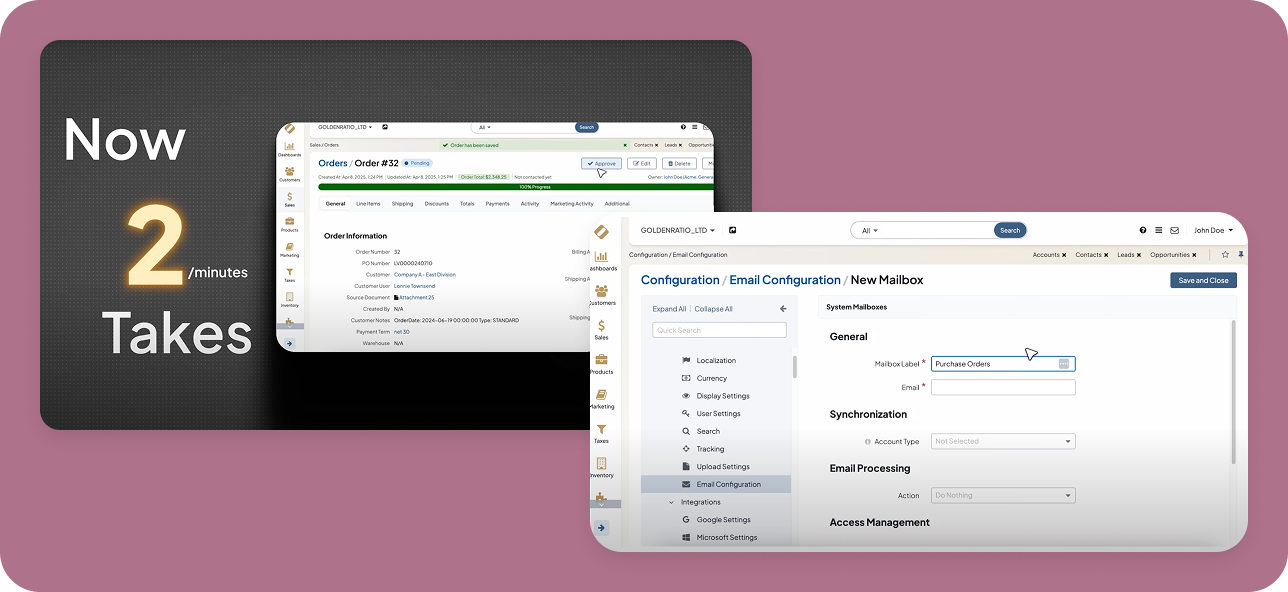
OroCommerce embeds AI-powered sales order automation natively inside your B2B eCommerce platform, eliminating the integration tax of bolting a third-party AI tool onto your storefront.
When a customer emails a 200-line PDF, SmartOrder extracts the data, maps customer part numbers to your catalog SKUs, and creates a draft order in the same system buyers use to track shipments and reorder online.
The customer doesn’t know (or care) whether the order came from the web or from email, but it all lands in their portal account. This provides a completely unified customer experience for enterprise and mid-market companies.
Best For
B2B manufacturers and distributors consolidating their commerce platform and order automation under one roof. It fits organizations that want to automate back-office data entry while building a self-serve buyer portal.
If you’re already running OroCommerce or evaluating commerce platforms, SmartOrder eliminates the need for a separate AI vendor. Also strong for companies managing multiple ERPs who need one unified front-end order flow.
Key Strengths
- Platform-native means live access to catalog, contract pricing, and customer hierarchy with no API sync lag.
- Built-in guardrails enforce your specific buying policies. Granular access controls natively respect your complex customer hierarchies so you never expose the wrong data to a buyer.
- It easily processes dense purchase orders exceeding 700 line items.
- Emailed POs appear in the customer’s portal alongside web orders – unified order history, tracking, and reorder capability.
- Proven multi-ERP deployments where one commerce instance processes orders across multiple backend systems.
- Enterprise-grade audit trails and compliance reporting.
Pricing
Included in the standard OroCommerce platform license. No per-document fees or separate AI vendor contract.
See how it works
Conexiom
Conexiom positions itself as the electronic data interchange (EDI) replacement for manufacturers and distributors whose buyers refuse to adopt EDI or send clean, structured data. Their machine learning model is trained on over one billion proprietary purchase order line items – the largest documented training corpus in the category.
They have a reputation for premium, enterprise-level pricing. Setup can also be heavier than newer AI startups because of their deep validation rule engine.
Best for
Enterprise teams processing massive order volumes that demand strict error prevention.
Key Strengths
- It runs 75 specific validation checks against live ERP data to reduce errors before order creation.
- They claim a 100% data accuracy rate on their Premier tier.
- AI anomaly detection flags orders that deviate from historical patterns for the same customer.
- Processes email body text, PDF attachments, Excel spreadsheets, handwritten notes, images, and EDI 850 transactions through the same engine.
- Handles 40+ ERP systems with pre-built connectors.
Pricing
Quote-based enterprise SaaS.
Canals AI
Canals is built for distributors dealing with highly unstructured data across multiple channels. It uses AI to turn messy customer asks into ERP-ready quotes so your sales team doesn’t spend hours fighting manual entry.
There is less manufacturer traction (primarily distributor-focused), and it’s stronger on quoting workflows than deep ERP master-data validation.
Best for
Wholesale distributors (electrical, plumbing, HVAC) fighting manual order entry from voicemails and field notes. Strong fit if your inbound order mix includes formats beyond email attachments.
Key Strengths
- It parses live audio, voicemails, and handwritten takeoffs.
- They advertise aggressive onboarding, claiming integration takes just days, with minimal IT setup.
- API connections to common distributor ERPs.
- Partnership with IDEA (electrical distributor buying group) for electrical product data syndication and cross-reference tables.
Pricing
SaaS subscription, usage-based (contact for quote).
Esker
Esker is an enterprise giant that combines AI and RPA to cover the entire sales order lifecycle. It delivers deep automated order processing from initial order entry down to the procure-to-pay cycle.
It’s an expansive business process automation suite, which might be overkill if you just need to extract data from PDFs.
Best for
Global companies requiring deep auditability, complex approval workflows, and massive integration matrices.
Key Strengths
- It boasts over 70 pre-built integrations, making it highly adaptable to legacy systems.
- The software handles downstream fulfillment workflows and can automatically generate invoices to close out the sales process.
- AI + RPA hybrid architecture combines document intelligence (understanding unstructured POs) with workflow automation.
- Enterprise-grade audit trails and compliance reporting.
Pricing
Enterprise SaaS (contact for quote).
Endeavor AI
Endeavor’s defining feature is Voice-to-Order: AI that listens to live phone calls between CSRs and customers, extracts order details in real time, and auto-populates the ERP while the rep is still on the call. For manufacturers and distributors that still take 30–50% of orders by phone, this helps eliminate post-call rekeying.
Best for
Manufacturers and distributors that take orders by phone and need multimodal AI (voice + email + PDF + spreadsheets).
Key Strengths
- It processes incredibly dense inputs, with case studies citing 500-page documents and live phone calls via Voice-to-Order.
- They publicly claim five-day implementation timelines for specific integrations like SAP, Infor, and Epicor.
- Pre-built integrations with SAP ECC/S/4HANA, Oracle EBS/Fusion/JDE, Microsoft Dynamics 365/GP/NAV, Infor M3/CloudSuite Industrial, Epicor Eclipse/Prophet 21/Kinetic
- Free pilot period to test against actual order volume before committing to contract.
Pricing
Volume-based per-order pricing, which is highly transparent but can be tricky to budget for highly seasonal businesses.
Embedded vs. Point Solutions
Most AI tools on this list suffer from the exact same flaw. They treat a purchase order as an isolated data entry problem. They scrape the text, shove it into your ERP, and call it a day.
That approach is great for your back office, but it completely ignores the sales funnel after the purchase and how it can impact your revenue growth.
The order exists in your system, but not in the customer’s portal. They can’t track it, can’t easily reorder it, and can’t see it alongside their web orders. You saved your CSR 20 minutes of typing, accelerated the sales cycle, but gave your customer a fragmented experience.
Why OroCommerce Beats the Point Solution Trap
As a B2B-first eCommerce platform, OroCommerce rejects the idea that your eCommerce site and your back-office automation should be two disconnected “Franken-cloud” applications. Your buyers shouldn’t get a disjointed experience just because they emailed a PDF today instead of clicking a checkout button.
When you embed AI directly into the B2B commerce platform, the technology inherits your existing business logic instead of fighting it.
- Visibility for the buyer: Standalone AI dumps order data straight into your enterprise resource planning system. Your buyer is left entirely in the dark. Because SmartOrder runs through OroCommerce, an emailed PDF instantly appears in the customer’s digital portal alongside their web purchases.
- One shared pricing and catalog engine: You don’t have to spend six months teaching a third-party AI tool how to read your complex corporate hierarchies. SmartOrder natively references the exact same price lists and business rules that already govern your storefront.
- Built-in guardrails: A standalone tool forces your IT team to recreate data policies from scratch. SmartOrder inherently obeys the granular access controls and role-based permissions already running your commerce engine. It naturally prevents a buyer from accidentally ordering off a restricted catalog.
- Built-in approval routing: An order shouldn’t just be parsed; it has to be managed. If a buyer emails a PO that exceeds their spending limit, the system doesn’t just push it to the ERP. It automatically routes a digital draft to their supervisor for approval.
- No per-document AI fees: Point solutions often penalize you for success with unpredictable per-document pricing. A seasonal spike in order volume shouldn’t break your IT budget. OroCommerce’s AI features are included in your standard platform license.
We don’t hand your IT department a pile of loose AI tools and wish them luck wiring it all together. We built an intelligence layer, OroIQ, that treats every inbound order – whether it arrives via web portal, API, or email attachment – as part of a single, unified relationship.
See how OroCommerce handles eCommerce automation natively
Proof Point: Unifying 12 ERPs at DiversiTech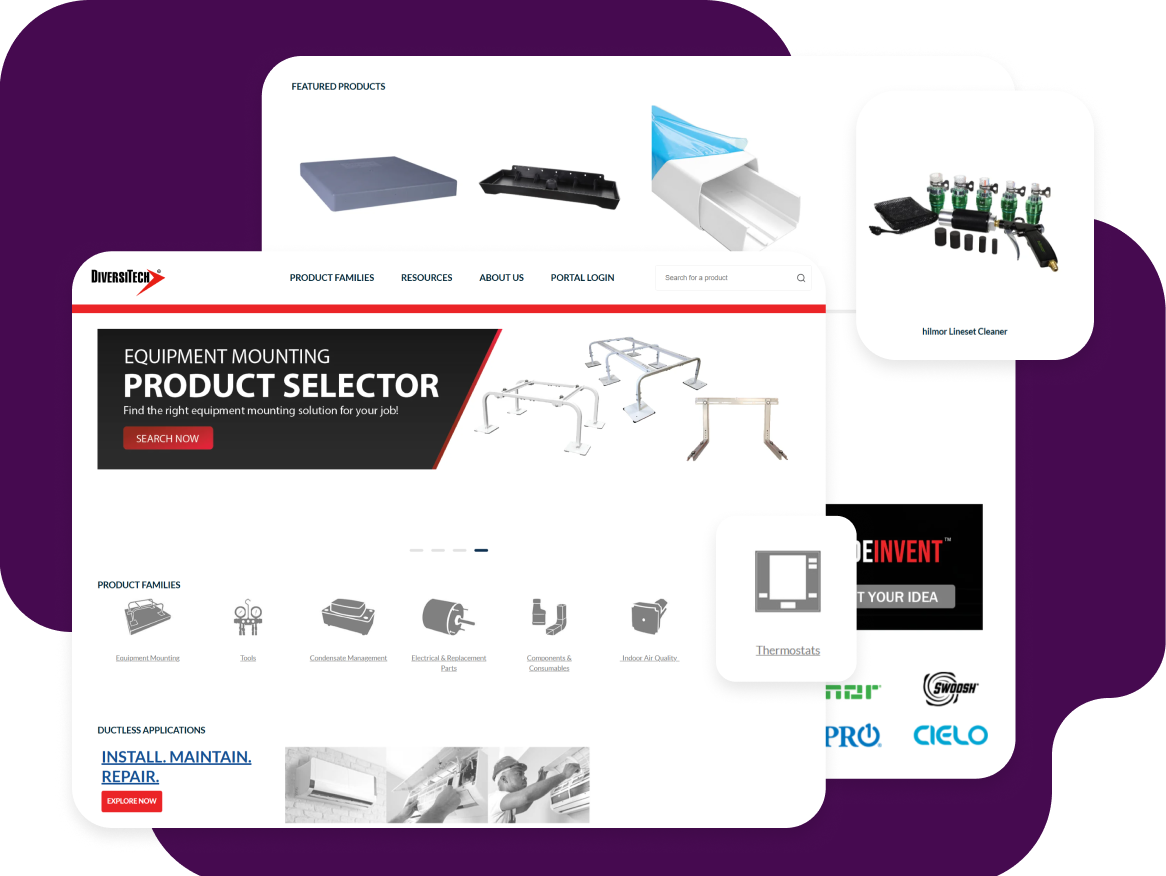
Looking at enterprise deployments shows exactly how this architectural choice impacts your operations. Consider DiversiTech’s challenge of managing order intake across a highly fragmented corporate structure. Following multiple acquisitions, they had 12 different ERP systems running simultaneously.
Bolting a point solution to 12 different databases would have created an integration nightmare. Instead, they unified their front-end order flow under OroCommerce.
Using AI SmartOrder, they process 700-line POs in seconds across multiple global regions by referencing one central catalog. The outcome was a 20% productivity gain and a drastic reduction in manual tasks.
By removing that friction, your organization secures a distinct competitive edge and frees up headcount to focus on driving business growth.
Your next step is translating these operational wins into hard performance metrics for your executive board.
KPIs to Track From Day One
Here’s what to track in your first six months:
Straight-through-processing rate
- What it is: The percentage of orders that move from inbox to ERP without a human touching them.
- Why it matters: If your AI tool still routes 60% of orders to manual review, you didn’t automate – you just added software to your manual process.
- Realistic targets: 60% by month 6. If you hit 80% by month 12, you’re in the top quartile.
Average order-processing time
- What it is: How long it takes from “PO hits the inbox” to “order confirmed in the ERP.”
- Why it matters: Your baseline is probably 5–30 minutes per order, depending on complexity. AI should collapse that to under 60 seconds for clean orders.
- Realistic targets: Under 2 minutes by month 3. Under 60 seconds by month 6 for standard orders.
Error rate
- What it is: Orders that ship with the wrong SKU, quantity, price, or ship-to address.
- Why it matters: Manual rekeying runs at 1–3% error rates. If your AI tool isn’t beating that, it’s not working.
- Realistic targets: Under 0.5% by month 6.
Cost per order
- What it is: Fully loaded cost (labor + software + overhead) to process one order.
- Why it matters: The median sits at ~$24 per order for manual processing. AI should cut that to single digits.
- Realistic targets: Under $10 by month 3. Under $5 by month 12 if you’re running high volume.
CSR redeployment percentage
- What it is: How much of your inside sales team’s time gets freed up from rekeying.
- Why it matters: If reps were spending 40% of their day on data entry and AI drops that to 5%, you gave them 35% of their week back for upselling, relationship management, and fixing the exceptions that need human judgment.
- Realistic targets: Reclaim 20–30% of CSR time by month 6.
Set the baseline in week one, review monthly, and adjust your workflows based on what the data tells you.
Conclusion
Trying to force a 20-year account to change their procurement habits is a losing battle.
Yet, the format a buyer prefers shouldn’t dictate your operational costs. If your digital tech only works when a customer clicks a checkout button, you bought a retail cart. A mature commerce architecture absorbs the unstructured mess of enterprise purchasing, enabling teams to get off the keyboard and back to selling.
Stop paying smart people to act like software. Stop trying to train your buyers. Let the technology handle the translation.
See how OroCommerce AI SmartOrder handles order automation natively