navigation

Most manufacturers and distributors don’t look for a new B2B eCommerce platform because they want to. They do it because the current one is running out of road.
More than half of B2B companies say their core commerce systems will reach end-of-life within two years, and 80% of technology buyers report some level of post-purchase regret, often because what looked good in the demo couldn’t handle daily operations.
Many teams have already learned that lesson once. Maybe it was a “customized” Shopify setup that collapsed under contract pricing rules. Maybe the old Adobe Commerce (Magento) site turned every upgrade into a six-week ordeal. Or maybe your homegrown solution simply can’t keep up with how your buyers now expect to purchase.
That’s why the demo stage matters more than the feature list. Good vendors don’t hand you a product tour. They take the time to understand your workflows and what systems you already depend on. Then they simulate those realities.
The truth is, you can tell a lot about a vendor by what they choose to demo — and what they can’t.
Here’s what to ask them to show live, so you don’t have to find out the hard way what’s missing later.
1. Account Hierarchies and Buyer Roles
Ask them to show: “Can you create a corporate account with multiple buyers, each with their own limits, roles, and approval rules?”
On paper, almost every platform says it supports “multi-user accounts.” In practice, most treat business customers like a single shared login with a new label. The difference only becomes clear once you ask to see how permissions, budgets, and routing work.
Here’s what a B2B eCommerce platform should demonstrate in the demo:
- An account admin creates sub-users for their team.
- Each buyer has defined permissions (e.g., can add to cart, but not submit orders over $5,000).
- The admin sets spending limits or department budgets.
- When a buyer exceeds that limit, an approval request routes automatically to the right person.
- The flow is configurable, so no developer or code edits needed.
If the vendor says this requires a custom module or ERP integration, that’s a red flag. True account hierarchy means your platform mirrors how your customers buy. If you can’t see that hierarchy come to life in a demo, you’ll end up rebuilding it later, and that rebuild will cost more than the platform itself.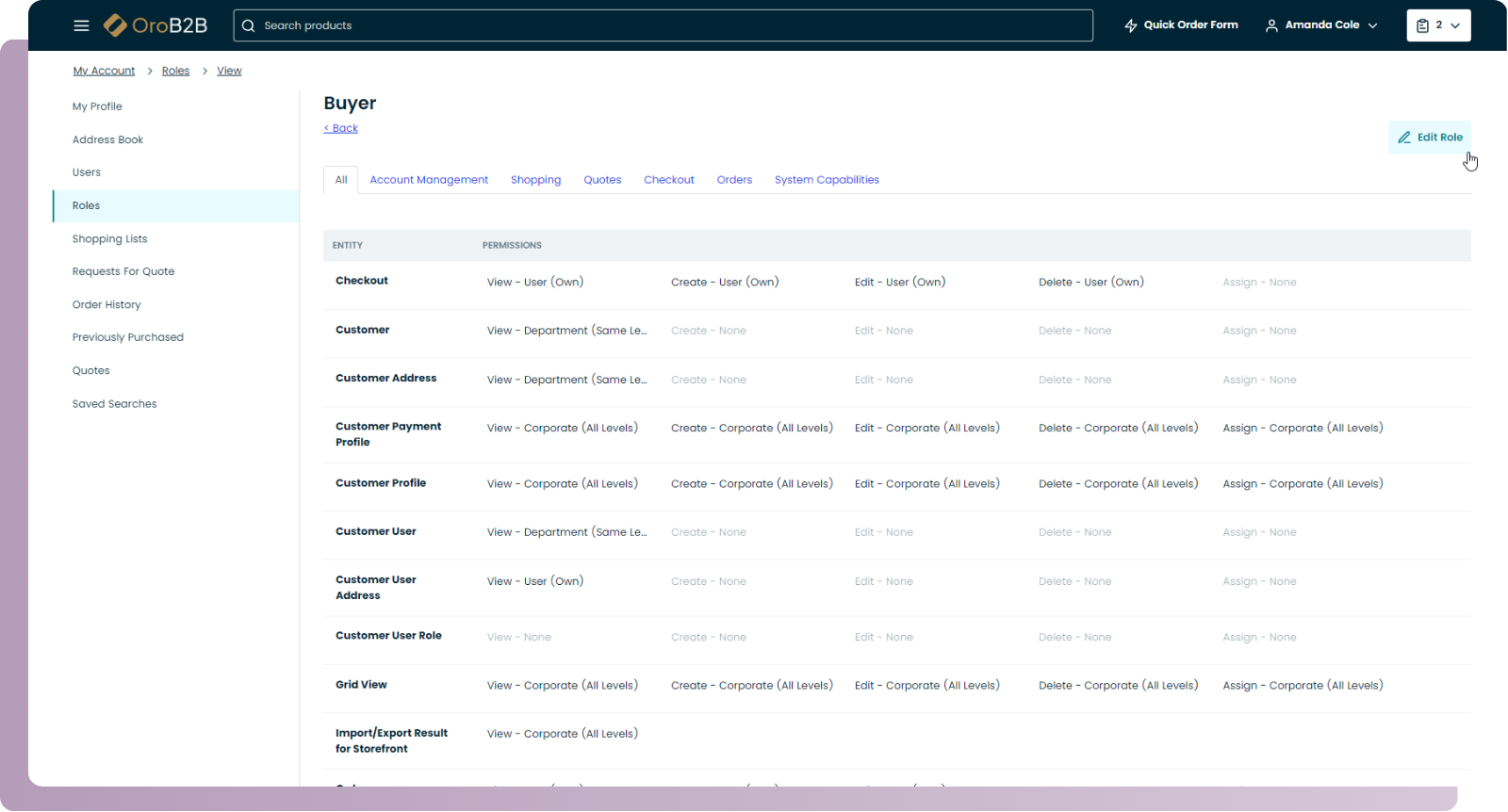
2. Contract Pricing and Catalog Control
Ask them to show: “Can you log in as two different customers and show how pricing and catalog visibility change automatically without duplicate data or manual overrides?”
Every B2B team expects contract pricing to be table stakes. Yet, this is where replatforming projects most often collapse in year one.
Most general-purpose eCommerce systems were built for uniform pricing. They’re comfortable showing discounts or coupon codes, but not the complex structures distributors, OEMs, and buying groups depend on. When each customer has negotiated terms, line-level discounts, or access to specific SKUs, things break fast if the logic isn’t native.
Here’s what to look for in the demo:
- Dynamic price lists tied to account hierarchies, not global settings.
- Automatic currency and tax rules based on location or region.
- Catalog segmentation (for example, only showing spare parts to service partners, or certain materials to certified buyers).
- No duplication of products, catalogs, or price lists to handle variations.
In one migration audit, we observed that the client had to replicate thousands of SKUs (effectively cloning products) for different customer pricing tiers, because their platform only permitted a single price per SKU. That kind of workaround is a red flag that your pricing model doesn’t truly support contract customization.
Free Guide: Find Strategies and Frameworks to Lead Successful B2B eCommerce Replatforming
3. Quotes, POs, and Checkout Flexibility
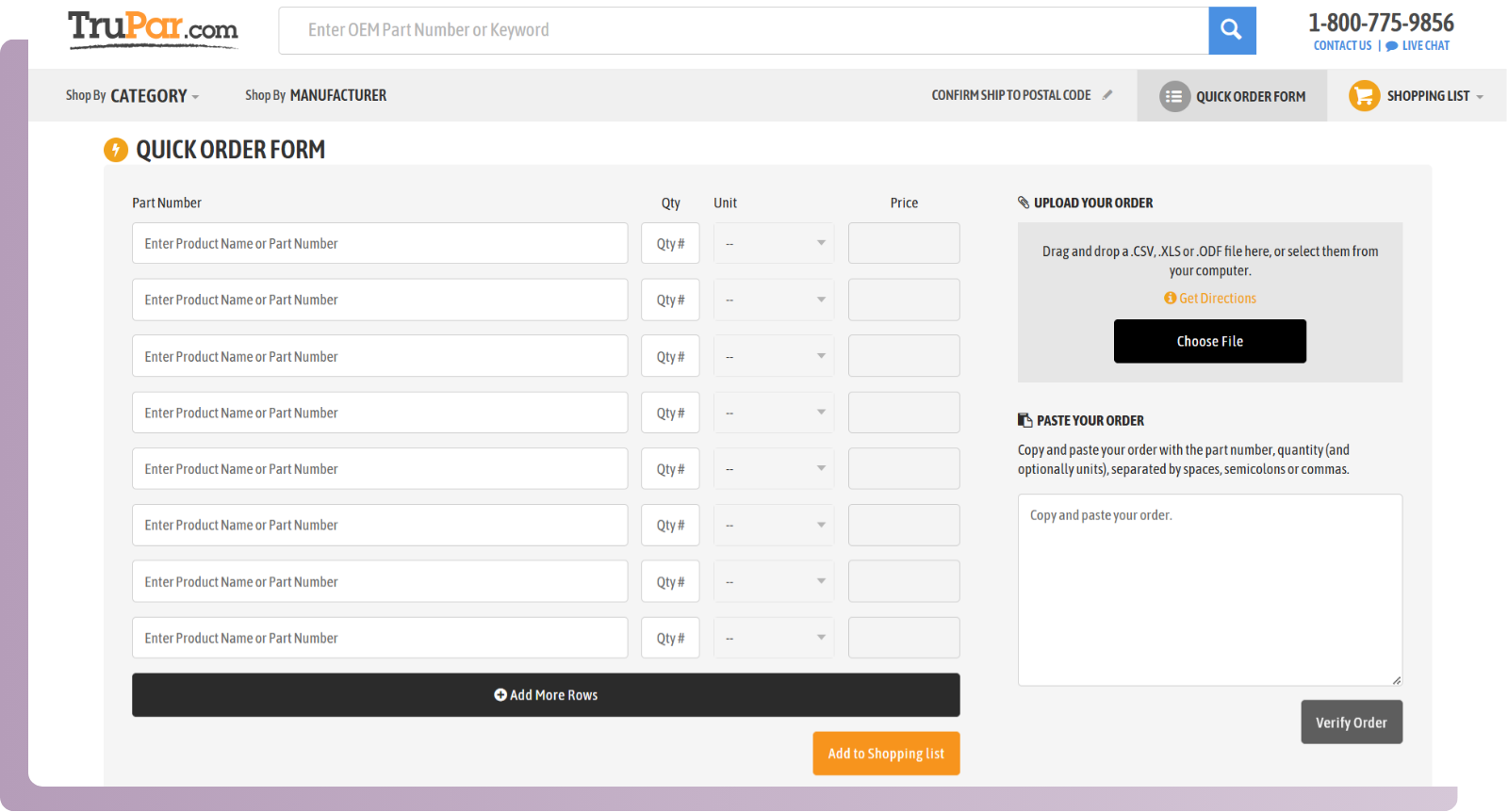
Ask them to show: “Can a buyer request a quote, get it approved, and convert it to an order using a PO number at checkout?”
In manufacturing and distribution, few orders start with “add to cart.” They start with a quote, an internal approval, or a negotiated term. If the system can’t handle that cycle natively, your sales and customer service teams will keep processing orders manually, even after you’ve “gone digital.”
Here’s what to ask to see live:
- A buyer adding items to a quote request instead of a cart.
- The system generating a formal quote with expiration date, approver, and notes.
- The buyer converting that quote to an order, without losing pricing or line-level details.
- At checkout, the buyer selecting “Purchase Order” as a payment method and entering a PO number.
- Optional: a freight quote or delivery date automatically calculated based on warehouse or region.
4. Real-Time Inventory and Order Visibility
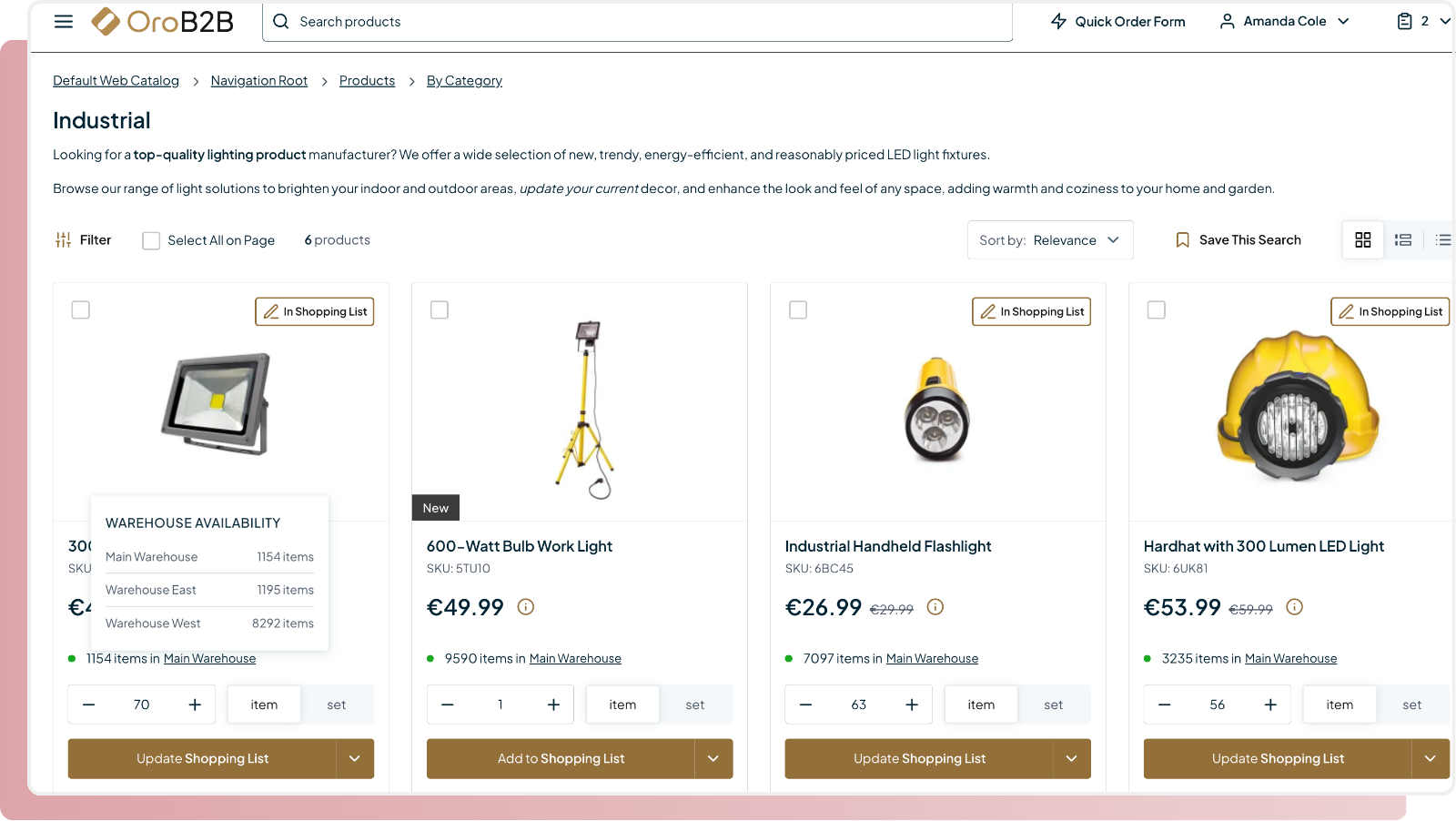
Ask them to show: “How does the site display accurate stock levels or lead times when items ship from multiple warehouses?”
This is one of the quiet deal-breakers in B2B commerce. During demos, inventory always looks tidy: “in stock” or “out of stock.” But in real life, quantities vary across regions, backorders roll in, and customers expect immediate visibility into what’s available and when.
Here’s what a strong demo should include:
- Product pages showing real-time quantities or “available-to-promise” by location.
- Automatic updates when a warehouse runs low.
- Estimated delivery dates that reflect where stock sits, not just static “ships in 3–5 days.”
- Visibility into partial shipments or split orders when items are sourced from multiple sites.
- Optional: how an internal user (sales rep or CSR) sees that same information to confirm availability during calls.
5. Search and Product Discovery
Ask them to show: “Can a buyer find the right product using an incomplete term, an old SKU, or a partial spec and still get to the right result?”
In a B2B environment, search is how buyers navigate complex catalogs with technical names, obsolete part numbers, or region-specific standards. When search doesn’t work, the buyer stops using the site, and your investment in digital ordering goes with it.
What you should see in a demo:
- Typo-tolerant search results (for example, “3/4in elbow” still finds “¾-inch elbow, DIN 11850”).
- Attribute and spec-based filtering, not just keyword matches.
- Recognition of old or internal part numbers mapped to new ones.
- Auto-suggest or “did you mean” prompts based on product attributes.
- Search results ranked by relevance, not alphabetically.
See how smart search works in OroCommerce
6. Multi-Site or Division Expansion
Ask them to show: “How would we launch a second storefront for another region or division, while sharing the same catalog and core data?”
Every manufacturer and distributor eventually faces this scenario. You acquire a new brand, open a region, or spin up a portal for a key customer group. The question isn’t whether your platform can support it — it’s how painful it will be when you try.
In the demo, the vendor should show:
- How a new storefront or site can be created from the same backend.
- How catalog, pricing, and content are shared or inherited instead of duplicated.
- How site-specific overrides work (for language, currency, or regional compliance).
- How updates in one master catalog automatically propagate to all sites.
- If each site requires a new build, you’ll spend more time maintaining infrastructure than selling. True multi-site management means adding a storefront is a configuration task, not a new project.
7. Seller-Assisted or Rep-Driven Ordering
Ask them to show: “Can a sales rep log in as a customer, build an order on their behalf, and keep a clear audit trail?”
In most B2B companies, sales reps don’t disappear when eCommerce goes live. They use the same portal to prepare quotes, troubleshoot orders, or submit purchases for customers who still prefer to talk to a person. If that unified sales enablement isn’t built into the platform, your sales team will keep operating offline, and your data will stay fragmented.
What you should see in the demo:
- A rep logging in through their own profile and “impersonating” a customer without admin access.
- Ability to build or edit a cart on the buyer’s behalf and complete the order if needed.
- A visible audit trail showing who placed or modified the order.
- Instant reflection of that order in the customer’s account view.
Gartner Insight: How to Shrink Sales Cycles with Digital Commerce
8. Reordering and Post-Purchase Self-Service
Ask them to show: “How can a returning customer reorder from past purchases or download invoices without calling support?”
This may sound basic, but it’s where digital adoption is won or lost. For most B2B buyers, 80–90% of orders are repeats, often for the same SKUs, quantities, or delivery locations. If the platform makes them rebuild an order from scratch, they’ll give up and send a purchase order by email.
What you should see in a demo:
- A buyer logging in and viewing their full order history.
- Quick reorder functionality: one click to duplicate a past order or select items from multiple invoices.
- Filters by PO number, delivery address, or date range.
- Access to invoices, shipping documents, and status updates in the same portal.
- Optional: the ability to export order data or repeat recurring orders automatically.
Every order a buyer can repeat online saves minutes for customer service and sales support. Multiply that by hundreds of accounts, and the ROI is immediate. A proper demo should prove that reordering and account history are part of the B2B eCommerce platform’s foundation.
What a Useful Demo Looks Like in Action
A productive demo goes beyond features. It should mirror your real workflows: how buyers order, how teams approve, how pricing and availability work behind the scenes.
If a vendor can show those scenarios in action, you’ll know they understand B2B. If they can’t, it’s likely not built for it.
See how it’s done right
OroCommerce was built for manufacturers and distributors who expect their platform to handle the complexity others avoid.
As our Taylor Simpson from Ciranda put it: “I did extensive research, but once I found Oro, the decision was quick. There just aren’t many platforms honing in on B2B so precisely.”
That’s the difference between a platform designed for B2B and one adjusted for it — and it’s something you can see the moment the demo starts.