
navigation

Adobe Commerce migration means moving a store’s data, functionality, integrations, and storefront to a new version, hosting model, or platform. In 2027, it covers far more than the old Magento 1-to-Magento 2 move. It now includes version upgrades, the shift to Adobe Commerce as a Cloud Service (ACCS), a step down to Magento Open Source, and full replatforming.
Rising licensing costs, support deadlines, and the ACCS customization model are pushing many B2B teams to ask a bigger question: Is Adobe Commerce still the right platform for them?
This guide gives you a decision framework, a step-by-step migration process, cost and timeline benchmarks, and a recommendation for B2B. It also names the mistakes that inflate budgets, so you can plan around them before anyone writes code.
Key Takeaways
- Adobe Commerce migration covers five paths, and each one has a different scope, cost, and risk.
- Support deadlines and ACCS refactoring push heavily customized B2B stores to compare platforms.
- Discovery is the stage where your team prevents most budget overruns.
- Company accounts, shared catalogs, quotes, and price lists are the B2B data that breaks most easily.
- A B2B-native platform removes much of the licensing, extension, and integration overhead.
What Is Adobe Commerce Migration?
In practical terms, an Adobe Commerce migration is a project with a defined scope: what data moves, which features survive, and what changes for your customers. Each path changes that scope dramatically, so your first job is to identify which one applies to you.
The main Adobe Commerce migration paths
Five paths cover almost every project:
- Magento 1 to Adobe Commerce: a rebuild onto Magento 2 architecture for stores still on the retired platform.
- Version upgrade within 2.4.x: a move to a newer release line to stay supported.
- Self-hosted or PaaS to Adobe Commerce Cloud or ACCS: a hosting change, or a re-architecture when the target is ACCS.
- Adobe Commerce to Magento Open Source: a move down that removes license fees and B2B features.
- Replatforming to another commerce platform: a new platform that receives your data and business logic.
Table 1: Adobe Commerce migration paths compared
| Path | Best for | Scope | Typical timeline | Key risk |
|---|---|---|---|---|
| Magento 1 to Adobe Commerce | Stores still on Magento 1 | Data, code, and storefront rebuild | Long, close to a new build | Extensions with no Magento 2 version |
| Version upgrade within 2.4.x | Stores with light customization | Code, extension, and PHP compatibility | Shortest of the five | Third-party extension conflicts |
| Self-hosted or PaaS to Cloud or ACCS | Teams that want Adobe to run hosting | Hosting move, or re-architecture for ACCS | Short for PaaS, long for ACCS | Custom PHP code that can’t run on ACCS |
| Adobe Commerce to Magento Open Source | Lean stores that don’t need B2B features | Feature removal and self-managed hosting | Moderate | Lost B2B features and security duties |
| Replatforming | B2B teams that outgrew their stack | Target platform, data mapping, integrations | Long, phased by region or brand | Data mapping and integration rework |
Replatforming has the widest scope, because data, integrations, and storefront all move at once. Our eCommerce replatforming guide is the deeper read for that row.
Why Businesses Are Rethinking Adobe Commerce in 2027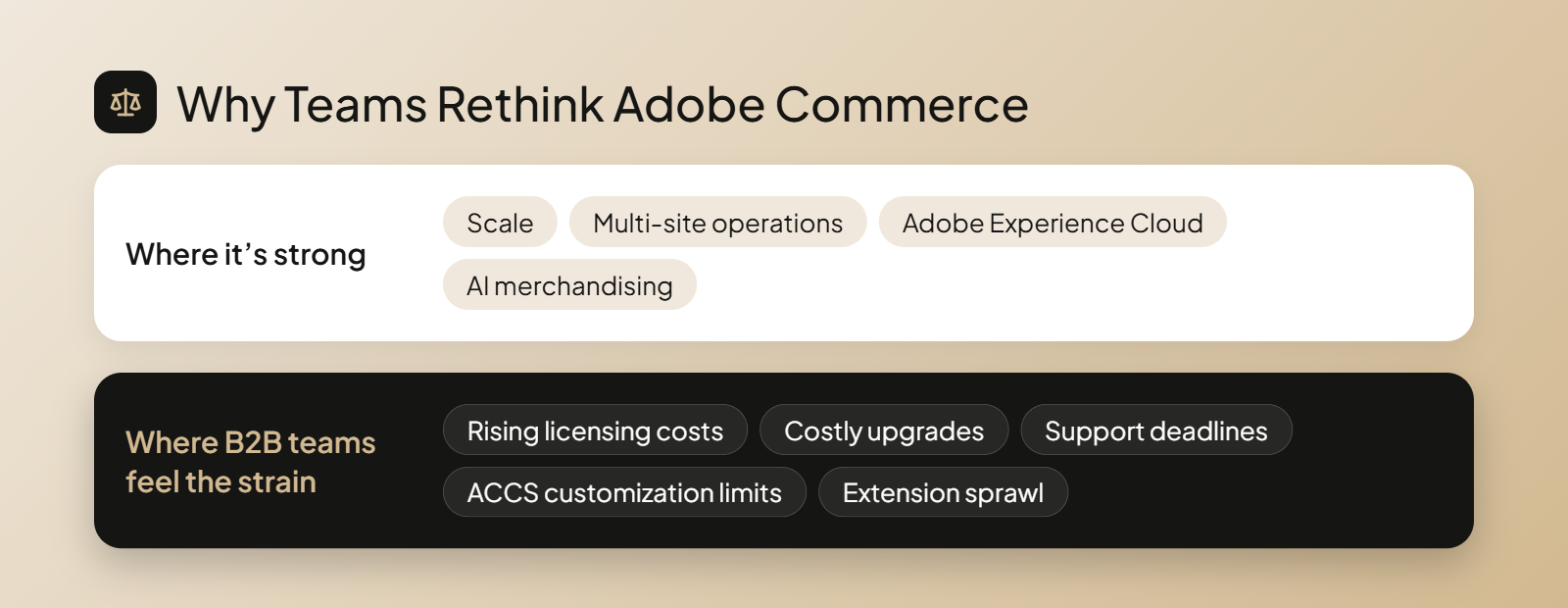
Adobe Commerce is a strong platform for scale, multi-site operations, Adobe Experience Cloud integration, and AI merchandising. Even so, many B2B Adobe Commerce users feel strain in three areas: cost, upgrades, and customization.
Licensing, upgrade and support costs
Adobe Commerce licensing is based on gross merchandise value (GMV), but the license fee is only one part of the total cost. For heavily customized stores, maintaining custom code and third-party extensions can lead to additional costs, especially when upgrading to a newer version.
According to Adobe’s lifecycle policy, regular support for version 2.4.6 and extended support for 2.4.5 ended on August 11, 2026. Check which Adobe Commerce version you’re running and what it will cost to keep it supported. Our guide to the total cost of ownership for eCommerce explains how to compare the options.
What ACCS changes for customizations
ACCS is a versionless SaaS model, so Adobe handles infrastructure management, the application, and the upgrades. According to Adobe’s feature comparison, custom logic runs outside the core through APIs, events, and App Builder instead of in-process PHP modules. A heavily customized B2B store therefore faces major refactoring, which makes this a natural moment to evaluate other platforms.
You see the strain in five places:
- CRM and CPQ run in separate tools.
- Extension sprawl raises upgrade risk.
- B2B-specific workflows depend on extensive custom code.
- Upgrade cycles are costly, and every extension adds more complexity.
- Adobe Commerce SaaS restricts customization.
Upgrade, Move to Cloud or Replatform: How to Choose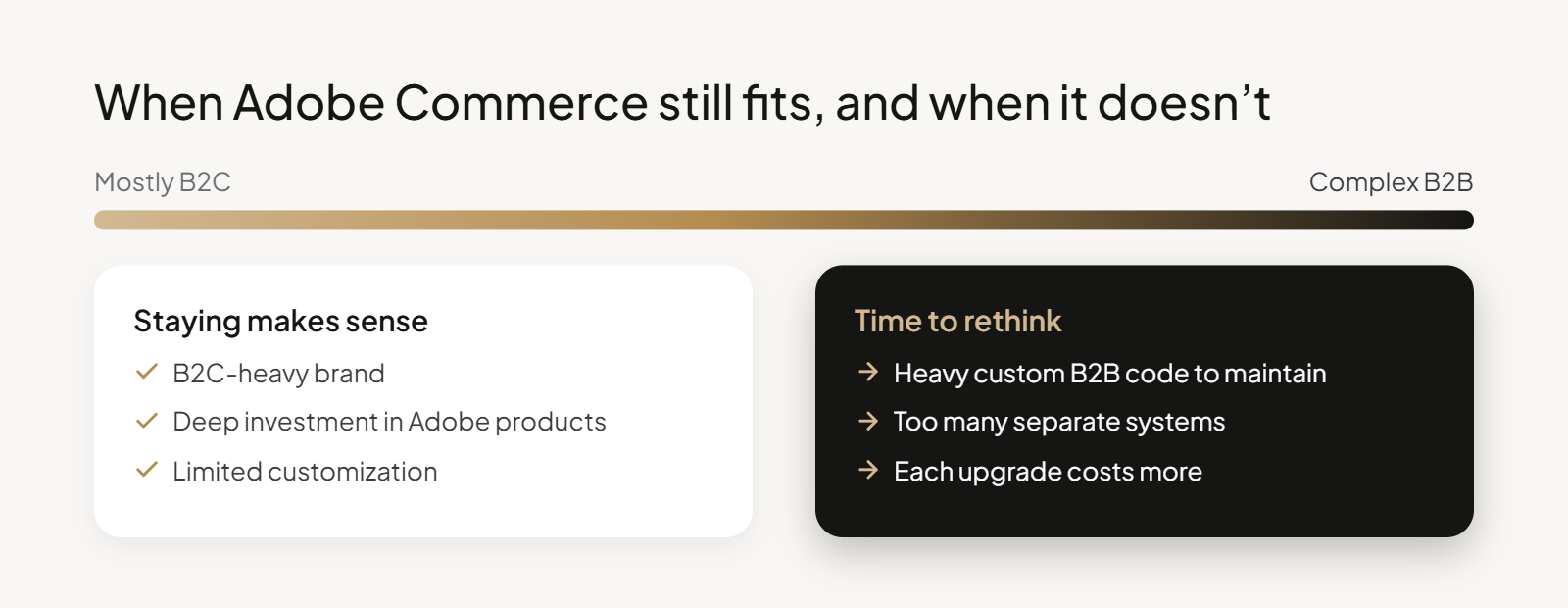
Your migration path depends on your business needs. Upgrade if your current setup works well, move to the cloud to reduce infrastructure management, or replatform if Adobe Commerce limits your plans.
Magento Open Source is another option. It eliminates license fees but removes Adobe Commerce’s built-in B2B features. You’ll also need the technical expertise to manage hosting and security yourself.
When staying on Adobe Commerce makes sense
Staying is the right call when your store fits one of these profiles:
- B2C-heavy brands
- Deep investment in Adobe products
- Limited customization
If you’re comparing enterprise platforms such as Salesforce Commerce Cloud, read our breakdown of Adobe Magento vs Salesforce Commerce Cloud.
Adobe Commerce on Cloud (PaaS) versus Adobe Commerce as a Cloud Service (SaaS)
Adobe Commerce on Cloud (PaaS) keeps full PHP control, so your team still owns upgrades and every customization. Adobe Commerce as a Cloud Service (SaaS) is versionless: Adobe applies upgrades and security patches, and customization moves to App Builder and APIs.
According to Adobe’s migration guidance, moving from on-premises Adobe Commerce to ACCS is a full platform re-architecture. An Adobe Commerce Cloud migration to SaaS rebuilds your custom logic, so budget for it like a replatforming project.
Signs your B2B business needs a different platform
Watch for these warning signs:
- You’re facing major redevelopment anyway.
- Your team spends too much time maintaining custom B2B functionality.
- Supporting your sales processes requires too many separate systems.
- Every new business initiative requires another expensive development project.
- Each upgrade costs more as extensions pile up.
Our guide to the best enterprise eCommerce software for B2B works as your shortlist resource and helps you compare each solution.
Why OroCommerce Is the Best Adobe Commerce Alternative for B2B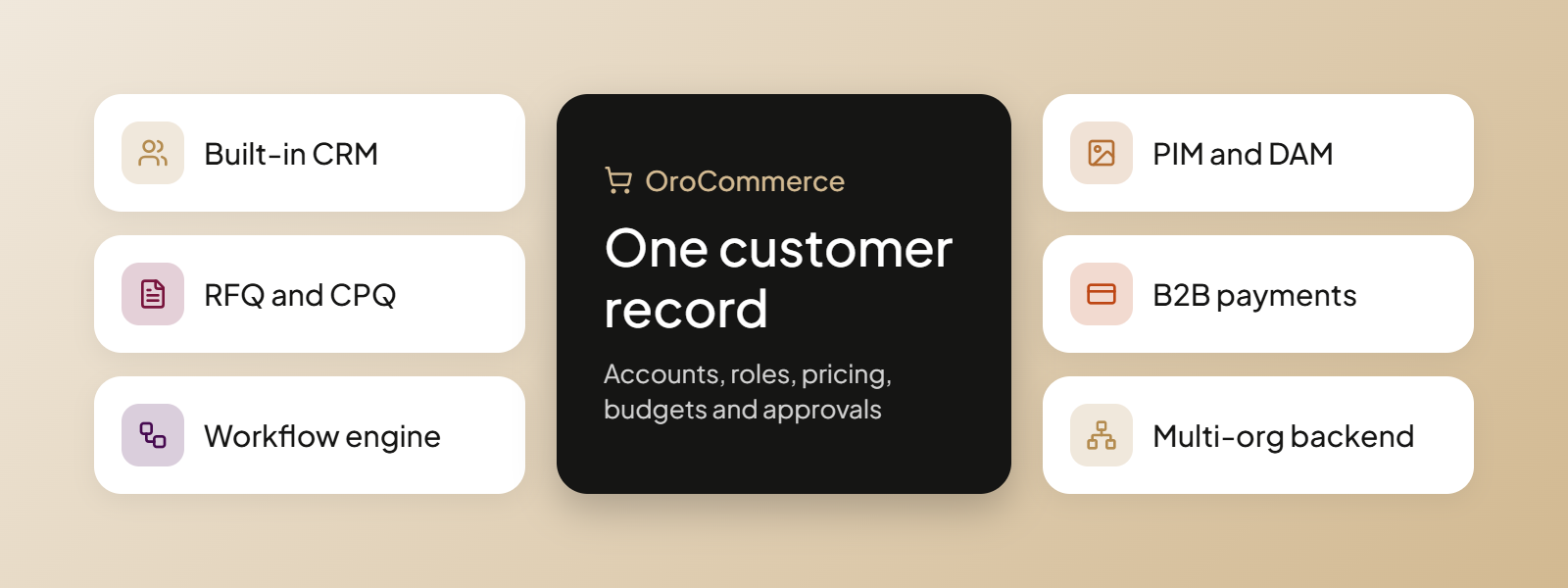
Built by members of Magento’s original leadership team, OroCommerce was designed specifically for manufacturers and distributors.
It brings eCommerce, account management, quoting, and workflow automation into a single platform, reducing reliance on third party tools and custom development. Its built-in account management tools connects customer journeys across quotes, orders, and support cases, while multi-organization capabilities make it a scalable platform for managing multiple brands and markets.
AI approach: OroCommerce vs Adobe
OroCommerce builds AI into the platform and its business rules, so features work with your pricing, account, and permission data, as the guide to B2B platforms with AI explains. Adobe’s AI centers on product discovery and the buying experience, through Live Search and Product Recommendations. OroCommerce puts more weight on back-office automation.
These OroCommerce AI features show the difference:
- AI SmartOrder turns emailed or PDF purchase orders into draft orders.
- AI SmartAgent answers buyer questions tied to their account and role.
- AI SmartAssistant helps back-office teams create quotes and build customer segments.
- AI SmartInsights answers plain-English data questions with charts and tables.
Table 2: Adobe Commerce vs OroCommerce for B2B
| Area | Adobe Commerce | OroCommerce |
|---|---|---|
| B2B functionality | Built-in B2B features, with extensions for additional requirements | Native B2B capabilities, including RFQ, CPQ, and workflows |
| CRM | Third-party integrations | Built-in CRM or external integrations |
| Multi-organization | Multi-site and company accounts | Multi-organization and multi-site architecture |
| Customization | PHP modules on PaaS; APIs and App Builder on ACCS | Open, API-first architecture |
| Payments | Adobe Payment Services and integrations | OroPay and payment integrations |
| Licensing | GMV-based pricing | Single license, with no per-site fees |
Results from OroCommerce customers
After partnering with OroCommerce, Lactalis put 12 regional businesses on a single platform, with these results:
- 15,000 customers onboarded in under two years
- 230% increase in digital orders
- 44% fewer manual processes, a direct gain in operational efficiency
DiversiTech was left with 12 ERPs after acquisitions. It replaced disconnected tools, including a legacy CRM, with one platform for ordering, documents, and customer records. Our piece on a consistent B2B customer experience after mergers and acquisitions covers that situation.
Want to see how OroCommerce handles your B2B requirements? Bring us your own scenarios.
How to Plan Your Adobe Commerce Migration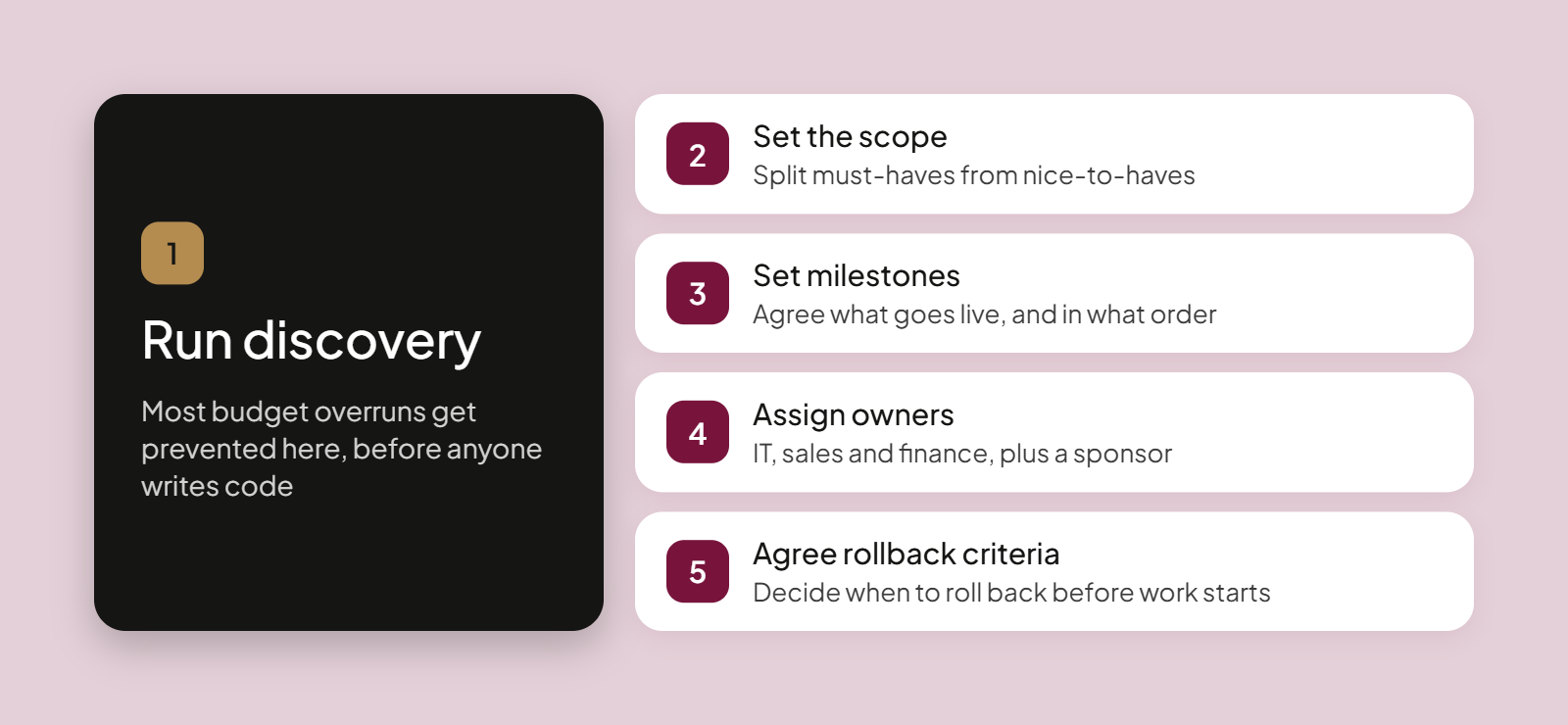
Planning is the stage where most budget overruns get prevented, so put your effort into discovery and ownership before anyone touches code. You can keep it readable for decision-makers: the goal is a shared picture of scope, owners, and risk.
Run a technical and business discovery
Audit your current Adobe Commerce setup before you scope anything:
- Catalog complexity
- Customer and company account structure
- Historical orders and volumes
- Custom modules and extensions
- Integrations
- Connected Adobe products (AEM, Marketo, Adobe Real-Time CDP)
- Infrastructure and deployment pipelines
- Current SEO performance
Build the roadmap and assign ownership
A migration roadmap lists what moves, in what order, and who owns each step. Our primer on how to avoid the risks of eCommerce replatforming covers the traps teams hit most.
Four planning steps keep the plan honest:
- Define must-have versus nice-to-have scope against your operational needs.
- Set milestones.
- Assign owners across IT, sales, and finance, plus a sponsor for strategic guidance.
- Agree rollback criteria before work starts.
Migrating Customer, Catalog and Order Data Safely
Data moves safely when you map every B2B entity first and rehearse the data migration phase on staging before the real cutover. Your biggest risks are B2B records with no simple equivalent in the new system.
Mapping B2B data
These entities break most easily in transit:
- Customers, including customer data tied to company accounts and roles
- Shared catalogs and price lists
- Negotiable quotes
- Requisition lists
- Payment terms
- Order history
Protecting SEO metadata
URL keys, meta titles and descriptions, canonical tags, and structured data must migrate with the catalog. Keep them intact to maintain your organic traffic after launch.
Securing critical migration data
These steps protect data integrity and guard against data loss:
- Full backups
- Encrypted transfers
- A trial migration on staging
- Record count reconciliation
- A final delta sync
- A documented rollback procedure
Migrating Custom Features, Storefront and Integrations
Customizations, extensions, and the storefront absorb most of the effort, so use the move to drop obsolete functionality instead of rebuilding it. Native OroCommerce features remove the need for many custom modules, and four steps keep the scope small.
- Audit every custom feature and extension.
- Mark each as keep, replace, or drop.
- Check native equivalents.
- Rebuild only essential workflows.
Rebuilding the storefront
Preserve brand consistency and customer experience across your eCommerce site, and rebuild user interfaces around B2B buying: quick order, reorder, and account dashboards. Tighten checkout and approval flows for mobile.
If you’re weighing a headless front end, the truth about headless B2B eCommerce lays out the trade-offs.
Reconnecting ERP, CRM and PIM
Define the system of record for items, inventory, pricing, and orders, and decide what happens to the Adobe tools you connect today after the move. OroCommerce connects with ERPs such as SAP, Epicor, Microsoft Dynamics 365, Infor, and Oracle, and PIM systems plug in through its API.
Complex integrations deserve the longest testing window, and our guide to ERP integration challenges for B2B shows what to expect.
Testing, Launch and Post-Migration Support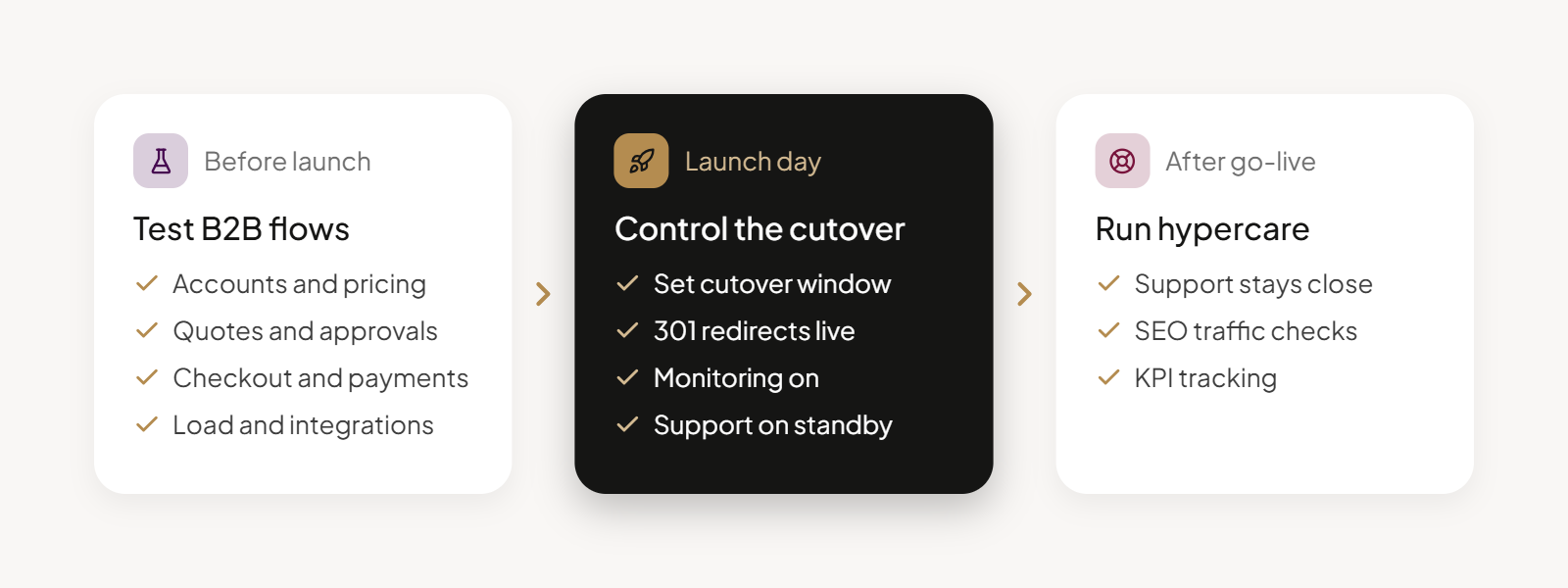
A migration succeeds when rigorous testing comes first, the cutover is controlled, and your team stays close to the store after go-live. Plan ongoing support before launch, while your team still has time.
Testing and quality assurance
Test these areas against real scenarios:
- Customer accounts and roles
- Contract pricing
- Quotes and approvals
- Checkout and payments
- Integrations, including third-party integrations
- Performance under load
- User acceptance testing
Cutover and stabilization
A smooth transition depends on five launch steps:
- A controlled cutover window
- 1:1 301 redirects live
- Monitoring on
- A support team on standby
- A hypercare period after go-live
Redirects protect rankings only when they’re complete, and our B2B SEO strategy tips show what else to check.
Measuring migration success
Track these KPIs after launch:
- Conversion rates and average order value
- Page load and front-end performance
- Organic traffic retention
- Digital order share
- Reduction in manual processes
Adobe Commerce Migration Costs, Timelines and Common Mistakes
Compare total cost of ownership over three to five years, and look past the build quote. Price discovery separately from the build, whether you use internal teams or outside migration services.
These cost drivers move the number most:
- Catalog complexity
- Number and depth of integrations
- Custom functionality
- Storefront scope
- ACCS refactoring needs
- Data volume
- Licensing
Table 3: Estimated cost and timeline by project complexity
| Project complexity | Main cost drivers | Typical cost | Typical timeline |
|---|---|---|---|
| Simple B2B | Up to 3 integrations, light customization, theme port without redesign | $25,000 to $60,000 | 6 to 10 weeks |
| Mid-size B2B | 5 to 10 integrations including ERP, custom B2B workflows, full SEO migration plan | $60,000 to $150,000 | 10 to 16 weeks |
| Complex B2B | 50,000+ SKUs, multi-store setup, deep ERP, PIM, and CRM integrations | $200,000+ | 16 to 24 weeks |
According to Atwix, the Magento development agency, these ranges come from its Magento migration projects. Treat them as benchmarks, because scope, integrations, and ACCS refactoring can move your quote.
Three mistakes inflate budgets most often:
- Comparing only the build quote
- Rebuilding obsolete functionality
- Skipping discovery
AI-assisted development can reduce migration costs, and Adobe offers AI-assisted tools to help modernize existing stores. OroCommerce already includes extensive B2B functionality, which reduces what you build custom.
OroMomentum, Oro’s AI efficiency program, applies AI to the remaining development and to future upgrades. That lowers the long-run cost of staying current.
Conclusion About Adobe Commerce Migration
Adobe Commerce migration now covers several different paths, and the right one depends on your business model, customization depth, and total cost.
For manufacturers, distributors, and wholesalers, a B2B-native, unified platform removes the licensing, extension, and integration overhead that makes each Adobe Commerce upgrade harder.
Book a demo with an OroCommerce expert to see how it fits your accounts, catalog, and sales process.
FAQs About Adobe Commerce Migration
What is Adobe Commerce?
Adobe Commerce is Adobe’s enterprise eCommerce platform, built on Magento, with multi-site support, B2B features, and integration with Adobe’s wider product suite. It runs as self-hosted software, on Adobe Commerce on Cloud (PaaS), or as a SaaS service called Adobe Commerce as a Cloud Service.
What is database migration?
Database migration is the process of moving records such as customers, products, orders, and pricing from one database to another and mapping them to the new structure. In an Adobe Commerce project, it includes a trial run on staging, record count checks, and a final delta sync before cutover.
Can I transfer my Adobe subscription to another account?
Transfer terms depend on your Adobe contract. Ask your Adobe account manager or Adobe support in writing before you change legal entities or accounts. Confirm in the same request how the transfer affects your license, your support terms, and any extended support coverage you hold.
How long does an Adobe Commerce migration take?
According to Atwix, small projects take 6 to 10 weeks, mid-size projects 10 to 16 weeks, and large B2B projects 16 to 24 weeks. Customization depth, integrations, and data volume set the pace, and a move to ACCS can add refactoring time. Run discovery first for a reliable estimate.
How much does an Adobe Commerce migration cost?
According to Atwix, a standard migration costs about $25,000 to $60,000 for small to mid-size stores and $200,000 or more for large B2B projects. Catalog complexity, integrations, and customizations set where you land. Adobe publishes no GMV-based license pricing, so request a quote.
What is Adobe Commerce as a Cloud Service (ACCS)?
Adobe Commerce as a Cloud Service (ACCS) is Adobe’s versionless SaaS edition of Adobe Commerce. Adobe runs the application, infrastructure, and upgrades. Customization happens outside the core through App Builder, API Mesh, events, and webhooks, so PHP modules from older stores need rebuilding.
Can my Adobe Commerce theme and custom functionality be migrated?
Customizations can migrate, but rarely as is, because themes and modules need compatibility updates between Magento versions. On ACCS, Luma themes and PHP modules don’t move over, so you rebuild them with App Builder and a new storefront. Elsewhere, rebuild only what you still need.
Should I move from Adobe Commerce to Magento Open Source?
Move only if you accept losing Adobe Commerce B2B features in exchange for no license fees, and you can manage hosting and security yourself. It suits lean stores with a strong in-house team. If your sales process depends on quotes, company accounts, and approvals, compare B2B-native platforms first.
What is the best Adobe Commerce alternative for B2B?
OroCommerce is built for manufacturers, distributors, and wholesalers. It includes CRM, RFQ and CPQ, workflow automation, and multi-organization management in one platform. Lactalis, for example, runs 12 regional businesses on it and saw a 230% increase in digital orders after unifying its operations.