
navigation

Sales reps can’t follow up on every account every day. But a customer repeatedly browsing a new product line might be ready for a conversation. So might a prospect that’s just announced plans to open another facility. How do reps know which opportunity deserves attention first?
Both are potential buying signals. The challenge is recognizing them early, understanding what they mean, and knowing when it’s worth reaching out.
B2B sales intelligence is the use of those signals to find new customers and grow existing accounts. For manufacturers, distributors, and wholesalers, the most useful intelligence is connected, first-party data that tells sales reps which accounts to act on, when, and with what offer.
In this article, you’ll see which data feeds sales intelligence, how that data becomes action, which use cases fit new and existing accounts, and what to check before you buy a sales intelligence tool.
Key Takeaways
- B2B sales intelligence turns account, contact, and buying data into priorities for your reps.
- External data shows where new demand is. Internal data shows what existing customers need next.
- Connected commerce, CRM, and ERP data lets reps act while a signal still matters.
- Start with one sales problem and test it on a small group of accounts.
What Is B2B Sales Intelligence?
What Is B2B Sales Intelligence?
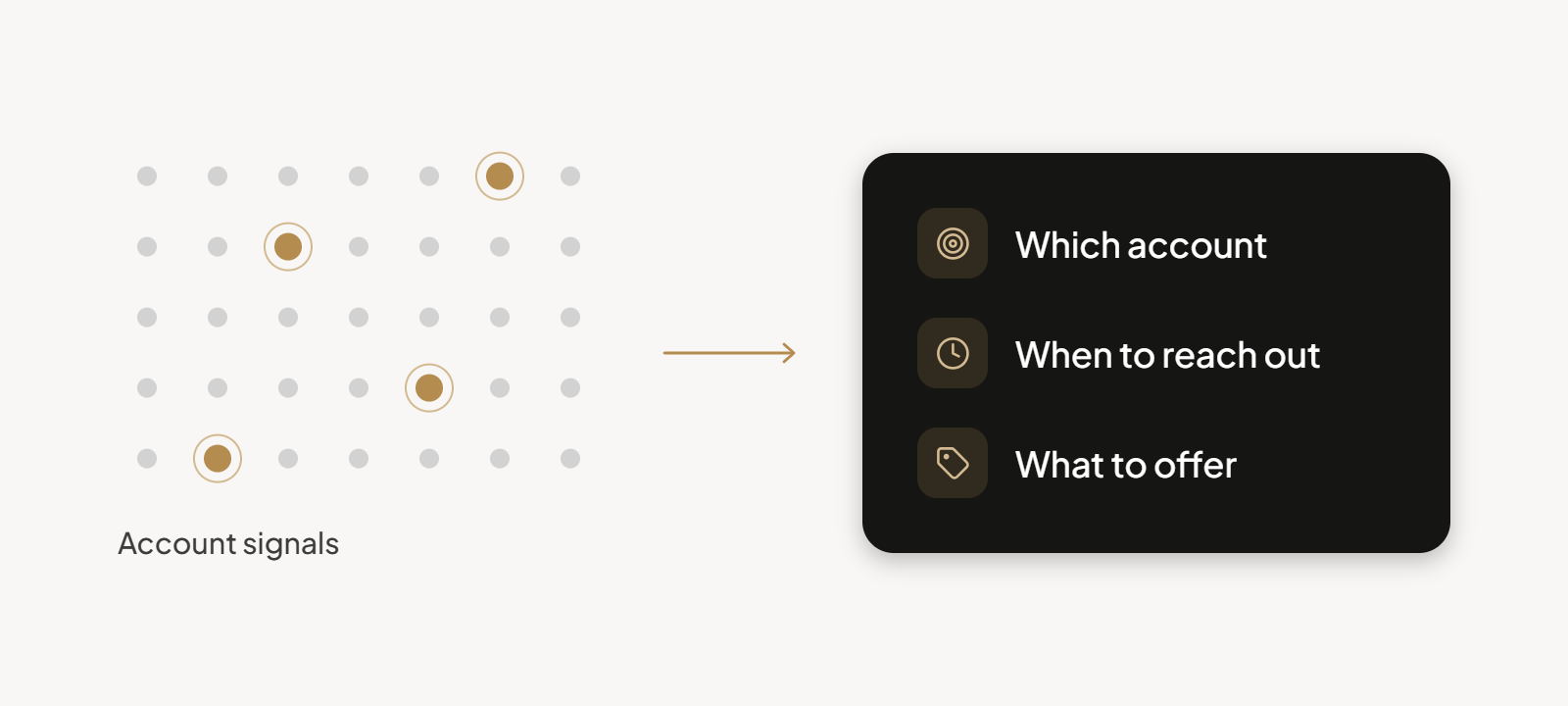
B2B sales intelligence collects and analyzes data about accounts, contacts, and buying behavior. Sales leaders use it to rank opportunities and reach buyers at the right moment.
It supports the whole sales cycle: prospecting new buyers, then expansion and renewal with existing ones. A modern sales intelligence platform pulls that data into one view, while a traditional prospect database stops at a list of names.
Sales intelligence vs prospect databases
Contact databases list names and email addresses. Sales intelligence tells you which accounts are ready to buy and why.
A long contact list is useless when reps can’t tell which few accounts to call this week. Intelligence ranks the accounts, so your time goes to the buyers closest to a decision.
Sales intelligence vs CRM data
Your CRM stores what already happened: calls logged and deals won. Sales intelligence adds context and signals that reveal opportunities nobody has logged yet.
Those signals then feed CRM workflows and enrich the records reps already use. How far that goes depends on the type of CRM you run.
Benefits of B2B sales intelligence
B2B sales intelligence pays off in six practical ways when its data feeds daily workflows:
- More selling time, because reps spend less time on prospect research and administrative tasks.
- More relevant sales conversations, because every call starts with account context.
- Higher conversion from better-fit accounts.
- Shorter sales cycles, because reps reach the right contact at the right moment.
- More expansion and reorder revenue from existing customers.
- More accurate forecasts, because pipeline calls rest on observed buying behavior.
Our guide to AI in B2B sales shows how AI supports several of these gains.
The Core Data Behind B2B Sales Intelligence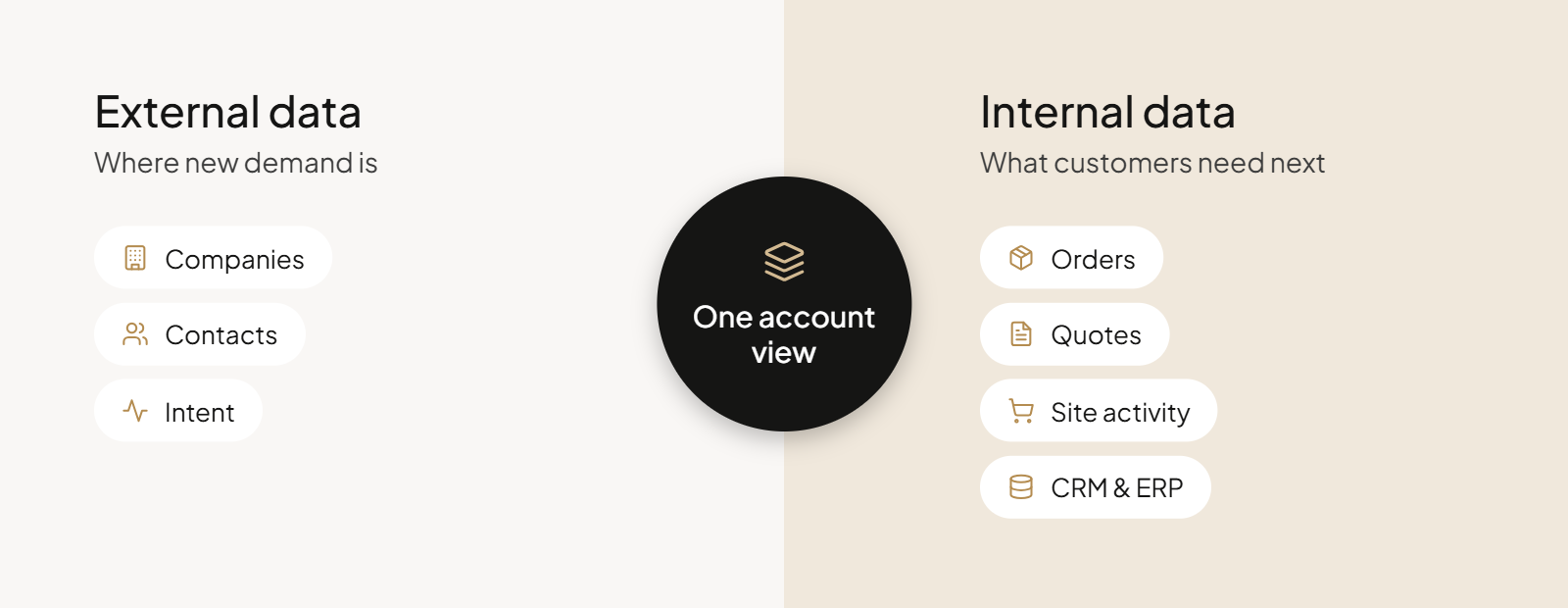
Two groups of data power B2B sales intelligence: external data for finding new customers and internal data for growing existing accounts. Accuracy and freshness matter more than data volume.
Prospect data decays as people change jobs. When your reps act on accurate data, they reach the right buyer. Stale lists waste their calls.
External data: finding new sales opportunities
External data comes from outside your business and shows where new demand sits. Three types matter:
- Company data: firmographics (company size, employee count) for targeting, technographics for technology stack fit, and operational signals such as new facilities.
- Contact data: verified contacts, buyer roles inside target accounts, and continuous checks that catch job changes and dead phone numbers.
- Intent signals: third-party intent data that shows which companies are researching your products or category.
Internal data: finding opportunities within existing accounts
Internal data comes from systems you already run and describes your own customers’ behavior. It’s accurate, current, and specific to each account.
- Purchase history: order volumes, reorder cadence, and changes in what and how much a customer buys.
- Quote and RFQ activity: open, stalled, or lost quotes and requests for new products.
- eCommerce behavior: product views, on-site searches, saved lists, abandoned carts, and portal logins.
- CRM and ERP data: contacts and activities, contract pricing, credit and payment behavior, and inventory availability.
Why connecting these data sources matters
Neither group of data is enough on its own: external data shows where new demand is, and internal data shows what existing customers need next. Only together do they give reps a full picture of each account and the right moment to engage.
Pull multiple sources into one account view, and use our guide to big data analysis for B2B eCommerce to see how that data supports forecasting, marketing, and pricing.
Table 1: B2B sales intelligence data types
| Data type | External or internal | Examples | Typical source | Best used for |
|---|---|---|---|---|
| Firmographics and technographics | External | Industry, headcount band, software in use | Business databases, public records | New customers |
| Verified contacts | External | Job titles, email addresses, buyer roles | Contact providers, professional networks | New customers |
| Third-party intent | External | Category research, content consumption | Intent providers, publisher networks | New customers |
| Purchase history | Internal | Order volume, reorder cadence, product mix | ERP, order management | Existing accounts |
| Quote and RFQ activity | Internal | Open quotes, stalled RFQs, new product requests | Quoting module, eCommerce platform | Existing accounts |
| eCommerce behavior | Internal | Searches, saved lists, abandoned carts, logins | eCommerce platform | Existing accounts |
| CRM and ERP data | Internal | Contacts, contract pricing, payment behavior, inventory | CRM, ERP | Existing accounts |
How B2B Sales Intelligence Works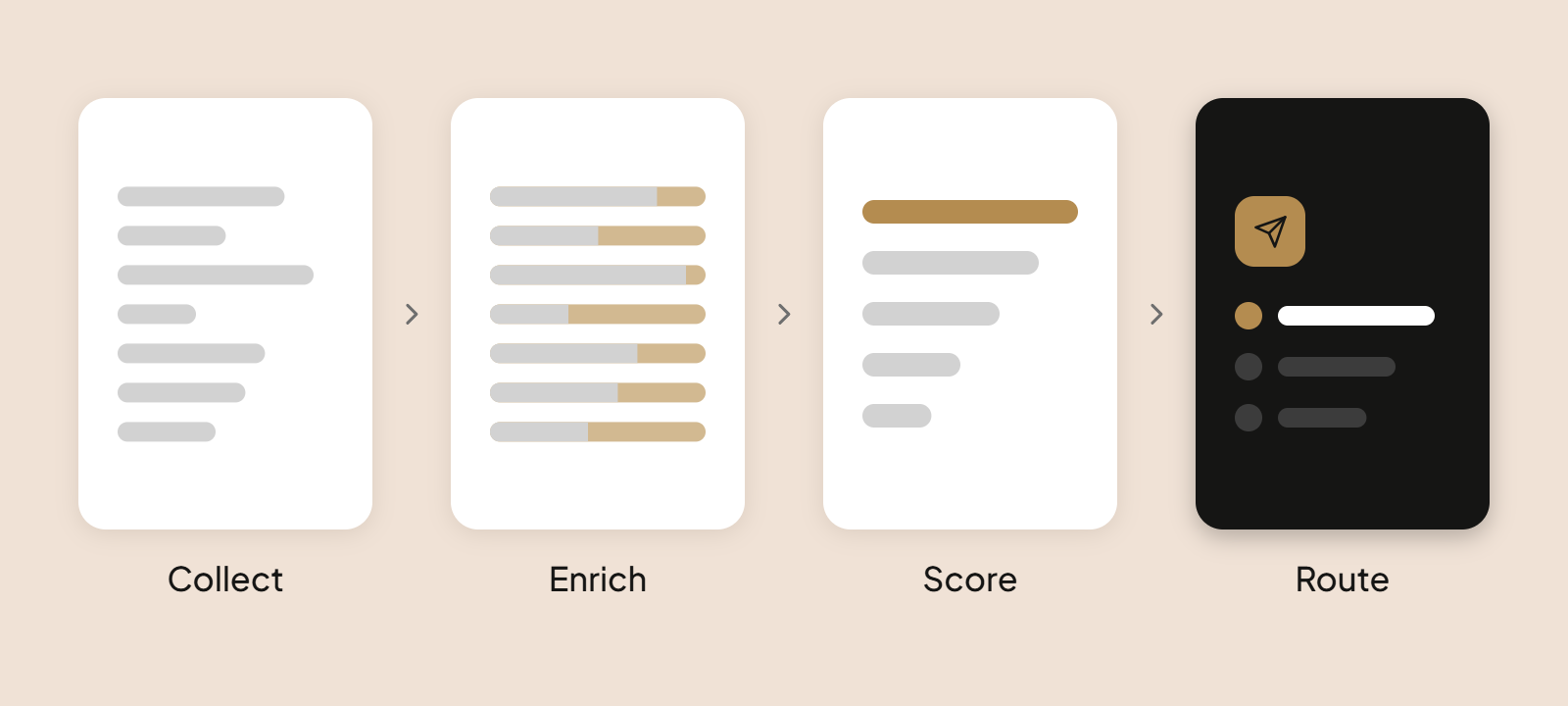
Data moves through four steps in B2B sales intelligence: collection, enrichment, scoring, and routing to reps. Each step decides whether your reps trust what they see.
Data collection, quality and enrichment
Data enrichment adds missing details to records you already hold. Verified data, meaning contacts checked against a live source, keeps those details usable.
- Common sources: your commerce platform, ERP, and CRM for existing accounts, plus licensed databases and review sites for new ones.
- Automated enrichment: workflows that enrich records with job titles, firmographics, and technology details, so reps skip initial research.
- Data quality checks: test a sample for duplicates, bounced emails, and outdated titles, and confirm records reflect current data.
- Market test: before buying, request records from your target market and compare them with accounts you know well.
Account scoring based on buying signals
Account scoring ranks accounts by combining fit with intent and activity. Fit comes from firmographics such as industry and location, while buying intent comes from behavior: pricing page visits, repeated product searches, or an open quote.
Visitor identification adds anonymous companies that browse your site. Score contacts the same way, using sales activity such as replies and meetings.
Getting insights into sales workflows
Scores only help when they reach your reps inside their daily tools. A platform produces actionable insights only when it feeds the workflow reps already follow.
- Route scored accounts into the CRM through CRM integrations, so each rep opens a ranked list.
- Trigger outreach from relevant signals, for example, automated sequences in your sales engagement tool that start when a quote goes unanswered.
- Recommend next actions, such as which contact to call and which product to mention.
How Sales Teams Use B2B Sales Intelligence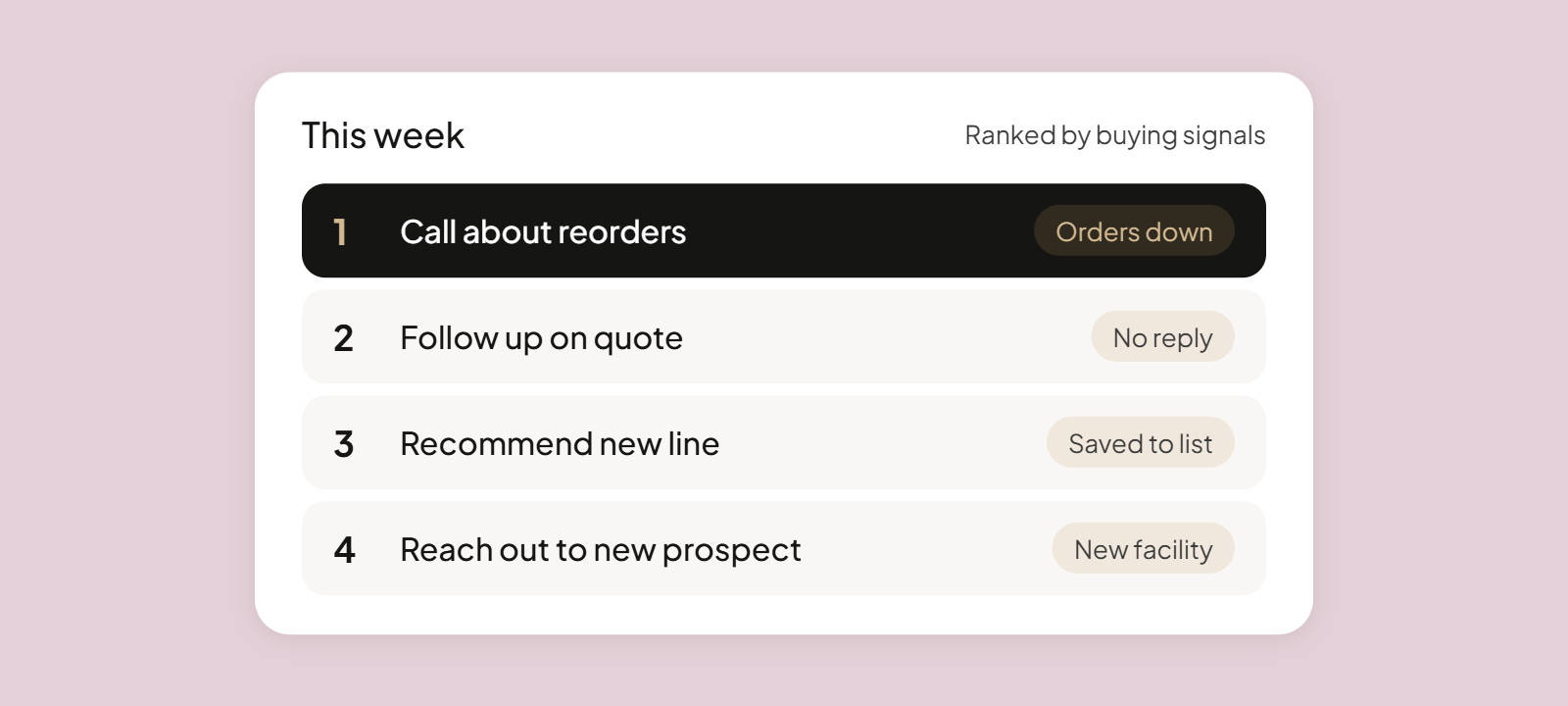
Sales teams use B2B sales intelligence at every stage of the customer relationship, and for existing customers the richest signals already sit in their own commerce, CRM, and ERP systems. Those signals are accurate and specific to each account, and they’re available as real-time data, which suits retention and expansion plays.
1. Finding and qualifying new customers
Firmographic filters and timing signals help reps find companies that match your ideal customer profile. This replaces broad lead generation with a short, ranked list.
Example: an equipment manufacturer targets companies that are opening new facilities. A new plant needs equipment, so the rep opens with that trigger instead of cold calling. See also these B2B sales strategies.
2. Understanding buying committees and personalizing outreach
According to research firm Forrester, the typical buying decision includes 13 internal stakeholders and nine external influencers. Reps identify decision-makers and influencers, learn each person’s priorities, and tailor the conversation. Org charts from your CRM or from tools such as LinkedIn Sales Navigator map who those people are.
A plant manager cares about uptime, while a purchasing lead cares about price. According to Forrester, procurement professionals are decision-makers in 53% of business buying cycles. Personalized outreach speaks to each of them, and light social selling, such as commenting on a contact’s posts, warms the first message.
3. Identifying customers at risk
Falling reorder frequency, shrinking order volume, slower payments, unresolved support conversations, or fewer self-service portal logins can signal churn. Alerts go to the individual reps who own the account.
Example: a distributor notices that a regular customer has stopped ordering a core product line. The rep calls that week and fixes the issue before the account moves.
4. Finding cross-selling and account expansion opportunities
Purchase history, product searches, saved lists, portal logins, and RFQ activity reveal needs a customer hasn’t voiced. A buyer who keeps saving a product line to a list but never orders from it is ready for a relevant recommendation.
Reps who act on these signals can close more deals with accounts they already know, and each recommendation rests on the customer’s own behavior.
5. Following up on quotes and stalled opportunities
Reps can spot unanswered quotes, inactive RFQs, stalled orders, and abandoned carts, then follow up before the opportunity goes cold. Set a rule: any quote with no reply past your usual response window creates a task for the rep.
Timely follow-ups shorten the path to an order. For more tactics, read about B2B sales cycle optimization.
Why disconnected systems hide these signals
When commerce, CRM, ERP, and quoting data don’t create a single source of truth, reps never see the full picture, and signals arrive too late to act on. A rep checking the CRM sees a healthy account, while the ERP shows missed reorders and the portal shows fewer logins.
Switching between multiple platforms to piece this together costs time, and most reps skip it. A unified commerce platform puts quotes, orders, support cases, and activity on shared data, and fewer sales tools mean fewer gaps.
How OroCommerce Helps Sales Teams Make Better Use of Commerce Data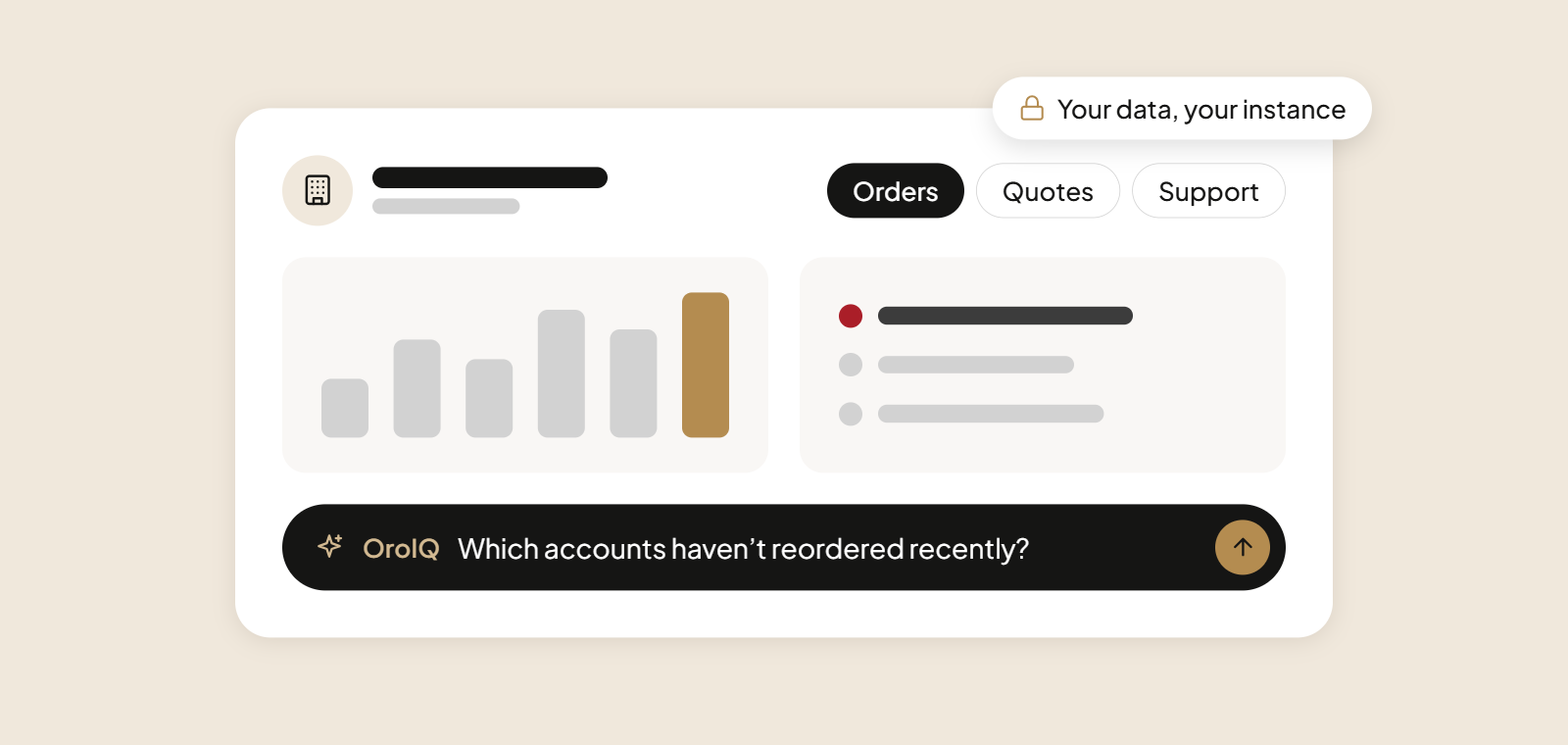
OroCommerce, an AI-enabled B2B digital commerce platform for manufacturers, distributors, and wholesalers, turns everyday commerce activity into sales intelligence because eCommerce, CRM, quoting, and AI share one data foundation. It complements external prospecting data by delivering account intelligence on what your existing customers need next.
Its built-in account management and sales enablement tools and AI capabilities work on that same foundation. Book a demo with an OroCommerce expert and see these capabilities in action.
A 360-degree view of every account
OroCommerce gives you one customer record that every team works from:
- Built-in account management tools where sales, marketing, support, and eCommerce teams share the same customer data.
- Quotes, orders, and support conversations linked to one customer record.
- A segmentation engine for account-specific catalogs, offers, and communications.
- Shared dashboards and reporting built on complete data.
- ERP integrations with SAP, Epicor, and Microsoft Dynamics 365 that keep pricing, inventory, and invoices in sync.
For more on tools that support your reps, see digital-assisted selling in OroCommerce 6.1.
AI that answers sales questions in plain language
OroIQ lets managers ask questions in plain language about sales trends, customer activity, and inventory, and returns each answer as a chart, KPI, or table. Managers get more insights without building a report first, for example:
- Top customers by revenue.
- Order trends over time.
- Accounts that haven’t reordered recently.
Plain-language questions reduce reliance on manually configured reports. These articles on AI in B2B sales and AI-powered business intelligence explain the wider picture.
What is coming next
Planned additions extend the sales intelligence layer:
- SmartSales Co-Pilot for pipeline intelligence.
- SmartTrends for monitoring business patterns.
- SmartBlock activity summaries.
- SmartCards custom dashboard widgets.
Secure, included and easy to adopt
You decide which AI features to use and where your data goes:
- AI runs on data inside your instance, and nothing goes to third-party AI models unless you enable an external feature.
- Role-based access applies, including to OroIQ answers.
- AI features such as SmartOrder, AI-powered search, and content generation are included in the license.
- Each feature can be switched on independently.
Table 2: Stand-alone sales intelligence tools vs OroCommerce
| Criterion | Stand-alone tools | OroCommerce |
|---|---|---|
| Main data source | Third-party databases and web signals, with wide coverage of new prospects | Your own orders, quotes, portal activity, and CRM records |
| Data freshness | Depends on the vendor’s refresh cycle | Live data shared by sales, service, and finance teams |
| Coverage of existing accounts | Needs an integration to see your own orders and quotes | Quotes, orders, and support cases sit on one customer record |
| Link to quotes and orders | Usually needs an integration | Quotes, orders, and accounts share one record |
| Ability to act in the same system | Often needs a CRM or engagement tool | Quoting, messaging, and offers run in the same platform |
| Data security | Your data is shared with another vendor once connected | AI runs on data inside your instance unless you enable an external feature |
| Cost model | Per-seat or credit-based subscriptions, sometimes with a free tier | One license, with AI features such as SmartOrder and AI-powered search included |
Do You Need a Dedicated B2B Sales Intelligence Tool?
If your existing systems already provide the customer information your sales reps need, a dedicated B2B sales intelligence tool may add little value. Lists of the best sales intelligence platforms often focus on database size, but what matters more is whether a tool fills a gap in your sales process.
Here’s how to decide based on your sales goals:
- For finding new customers: dedicated prospecting and sales intelligence platforms make sense when you enter a new market and lack contact details and firmographics.
- For growing existing accounts: your CRM, ERP, and eCommerce systems already hold the purchase, quote, and browsing history that reveals reorder and expansion plays.
- For companies needing both: external intelligence complements internal customer data, and enterprise platforms can cover both at a higher cost than mid-market teams may need.
The best sales intelligence tool for your team fills a specific information gap, such as deal intelligence on stalled opportunities or timing signals in a new segment. Before you buy, check these points:
- Test records from your target market against accounts you know, and judge database size only after accuracy.
- Confirm the tool connects to your CRM and ERP without manual exports.
- Check GDPR compliance for how the vendor collects and stores personal data.
- Make sure reps can act on a signal in the system they already use.
Before you invest in more technology, list the sales decisions your reps can’t make with confidence today. Buy only for the gaps on that list.
How to Get Started with B2B Sales Intelligence
Start with one sales problem and prove value before you widen the rollout. Follow these steps:
- Pick one sales problem, such as late reorders or unanswered quotes.
- Assess the data you already have in your commerce, CRM, and ERP systems.
- Test with a small group of accounts, mapping each signal to a step in your sales process.
- Train reps on which signal triggers which action, following these B2B sales enablement best practices.
- Measure whether it helps, then expand.
Compare your pilot group with a control group on reorder rate, quote response time, and win rate.
Conclusion About B2B Sales Intelligence
B2B sales intelligence works when your data is accurate, timely, and connected to the systems reps already use. The most useful signals for B2B sellers often come from their own customers’ buying activity. OroCommerce brings commerce, CRM, and AI together so those signals turn into action.
See How OroCommerce Turns Customer Data Into Sales Opportunities
FAQs About B2B Sales Intelligence
What is B2B sales intelligence?
B2B sales intelligence is the practice of collecting, enriching, and analyzing data about accounts, contacts, and buying behavior so sales teams can focus on the right opportunities. It combines external data on potential buyers with internal data on existing customers.
What is the difference between sales intelligence and CRM software?
CRM software records what has already happened with an account: contacts, activities, and deals. Sales intelligence adds outside context and behavioral signals, such as falling order volume or stalled quotes, that reveal opportunities nobody has logged yet. The two work best together, with intelligence feeding the CRM.
What are the main types of sales intelligence data?
Sales intelligence data falls into two groups. External data covers company details, verified contacts, and third-party intent, and it helps you find new customers. Internal data covers purchase history, quote and RFQ activity, eCommerce behavior, and CRM and ERP records, and it helps you grow existing accounts.
How do buying signals help sales teams prioritize accounts?
Repeated product searches, falling order volume, and unanswered quotes show which accounts are ready to buy or at risk. Scoring combines that behavior with fit data, such as industry and account size, to rank accounts. Reps then focus on the accounts closest to a decision.
How can teams measure the quality of sales intelligence data?
Test a sample of records against accounts you already know. Check the match rate for company names and titles, the email bounce rate, the number of duplicates, and how recent each record is. Run the test before buying and repeat it every quarter.
Can an eCommerce platform provide sales intelligence?
Yes, when the platform holds orders, quotes, and customer activity. An eCommerce platform records what customers search, save, request, and buy, which are strong signals for reorders. OroCommerce adds a built-in CRM, OroIQ for plain-language questions, and shared dashboards, so reps can act on those signals in one system.