
navigation

A great demo can make almost any eCommerce platform look like a good fit. But a demo usually shows you the scenarios the vendor has chosen to show, not how the platform handles your specific requirements.
That is where a B2B eCommerce RFP comes in. It puts your requirements first and gives every vendor the same questions to answer.
This guide shows you how to build an RFP around the realities of B2B commerce, and how to score the responses without getting lost in a stack of vendor promises.
What is a B2B eCommerce RFP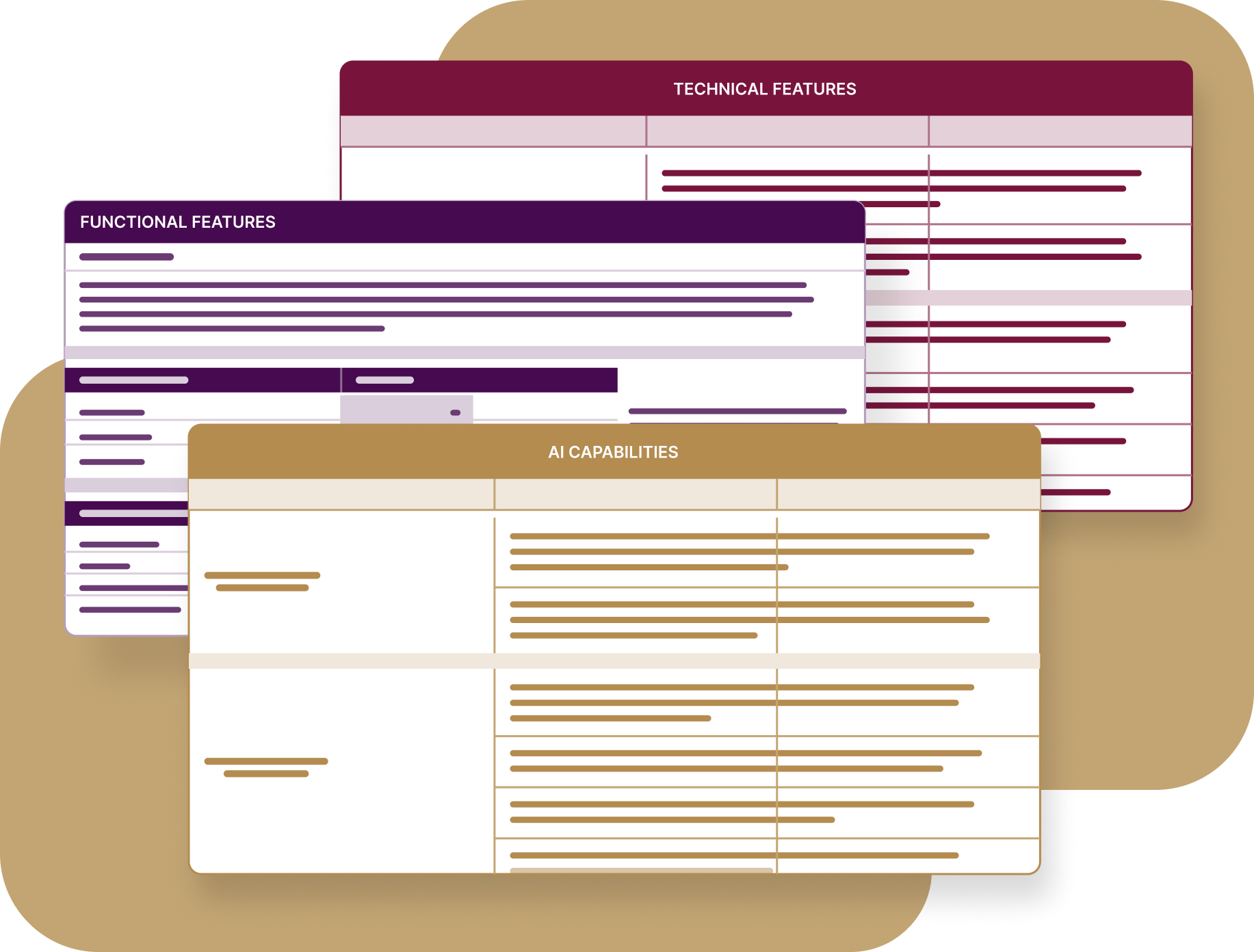
A B2B eCommerce RFP is a structured document you send to a shortlist of platform vendors, asking each one the same set of capability, technical, and commercial questions in a format that scores. It gives you a clear way to see which qualified vendors can actually do the job.
For manufacturers and distributors it covers the things retail RFPs skip: contract pricing, account hierarchies, quote-to-order flows, ERP integration, and what the license includes. What comes back becomes your comparison baseline and, later, the scope document you hold the vendor to.
What a B2B eCommerce RFP Does That a Demo Can’t
A salesperson controls the demo. They choose the scenarios, the data, and the workflows that make the platform look its best. An eCommerce RFP shifts the burden of proof to the vendor.
A completed RFP gives you three things a demo doesn’t:
- Comparable answers across vendors
- A scope baseline for the statement of work
- A decision trail for whoever asks in two years why you picked this platform
It also forces internal clarity before it forces vendor clarity. Half the value lands before you send anything, when your own team has to agree on what a “must have” eCommerce platform feature means.
Steal our free B2B eCommerce RFP template. 250 questions, pre-weighted, and scoring built in.
How long the RFP process takes
We often see teams underestimate how much time they need to get this right. If you rush it, you end up with generic answers that don’t help you evaluate vendors.
- Requirements gathering and internal alignment: 3 to 5 weeks. This is where the time goes because you have to settle internal debates about eCommerce priorities.
- Vendor longlist to shortlist: 1 to 2 weeks. You’re narrowing down the field to the prospective platform vendors who look like a potential fit.
- Vendor response window: 3 to 4 weeks. Give vendors enough time to review the requirements, involve the right technical and commercial teams, and prepare a useful response. Shorter timelines can lead to rushed or less detailed proposals.
- Evaluation, scoring, and demos: 3 to 4 weeks. This is when you dig into the vendor submissions and verify their claims.
Four to six vendor responses is usually enough to make a meaningful comparison. Fewer than four gives you a smaller basis for comparison, while more than six can make the evaluation unnecessarily time-consuming.
There are also times when you can skip the full bidding process. If you already have a small, well-tested shortlist, the project is relatively simple, or you’ve already completed detailed vendor discovery, a formal document may add more work without giving you much more information.
The important thing is to make sure you still compare the requirements, costs, and risks that matter before making a decision.
Still building your shortlist? See where 12 platforms land on B2B eCommerce capability.
What to Define Before You Write Your RFP
Before you start filling in an eCommerce RFP template, get clear on the size and complexity of your business. Vendors need to understand your catalog, pricing, customer accounts, order volume, and integrations to estimate what a new wholesale eCommerce platform will need to support.
Count Your Catalog and Your Price Lists
Count your SKUs and the attributes each product family carries. Separate simple products from configurable ones, since configuration can significantly affect project scope.
Then document:
- How many price lists you have, including contract and tiered pricing.
- Which units of measure you sell and where conversions happen.
- Your currencies, tax rules, and payment gateways.
- Whether you support recurring payments, and which customers or products use them.
- Whether you sell digital and physical products on the same site.
- Whether buyers need features such as mobile optimized checkout, saved orders, or quick reorder.
Map Your Account Structures and Sales Channels
Map your company hierarchies, subsidiaries, and multiple addresses. Note how many buyers typically sit under one account, which buyers have restricted access, and where approval thresholds apply.
Then document your regions, brands, legal entities, languages, and ERP instances. Multi-ERP environments can significantly change the integration requirements and project scope.
List your multiple sales channels too, including reps, dealers, marketplaces, and direct sales. Note any channels you expect the new eCommerce platform to support.
Document the Systems Your eCommerce Site Needs to Support
List the systems your eCommerce site depends on, such as your ERP, CRM, PIM, payment provider, tax system, and search tools. Note what data moves between them and which system owns it.
If you’re replacing an existing platform, document what works today, what causes problems, and what needs to change. This helps vendors understand what your online store needs to support from day one.
Put Your Objectives and Budget in Numbers
“Make the site better” isn’t an objective. “Move 60% of reorder volume from email to the eCommerce site within 18 months” gives vendors something they can respond to.
Set measurable goals around online orders, customer adoption, conversion, or order processing. Also share your project budget range if you can. Vendors can then scope the project around the business you’re running.
Your key stakeholders should agree on these objectives before the RFP goes out.
The Stakeholders Who Prevent Late-Stage Pivots
We have all seen a project stall because someone who wasn’t in the room for the first two months suddenly has a deal-breaking requirement. You can avoid this by bringing the most valuable stakeholders to the table early.
- eCommerce directors: Usually own the RFP process, buyer-facing requirements, evaluation criteria, and decision timeline. They keep the project aligned with the business goals.
- IT and architecture: Own integrations, hosting, technical requirements, and information security management. They can assess your existing systems, payment gateway, and what level of ongoing platform support online will be required after launch.
- Pricing or commercial: Defines pricing rules, contracts, discounts, and customer-specific pricing. Depending on your company structure, this may sit with pricing, category management, or sales.
- Finance or AR: Covers credit limits, payment terms, invoicing, and licensing. They can also identify transaction fees and other costs buried in a vendor proposal.
- Procurement, legal, and security: Handle contracts, vendor requirements, data protection, and security reviews. Bring them in early so these checks don’t delay vendor selection.
- Marketing team: Owns content, localization, analytics, and tracking requirements such as Google Tag Manager integration. They also define which products and customer journeys the platform needs to support.
Finding these stakeholders in week two saves you from a disaster in week ten. When everyone has a voice in the business needs, they take ownership of the result.
What Goes Into the RFP Document
The structural job of the RFP document is to make answers comparable. You want to be able to look at two different vendor submissions and see the difference immediately. This means capability questions should be easy to score, while open-ended questions should stay in their own section.
| Section | What it covers |
|---|---|
| Vendor profile | Company overview questions: background, ownership, contacts, roadmap strategy, a typical client use case, and three client references. |
| Functional requirements | Pricing, products and inventory management, quoting and checkout, payment, shipping and fulfillment, tax, buyer capabilities that enable bulk ordering, CRM and account management, marketing, personalization, reporting, search, site management, and workflows. |
| Technical requirements | Architecture, technology stack, security and authentication, hosting, integrations, whether they provide a local development environment for your team, upgrade path, and what eCommerce platform support looks like after go-live |
| AI capabilities | What’s in production today versus on the roadmap, content and merchandising, conversational and agentic, document and order automation, predictive analytics, permissions and data governance, reliability, and cost. |
| Licensing and pricing | Licensing factors, hosting charges, maintenance, API rate caps, AI metering, per-module fees, per-site fees, non-production environment costs, implementation cost and timeline, and training. |
| Open-ended block | Questions a dropdown can’t answer, like which PIM systems they integrate with or how they’d describe their architecture. Kept separate and unscored. |
Pay attention to the licensing triggers. The right eCommerce platform should be clear about what causes a price increase. Ask if adding a brand or a new region costs extra and whether you’ll pay to support additional user accounts as your buyer base grows. Ask about the cost of a non-production environment. Vendors will only answer the specific questions you ask.
Steal our free B2B eCommerce RFP template. 250 questions, pre-weighted, and scoring built in.
The B2B eCommerce Platform Non-Negotiables Most RFPs Underweight
It’s very easy to find a template through a search engine, but most of them were written for retail stores. Your AR lead and your pricing manager will find those generic lists a bit thin. They need to see questions that reflect the hard work they do every day.
To get the most out of an eCommerce evaluation project, you need to populate your RFP criteria with the specific logic that runs an industrial business. These are the business critical requirements that retail-focused templates usually leave out.
Live contract pricing
Your logged-in customers expect to see their specific price. If a platform relies too heavily on caching to look fast, it might show the wrong numbers at checkout. This leads to lost sales and a poor customer experience.
Price list prioritization
A customer might be eligible for a national contract price and a seasonal promotion at once. The eCommerce solution must know which price wins. You should be able to change this priority without writing code.
Account hierarchies with approval limits
Your customers have complex structures. They need parent companies, subsidiaries, and specific buyer roles. If the eCommerce website can only handle one login per company, your largest accounts cannot use it.
Payment terms and credit
Most B2B buyers don’t use a credit card for every purchase. You need to support Net 30 terms, credit limit tracking, and POs. If the platform only handles card payments, your buyers will stick to manual orders.
Workflow ownership
Approval routing and order holds change as your business grows. If every change requires a developer, the site will quickly become a burden. Ask if the workflow editor is visual or code-based.
Multiple sites from one instance
Adding a new brand or language should be a matter of configuration. If it requires a new deployment every time, your market expansion will be too expensive. You need to manage multiple storefronts from one place.
Units of measure
If your buyers order by the pallet or the case, the system must handle these conversions and minimums before the order leaves the cart. If you get this wrong, the warehouse has to fix the mistakes manually.
Search that handles part numbers
B2B buyers search by SKU or a partial part number. They don’t search by descriptive phrases like a retail customer. If the search fails on a partial SKU, the buyer will just pick up the phone. Saved lists matter here too. When customers save their common orders, they stop rebuilding the same cart every month.
Inventory buyers can plan around
Your customers need to see lead times and promise dates. Simply showing a product as “available” is not enough if it takes three weeks to ship.
Sales order automation
You likely still get orders via PDF or email. These need to land in the same system as your online orders. AI-powered sales order automation is what closes that gap: the platform reads the document, maps the line items to your SKUs, and drops a draft order into the same pipeline as the online ones for a rep to confirm. Without it, you’ve only digitized the easy half of your volume.
Building your functional requirements section? Start from the 12 features B2B buyers use.
Common eCommerce RFPs Challenges
Even with a solid list of B2B features, your eCommerce RFP process can still go off the rails. This usually happens when the document itself becomes a burden for both your team and the qualified vendors you are trying to reach.
It’s a bit like packing for a trip; if you bring everything “just in case,” you won’t have room for what you actually need. Let’s look at the hurdles that turn a helpful project into a frustrating administrative chore.
The document is too long
Bloated documents lead to bloated answers. When an RFP template is too long, vendors assign a proposal writer rather than an expert. You get a lot of words but very little clarity.
Test every question before you send it. If every vendor is going to give you the same answer, the question is not helping you evaluate vendors. Cut it or rewrite it so it forces a specific answer.
Canned answers
A simple yes/no field is an invitation for a vendor to say yes to everything. To get the truth, you need a specific taxonomy and clear evaluation criteria for the RFP evaluation.
- Native/OOTB: The feature is in the core platform and the base license.
- Partially: It requires a vendor-built add-on.
- Third-Party Integration: A partner or independent software vendor built the solution.
- Custom Development: It requires bespoke code.
- Roadmap: It’s not available yet, and they must provide a target date.
- Not Offered.
Now you can distinguish between a vendor that supports a requirement natively and one that needs custom development. That difference should feed directly into your RFP evaluation.
How to Score Vendor Responses
Weight your RFP criteria before the responses come back. A vendor might have a high overall score but still miss a “must-have” requirement. The percentage shows you breadth, but the gap count shows you the risk.
Start by assigning a multiplier to each requirement category based on its impact on your business objectives.
- Must Have (Weight of 5): These are the dealbreakers. If the eCommerce platform can’t handle your dynamic pricing or account hierarchies, the project can’t move forward.
- Should Have (Weight of 3): These features add significant value and save your team time. They’re important but don’t stop the business from functioning.
- Nice to Have (Weight of 1): These are the “cherry on top” features that make the site more convenient but aren’t required for a transaction.
Your final score for each vendor response is the result of your weight multiplied by their capability score. If a vendor says they have a feature “Native/OOTB” (a score of 5) for a “Must Have” requirement (a weight of 5), they earn 25 points. If they only offer a “Roadmap” solution (a score of 1) for that same requirement, they only earn 5 points.
This math prevents a polished sales pitch from hiding a lack of functionality. You’ll often find that prospective platform vendors with a high volume of features fail on the few things that matter most to your online business.
One final tip: keep your weighting secret. When you send out your RFP document, lock the scoring tab so the software vendors can’t see which questions carry the most weight. This forces them to provide honest, detailed answers across the board rather than only focusing on the high-value points.
Don't start from a blank spreadsheet. Our free RFP template gives you 250 B2B questions, already weighted.
Conclusion: Get More From Your RFP
Writing a B2B eCommerce RFP takes time, but it gives your team a clear way to compare vendors and agree on clear business objectives. A structured document also creates a record of what you asked for and what each vendor committed to deliver.
The goal is to find a platform that fits your online business, not the vendor with the longest feature list. Keep the questions specific, weight the requirements that matter most, and use the responses to make a decision your team can stand behind.
FAQ
Do you need an RFP for a replatform, or only for a first build?
You need one even more for a replatform. You already have data, existing customers, and an existing payment gateway that the new platform must support. A formal process ensures you don’t lose functionality that your customers already rely on.
What's the difference between an RFP, an RFI, and an RFQ?
An RFI is for gathering information when you’re just starting to learn about potential vendors. An RFP is for a detailed bidding process with specific requirements. An RFQ is strictly about the price for a clearly defined project.
Where do you get a B2B eCommerce RFP template that isn't built for retail?
Most templates online aren’t built for the complexity of B2B. You can download our B2B eCommerce RFP template for free. It was built specifically for manufacturers and distributors and includes a dedicated section for AI and a built-in scoring system.