
navigation

A digital eCommerce platform is the software system that runs your storefront, catalog, pricing, checkout and orders. It also connects them to the ERP, CRM and other systems behind your business.
Most eCommerce websites start as a simple storefront. As the business grows, catalogs expand, sales channels multiply, customer-specific pricing gets harder to manage, and the website has to stay in sync with inventory data from the ERP.
That’s where a storefront alone stops working. You’ll learn what a full platform does, what to look for, how to choose one and how five leading options compare.
What Is a Digital eCommerce Platform and Why It Matters
A digital eCommerce platform is the software that runs every step of selling online, from the first product search to the final invoice. It covers the storefront, catalog, pricing engine, checkout and order management.
It also links those functions to ERP (enterprise resource planning), CRM (customer relationship management) and PIM (product information management) systems.
That matters more in B2B, where one person may be buying on behalf of a larger account with negotiated pricing, approval rules, credit terms, or specific product access.
Retailers have also raised expectations for online shopping. Buyers expect fast search, clear product information, easy reordering, and accurate order details, even when the business rules behind the purchase are far more involved.
A basic store builder can support a straightforward catalog and checkout. A B2B eCommerce platform has to handle the commercial rules and system connections behind each transaction.
Digital eCommerce platform vs online store builder
A store builder gives you a template, a cart and a payment gateway. That’s enough for a small catalog with one price list and one channel, and that’s fine if you sell only one product.
A digital eCommerce platform adds the operating layer: multiple catalogs, customer-specific pricing, quotes, ERP sync and role-based buyer accounts.
Why the right platform matters
- Faster time to market: New sites, brands and regions launch from one codebase.
- Unified data: A unified commerce platform acts as the single source of truth for orders, prices and accounts.
- Scalability: The system absorbs more SKUs and traffic without a rebuild.
- Less manual work: Automation handles order entry, approvals and status updates.
Key Features of a Modern Digital eCommerce Platform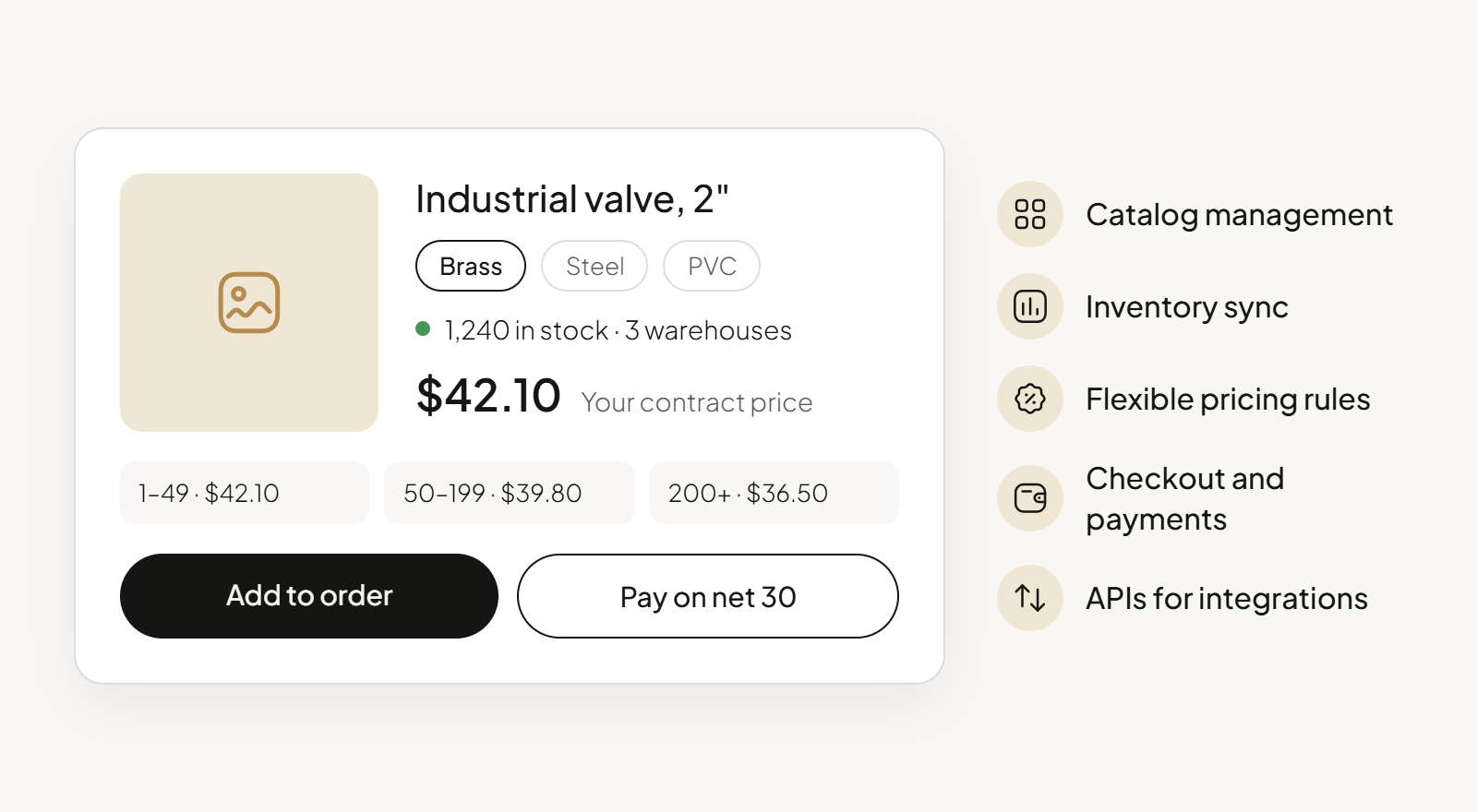
A modern digital eCommerce platform needs to support the full buying process, from product discovery and pricing to ordering, payments, and account management. It also needs reliable integrations, strong performance, and an accessible storefront.
Core commerce features
- Catalog management: Organize large SKU counts, variants and customer-specific catalogs, with bulk import.
- Inventory sync: Show buyers accurate stock before they order, with real-time inventory management across warehouses.
- Flexible pricing rules: Calculate contract prices, tiered discounts and a price list for each customer segment in real time.
- Checkout and payments: Offer purchase orders, net terms, cards and other payment options, plus approval workflows.
- APIs for integrations: Connect ERP, CRM, PIM and tax engines through documented APIs and webhooks.
Accessibility and performance
The European Accessibility Act has applied to many eCommerce services in the EU since June 28, 2025. It mainly covers consumer-facing services, but B2B buyers benefit too.
- Audit Core Web Vitals: Check Core Web Vitals, Google’s page-speed and stability metrics, on category and quick-order pages.
- Run WCAG AA checks: Test keyboard navigation, color contrast and form labels against W3C’s Web Content Accessibility Guidelines (WCAG) 2.2 at Level AA.
- Design mobile-first: Test search and checkout on small screens, since buyers often reorder from a phone.
What does “good” look like? According to Google’s web.dev guidance, a good page loads its main content (LCP) within 2.5 seconds.
Google’s other two thresholds are 200 milliseconds for input response (INP) and 0.1 for layout shift (CLS).
Omnichannel Selling, Integrations and Data Strategy
Pick your channels first, then connect the systems that feed them. Every channel needs accurate prices and stock, so channel planning and data strategy are one project.
According to Forrester’s Buyers’ Journey Survey, Millennials and Gen Z grew from 64% to 71% of B2B buyers in a single year. As baby boomers retire, more of your buyers expect online purchasing to be self-service by default.
Plan your sales channels
- List every channel: Include your B2B portal, field sales app, EDI (electronic data interchange), punchout catalogs and online marketplaces such as Amazon Business.
- Rank channels by customer reach: Start where your highest-value accounts already buy.
- Map inventory to each channel: Decide which warehouses fulfill each channel and set rules that prevent overselling.
- Set marketplace standards: Define required attributes, pricing floors and fulfillment SLAs (service-level agreements) before listing products.
Integrations and data governance
ERP integration plays a major role because the ERP owns prices, stock, credit limits and order status. That makes real-time ERP sync essential.
- ERP: Sync orders and invoices both ways, and keep operational data such as stock current.
- PIM: Publish product content to every channel from one source.
- Single customer record: Unify customer data from the ERP, CRM and storefront into one account history.
- Governance rules: Name a system of record for each data type and check regularly for duplicate customer records.
Want the business case for connected ERP and eCommerce systems? Our guide to eCommerce integration lays it out.
Single Platform vs Composable eCommerce Platforms
An all-in-one suite gives you a faster launch and one data model. A composable stack gives you more flexibility, at a higher engineering cost.
Composable commerce means assembling separate best-of-breed services, such as search, a content management system (CMS) and checkout, connected through APIs. Neither model wins for every team.
Benefits of a single platform
- One data model: Products, accounts, prices and orders share the same records, with no sync jobs.
- One vendor: You manage one contract, one upgrade path and one security review.
- Easier expansion: New sites, brands, and regions can use the same platform foundation. For example, Lactalis supports 12 markets on one OroCommerce platform.
- Consistent buying experience: Buyers get the right catalogs, prices, and account information across digital channels.
Trade-offs of a composable stack
A composable approach gives businesses more control over architecture, letting them choose specialist tools for areas such as search, CMS, PIM, CPQ, CRM, or payments and replace them independently over time.
That flexibility comes with more coordination. Each component introduces another integration, release cycle, vendor relationship, and set of technical dependencies. For teams with strong engineering capacity, that may be a worthwhile exchange. Others may prefer a suite that keeps more commerce capabilities on one platform and reduces the number of connections they need to maintain.
Our breakdown of eCommerce architecture compares monoliths and composable stacks, and our guide to headless B2B eCommerce covers its caveats.
How to Choose a Digital eCommerce Platform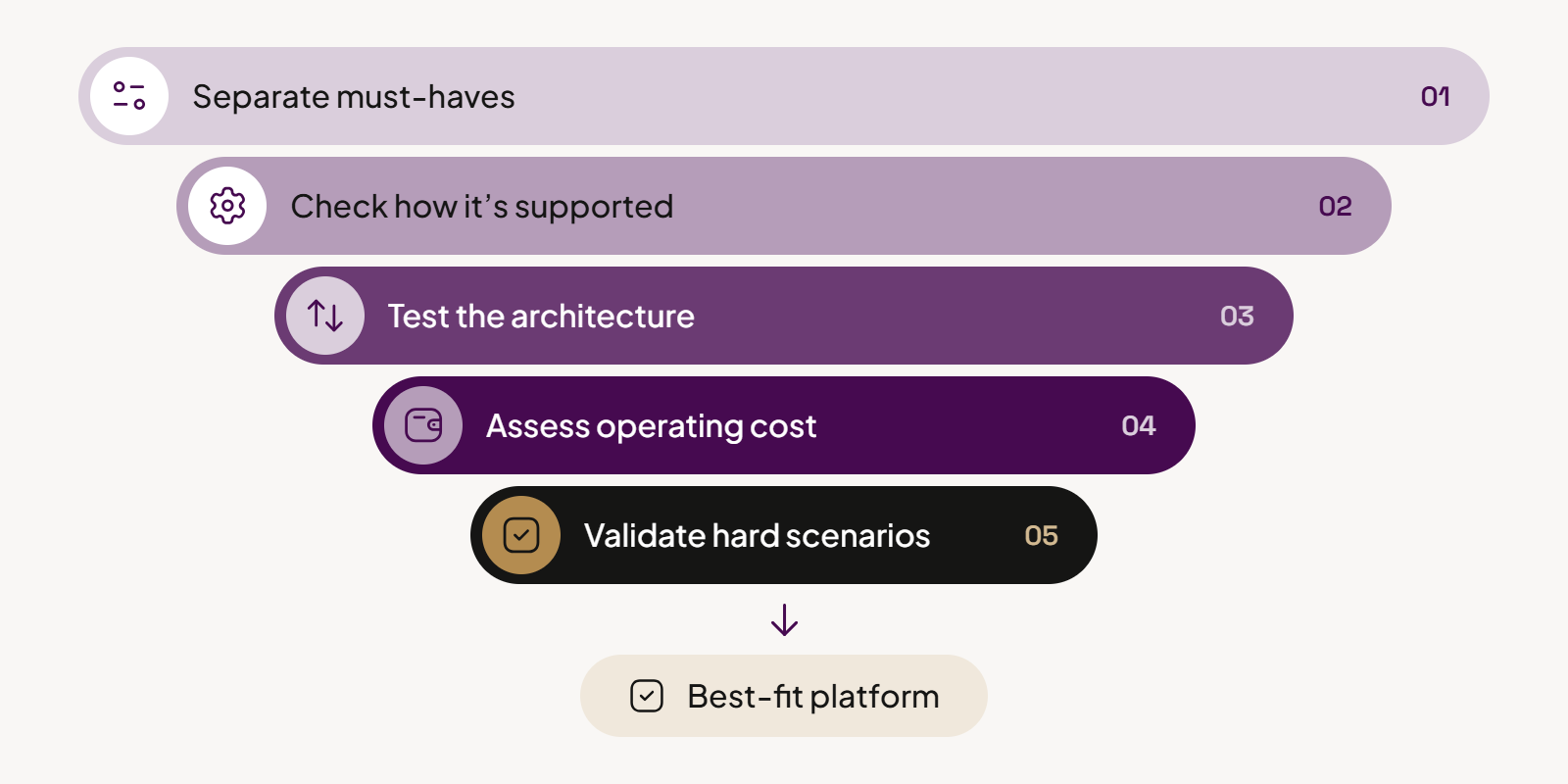
Choosing a digital eCommerce platform starts with understanding which parts of your business are hardest to support digitally.
Start with your most demanding use cases
Document the scenarios that put the most pressure on your current setup or will matter most over the next few years. That might include customer-specific pricing, large catalogs, multi-level accounts, approvals, several ERPs, or expansion across brands and regions.
In complex B2B, it also helps to look at those scenarios in phases. Few companies move every account online at once.
- Phase one: the long tail. Most teams start with smaller customers who order regularly but don’t need much hands-on attention. Moving them to self-service ordering, reordering, and invoice access takes a large share of routine requests off your sales and service teams.
- Phase two: high-value accounts. Once the long tail runs smoothly, you add the functionality larger accounts expect. That usually means negotiated pricing, quotes, approval workflows, multi-level account structures, and closer rep involvement.
Your requirements sheet should cover both phases, not just the first one. Also check how quickly each platform lets you move from phase one to phase two. A platform that handles the long tail well but needs heavy rework for key accounts will slow you down just as the program starts paying off.
Then evaluate each platform against those scenarios:
- Separate must-haves from preferences. Focus first on requirements tied to how your business sells, operates, and drives customer success.
- Look at how the requirement is supported. There is a big difference between native functionality, configuration, an extension, and custom development.
- Test the architecture around your existing systems. Review how the platform will exchange data with ERP, PIM, CRM, OMS, and other core systems.
- Assess the operating cost after launch. Include licensing, hosting, integrations, upgrades, development, and the internal skills needed to maintain the platform.
- Validate the difficult scenarios from both phases. Use tailored demos, technical workshops, customer references, or a proof of concept where the risk warrants one.
The best fit is usually the platform that can support your critical use cases with the least unnecessary complexity, both at launch and as the business changes.
Use a structured scorecard
Once you have your requirements, use a consistent scoring method to compare vendors by both priority and implementation approach. Our B2B eCommerce RFP template includes a ready-made scoring system that distinguishes native functionality from partial support, third-party integrations, custom development, roadmap items, and gaps.
Best Digital eCommerce Platforms Compared
These five platforms span unified B2B suites, SaaS platforms with B2B add-ons, and composable, API-first commerce. Use the table for a quick comparison, and confirm current pricing with each vendor.
| Platform | G2 rating | Best for | Architecture | Pricing model | Why shortlist it |
| OroCommerce | 4.3/5 | B2B-first manufacturers, distributors, and wholesalers with complex pricing, accounts, workflows, or multi-org operations | Unified, modular, headless-ready; SaaS or self-hosted | Quote-based license | Deep B2B functionality in the core platform |
| Adobe Commerce | 4.0/5 | Large B2B/B2C enterprises, especially those already using Adobe products | Modular core with headless options; SaaS or PaaS | Quote-based license | Broad enterprise commerce plus the wider Adobe ecosystem |
| BigCommerce | 4.2/5 | Mid-market and enterprise companies that want SaaS with dedicated B2B tooling and open integrations | Open SaaS add-on, headless-ready | Quote-based add-on to top-tier plan (from $1,499/month) | SaaS with a dedicated B2B layer and buyer portal |
| Shopify Plus | 4.4/5 | Brands that want B2B alongside DTC and favor a standardized SaaS model | SaaS with headless option | Subscription from $2,300/month | Easy-to-operate commerce platform with a large ecosystem and expanding native B2B |
| VTEX | 4.5/5 | Enterprises that want composable SaaS commerce across B2B, B2C, and marketplace models. | Multi-tenant SaaS, API-first, headless-ready | Quote-based: fixed subscription fee plus a GMV-based or per-order fee | Composable, cloud-native platform with a dedicated B2B suite and buyer portal |
OroCommerce
OroCommerce, is built around an 80/20 idea: cover roughly 80% of common B2B commerce needs out of the box, then make the remaining 20% easy to adapt. Open code, APIs, and flexible workflows give businesses room to fit the platform around how they already sell.
Best for
Manufacturers, distributors and wholesalers with complex catalogs, contract pricing and ERP-heavy operations.
Key features
- Multi-org accounts: Models parent companies, subsidiaries, buyer roles and spending limits in one account.
- Native CRM: Tracks leads, opportunities and account activity in the same system as orders.
- RFQ and CPQ: Lets buyers request quotes and reps configure, price and send them.
- Low-code workflow automation: Lets teams build approval and routing workflows without custom code.
- AI SmartOrder: Converts emailed or PDF purchase orders into digital orders automatically.
Pricing
Since pricing depends on your GMV, users and deployment, the fastest way to get a real number is to book a demo and walk through your catalog and ERP setup with an Oro expert.
Adobe Commerce
Adobe Commerce is Adobe’s enterprise commerce software, built on the Magento codebase. It stands out for its tie-in with Adobe Experience Cloud. If you’re weighing it, review these Adobe Commerce competitors too.
Learn more:
- OroCommerce vs Adobe Commerce
- Adobe Commerce vs Shopify
- commercetools vs Adobe Commerce
- Adobe Magento vs Salesforce Commerce Cloud
Best for
Enterprises on Adobe Experience Cloud that want one vendor for commerce and content.
Key features
- B2B module: Supports company accounts, shared catalogs, quotes and requisition lists.
- Page Builder: Lets marketers create and edit pages with drag-and-drop tools.
- Multi-site management: Runs multiple sites, brands and currencies from one admin.
- Live Search and Product Recommendations: Adds AI-driven search results and product suggestions.
- Commerce Intelligence: Provides dashboards on sales, customer and catalog metrics.
Pricing
Quote-based licensing for SaaS and PaaS deployments. Magento Open Source is free.
BigCommerce B2B Edition
B2B Edition is the wholesale layer BigCommerce adds on top of its top-tier SaaS plan. It runs in the same back end as a BigCommerce retail store, so you can serve business and consumer buyers from one catalog. The store can also use BigCommerce’s Feedonomics service to push products to marketplaces and ad channels such as Google Ads.
Best for
BigCommerce merchants that want to add self-service wholesale ordering without moving to a separate B2B platform.
Key features
- Company hierarchies: Mirrors parent companies, subsidiaries and buyer roles, with custom catalogs and prices at each level.
- Quote management: Lets reps build and send quotes from a mobile-friendly quoting tool.
- Invoice portal: Lets buyers view, track and pay invoices online, including several at once.
- Sales rep ordering: Lets reps log in on behalf of a company and order from its shopping lists.
- Purchase orders and net terms: Sets accepted payment methods and terms for each company account.
Pricing
Quote-based. BigCommerce sells B2B Edition as an add-on to its top-tier plan, which its pricing page lists from $1,499 per month, so budget for both.
Shopify Plus
Shopify Plus is the enterprise tier of Shopify’s SaaS ecommerce platform. It stands out for fast setup and a large app store. If your B2B needs run deeper, compare these Shopify Plus alternatives.
Learn more about Salesforce Commerce Cloud vs Shopify.
Best for
High-volume ecommerce brands that sell on their own site and social platforms and want to add wholesale.
Key features
- B2B on Shopify: Supports company profiles, customer-specific catalogs, payment terms and quick order lists.
- Shopify Flow: Automates tasks such as order tagging, stock alerts and fraud review.
- Checkout extensibility: Customizes checkout with apps and Shopify Functions.
- Shop Pay: Offers accelerated checkout, which Shopify promotes for higher conversion rates.
- Built-in marketing tools: Adds Shopify Email for email marketing and campaign tracking.
Pricing
Starts at $2,300 per month on a three-year term ($2,500 on a one-year term). Higher-volume merchants also pay a variable fee.
VTEX
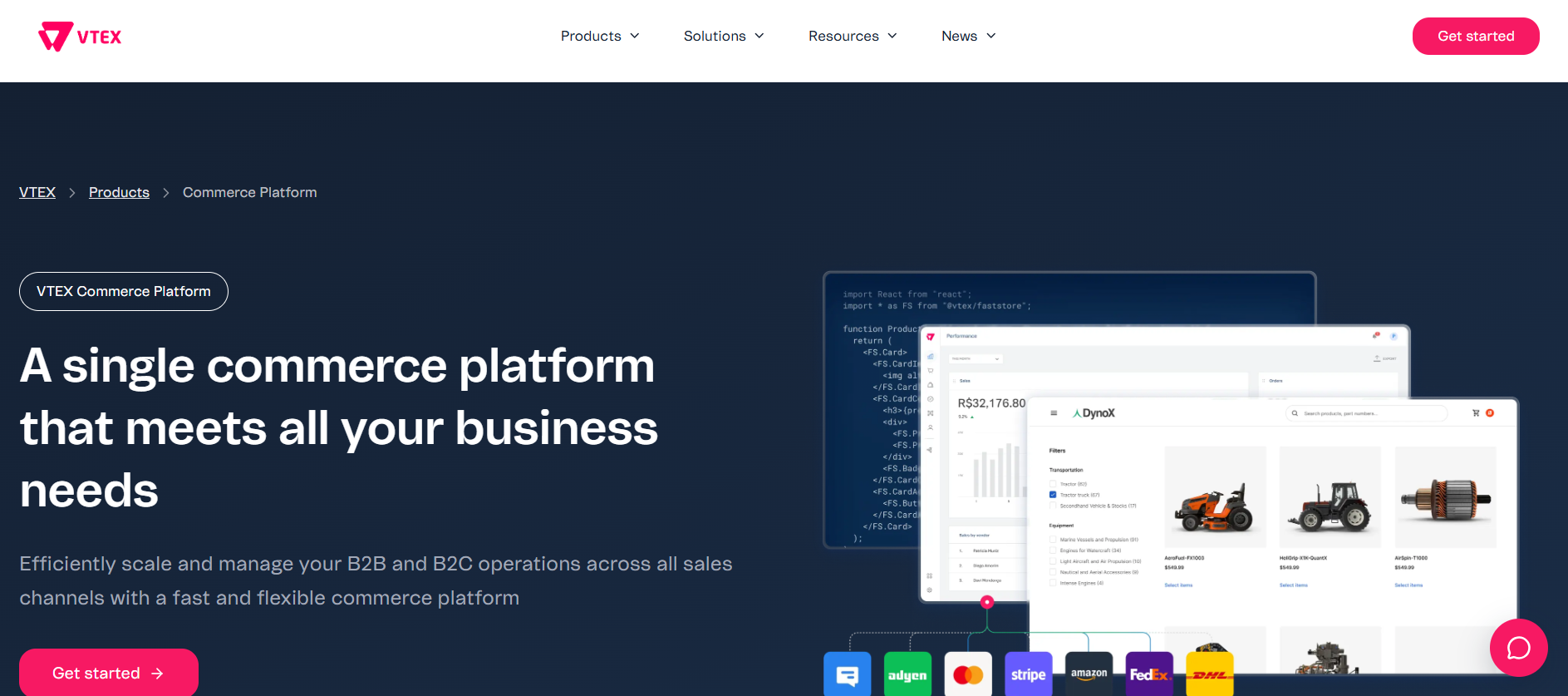
VTEX is a cloud-native, API-first commerce platform built on composable principles. It runs as a multi-tenant SaaS platform, so the vendor handles scaling and upgrades. Its B2B tools share a platform with its B2C capabilities, so you can run a buyer portal and a consumer eCommerce store on the same stack.
Best for
Enterprises that want composable SaaS commerce for B2B and B2C, with vendor-managed infrastructure and a headless front end.
Key features
- B2B Organizations: Groups buyers into organizations and cost centers, each with its own payment methods, price tables, and product collections.
- B2B Quotes & Carts: Lets buyers request quotes, save carts, and share them with colleagues in their organization.
- Buyer portal: Connects to procurement systems such as Ariba and Coupa through punchout and adds budget controls and approval workflows.
- AI Quick Order: Speeds up order processing with bulk ordering, CSV upload, and reorder lists.
- APIs and headless storefront: Offers REST and GraphQL APIs plus integrations with ERPs such as SAP, Oracle, and Microsoft Dynamics.
Pricing
Quote-based. Customers pay a fixed subscription fee plus a transaction fee, usually a percentage of GMV or a per-order fee.
Why OroCommerce Is the Best Digital eCommerce Platform for B2B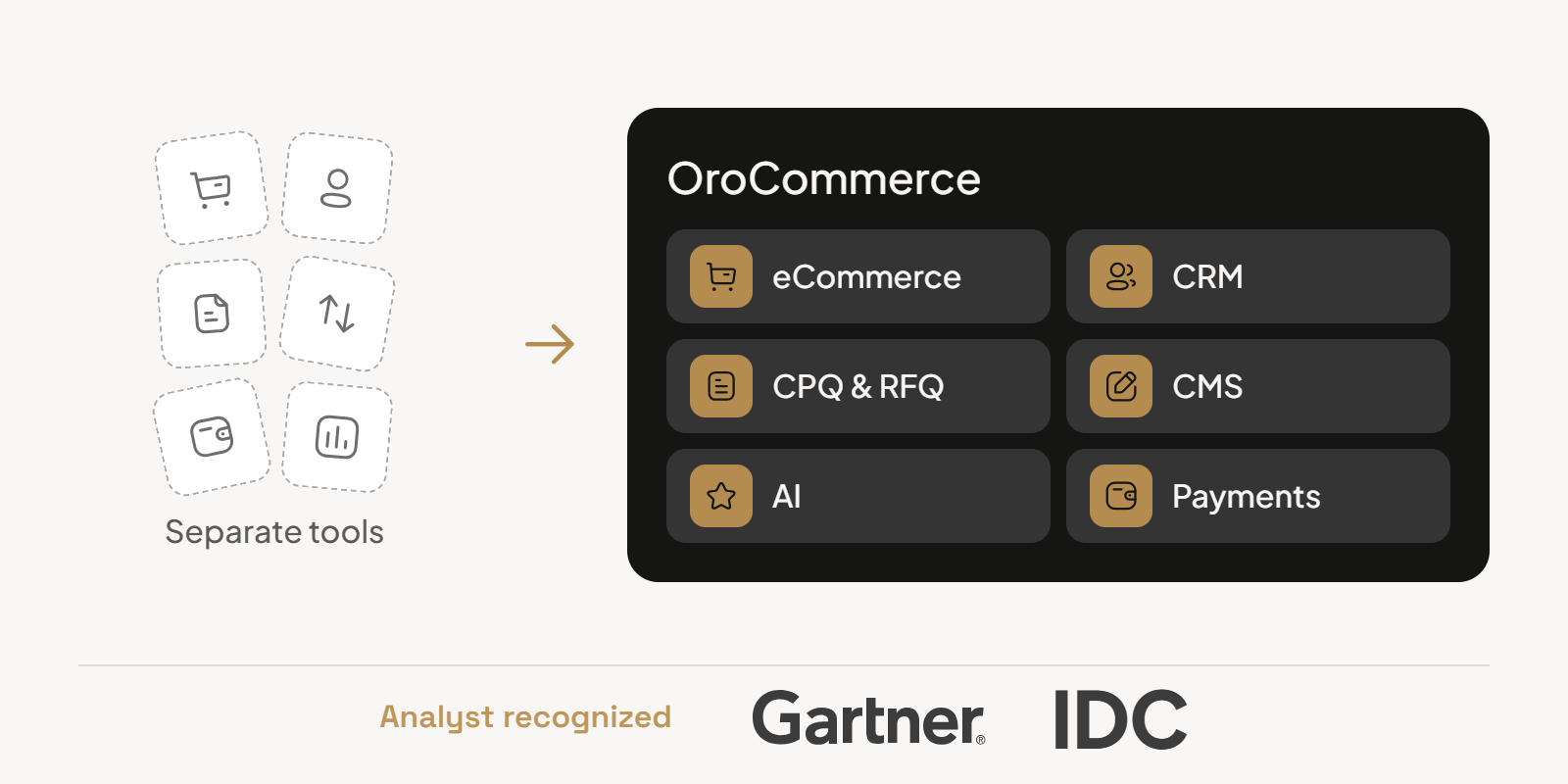
OroCommerce brings core B2B capabilities into one platform, including eCommerce, CRM, CPQ, RFQ, AI, CMS, and payments. That reduces the number of separate tools and integrations teams need to assemble around the commerce layer.
The technology is designed for businesses that need more than a standard storefront. Open code, APIs, and developer resources give teams room to connect existing systems, extend workflows, and adapt the platform around complex sales processes.
OroCommerce was also recognized in the 2025 Gartner Magic Quadrant for Digital Commerce, marking its fifth consecutive year in the report.
One platform instead of a patchwork of tools
- Unified commerce: Storefront, integrated CRM, quoting and PIM share one data model.
- ERP integration: Connectors and APIs keep orders, prices and stock in sync.
- Modular and headless architecture: Teams can use the built-in storefront or a custom front end.
- OroIQ: AI tools for working with commerce data and supporting sales and service teams.
- AI SmartOrder: Converts emailed and uploaded purchase orders into digital orders.
- SOC 2 security: OroCommerce meets SOC 2 Type I and Type II and PCI DSS standards.
Proof from real B2B rollouts
Here’s what three of our customers achieved after moving to OroCommerce:
- DiversiTech, an HVACR components manufacturer: Unified 12 ERPs under one order flow and reported a 20% productivity gain from AI order intake.
- Azelis, a specialty chemicals and food ingredients distributor: Runs more than 150 localized portals from one OroCommerce instance.
- Lactalis, the global dairy group: Grew digital orders 230% year over year and cut manual processes 44% while serving 15,000 customers in 12 markets.
See how OroCommerce could support your sales model, systems, and B2B requirements.
Launching, Migrating and Measuring Your Digital eCommerce Platform
A strong launch depends on more than getting the storefront live. The platform has to support the data, workflows, and teams behind the customer experience from day one.
Test the workflows that matter
Before launch, focus on the scenarios most likely to expose problems:
- Validate product data, customer-specific pricing, inventory, permissions, and account structures.
- Test approvals, checkout, payment terms, and ERP synchronization across different buyer types.
- Make sure sales teams and customer service understand how orders, quotes, and buyer requests will move through the system.
- If you are replacing an existing site, protect account data, order history, URLs, and other information customers already rely on.
Measure business impact
Choose key performance indicators based on what the eCommerce investment is expected to improve.
- Track digital adoption, revenue, average order value, and order accuracy.
- Measure reductions in manual work and time spent processing orders.
- Monitor customer satisfaction, repeat purchase rates, and churn as indicators of customer loyalty.
- Compare results against your pre-launch baseline, not just against industry averages.
Our guide to customer retention and churn metrics covers those measures in more detail.
Plan for future requirements
Think beyond launch when defining platform requirements:
- Consider capabilities such as AI-assisted ordering, personalization, real-time pricing, and inventory visibility.
- Make sure the platform can support new markets, channels, and business models in the future.
- Review emerging requirements regularly so the business can stay competitive as buyer expectations change.
See our B2B eCommerce trends for a closer look at what is changing.
Conclusion About Digital eCommerce Platform
A platform can check every feature box and still be a poor fit if your team has to customize heavily to support core sales processes.
Compare vendors by how they handle your hardest requirements, what they support natively, how they fit your existing systems, and what they will cost to maintain over time.
If OroCommerce is on your shortlist, we invite you to test it against your own requirements.
Compare your requirements against OroCommerce with a tailored walkthrough.
FAQs About Digital eCommerce Platform
What are the top 5 eCommerce platforms?
Five widely used eCommerce platforms are OroCommerce, Adobe Commerce, BigCommerce B2B Edition, Shopify Plus, and VTEX. OroCommerce targets complex B2B selling. Adobe Commerce suits Adobe-centric enterprises.
BigCommerce B2B Edition and Shopify Plus add wholesale features to SaaS storefronts. VTEX offers composable, API-first SaaS commerce with a dedicated B2B suite.
What is a digital commerce platform?
A digital commerce platform is software that manages the full online sales process: catalog, pricing, checkout, orders and payments. It connects to ERP, CRM and product information systems. That keeps prices and stock accurate across websites, marketplaces and mobile apps.
What is the difference between B2B and B2C eCommerce?
B2C eCommerce sells to individual shoppers, usually at one public price with card payment. B2B eCommerce sells to other companies and must handle account hierarchies, contract pricing, quotes, purchase orders and net payment terms.
B2B orders are larger, repeat more often and usually sync with an ERP.