navigation

Magento migration has become urgent. Magento 1 has been unsupported since June 2020, and Adobe’s support windows for the 2.4.5 and 2.4.6 release lines both closed on August 11, 2026. Many ecommerce stores now face a forced decision.
That decision is a business choice with technical consequences. If you run an online store on Magento, you can upgrade within Magento, or you can replatform to something that fits how your company sells.
This guide walks you through the migration process step by step, gives cost and timeline benchmarks, and ends with a recommendation for B2B teams.
Key Takeaways
- Adobe’s support windows for 2.4.5 and 2.4.6 closed on August 11, 2026, so you now have to choose between upgrading and replatforming.
- Moving off an old Magento version is a rebuild, and every path behaves like a replatforming project.
- Planning, clean data, and SEO protection decide whether the launch keeps your rankings and revenue.
- B2B teams get more from a B2B-native platform than from another upgrade cycle.
What Is Magento Migration?
Magento migration is the process of moving a store’s data, functionality, design, and integrations from one Magento setup to a newer version or to a different platform. Depending on your current setup and goals, there are three possible paths..
A Magento 2 migration from a Magento 1 store is effectively a rebuild. While your store data can be migrated, themes, extensions, and custom code typically need to be rebuilt or replaced. Upgrading within Magento 2 is usually less involved, while switching to another platform requires a broader migration. Understanding these differences can help you decide whether to stay with Magento or explore other options.
Magento migration vs upgrade vs replatforming
- Magento 1 to Magento 2: a rebuild on a new codebase, with data moved by a tool.
- Upgrading within Magento 2.4.x: an in-place version update that keeps your architecture but retests every extension.
- Replatforming off Magento: moving your catalog, customers, and orders to a different platform and rebuilding the storefront.
Table 1: Magento migration paths compared
| Path | What changes | What carries over | Typical risk | Best for |
|---|---|---|---|---|
| Magento 1 rebuild on Magento 2 | Codebase, theme, extensions | Catalog, customer, and order data | Extension gaps, rewritten modules | Stores staying on Magento |
| Upgrade within 2.4.x | Version, PHP, dependencies | Data, most extensions, theme with fixes | Incompatible extensions | Simple B2C stores |
| Replatforming off Magento | Platform, storefront, integrations | Mapped products, customers, orders | Mapping errors, lost rankings | B2B teams that outgrew Magento |
For a deeper read on switching platforms, see our ecommerce replatforming guide.
What’s Prompting Magento Migrations in 2027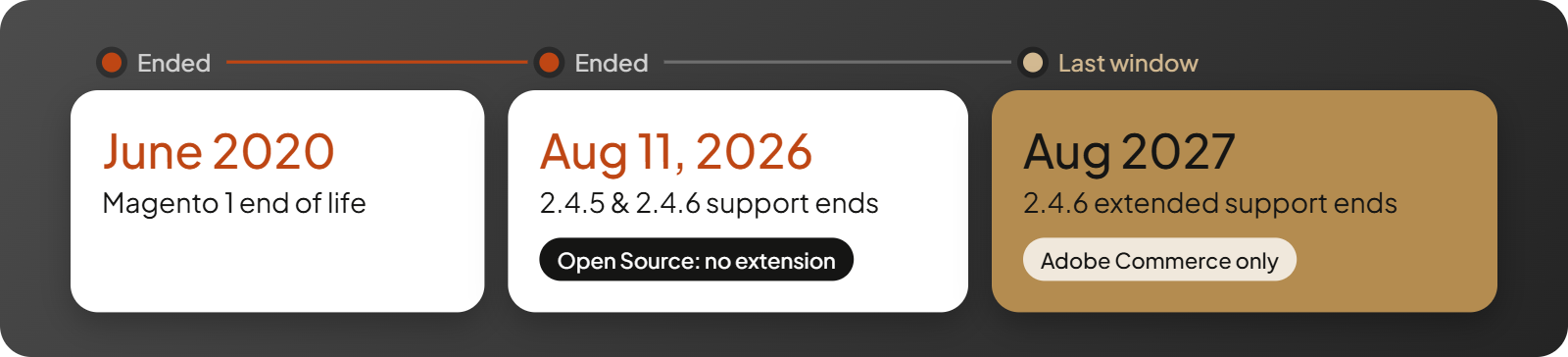
For many Magento users, the decision to migrate comes down to two concerns: upcoming support deadlines and the growing cost of maintaining their current setup. Both are worth considering, regardless of which Magento edition you’re using.
The August 2026 support deadline
Magento 1 reached end of life in June 2020. Adobe’s extended support for 2.4.5 and its standard support for 2.4.6 both ended on August 11, 2026, so Magento Open Source stores on those lines no longer receive security patches.
Editions differ here. Adobe Commerce 2.4.6 has extended support through August 2027, while Magento Open Source gets no extension. PHP end-of-life runs on a separate clock, so check Magento news and Adobe’s lifecycle policy for your exact version and edition.
Increasing maintenance costs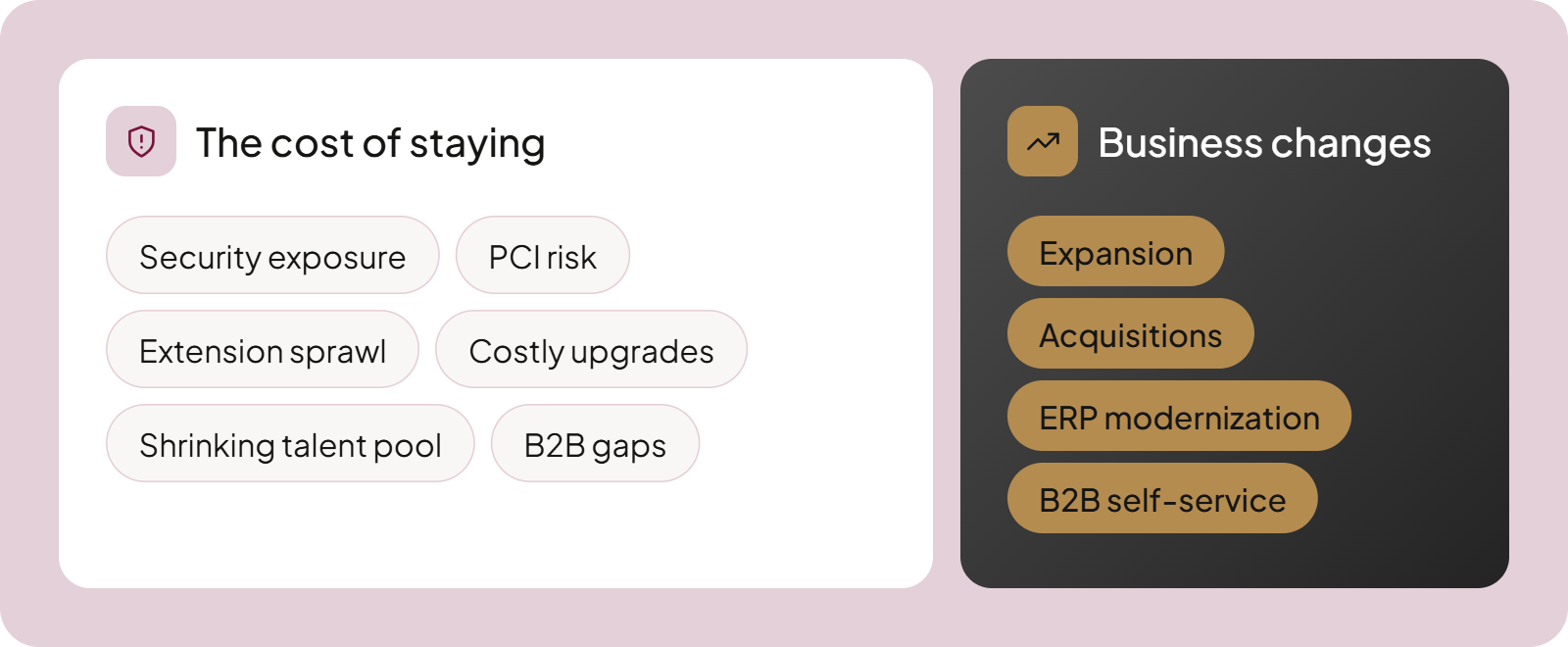
Staying put costs more every year. These problems add up:
- Security exposure: unsupported releases stop receiving fixes for new vulnerabilities.
- PCI risk: PCI DSS compliance requires current vendor fixes, and unsupported versions stop getting them.
- Extension sprawl: every extension, including each one from the Magento Marketplace, adds a vendor to chase and a version to retest.
- Costly upgrades: customizations turn every release into a small project.
- Shrinking talent pool: fewer specialists want to work on older Magento versions.
- B2B gaps: Open Source has no native B2B module, and Adobe Commerce B2B still leaves CRM and advanced CPQ to separate tools or custom development.
Changing business requirements
Business growth changes what you need from a platform. Expansion, acquisitions, ERP modernization, and rising B2B self-service needs can push you to reconsider your current platform.
Buyer expectations keep shifting across the eCommerce landscape. When buyers expect account portals and finance expects clean ERP data, a setup built for a simpler eCommerce business starts to strain.
Upgrade Magento or Replatform? How to Decide
Upgrade when your store is simple, and replatform when your business has outgrown what Magento does natively.
When upgrading within Magento makes sense
Upgrading to Magento 2.4.8 or 2.4.9 works for simple B2C stores with few custom features. Adobe Commerce 2.4.9 has standard support through May 2029, so a clean store gets a long runway.
If your Magento site has standard catalog logic and you already work with experienced Magento developers, an upgrade is usually the cheapest path.
Signs you have outgrown Magento
Sportifrance, a French B2B distributor supplying retailers such as Intersport and Decathlon, left Magento Community Edition when performance and its multi-site structure became limiting. After the move to a B2B-native platform, its sales administration team handles three times as many orders without adding staff.
Watch for these six warning signs:
- Customer-specific pricing relies on custom logic that needs rework at every upgrade.
- Quotes and approvals run by hand because the platform can’t handle them efficiently.
- ERP syncs and other integrations break after updates and cost more to maintain each time.
- You can’t manage multiple storefronts from one backend.
- Performance can’t keep up with your growing catalog and order volume.
- Every upgrade costs more than the last.
If most of these apply, a B2B-native platform like OroCommerce is the better destination. When you build your shortlist, start with the best enterprise B2B eCommerce platforms.
Why Consider OroCommerce for Your Magento Migration?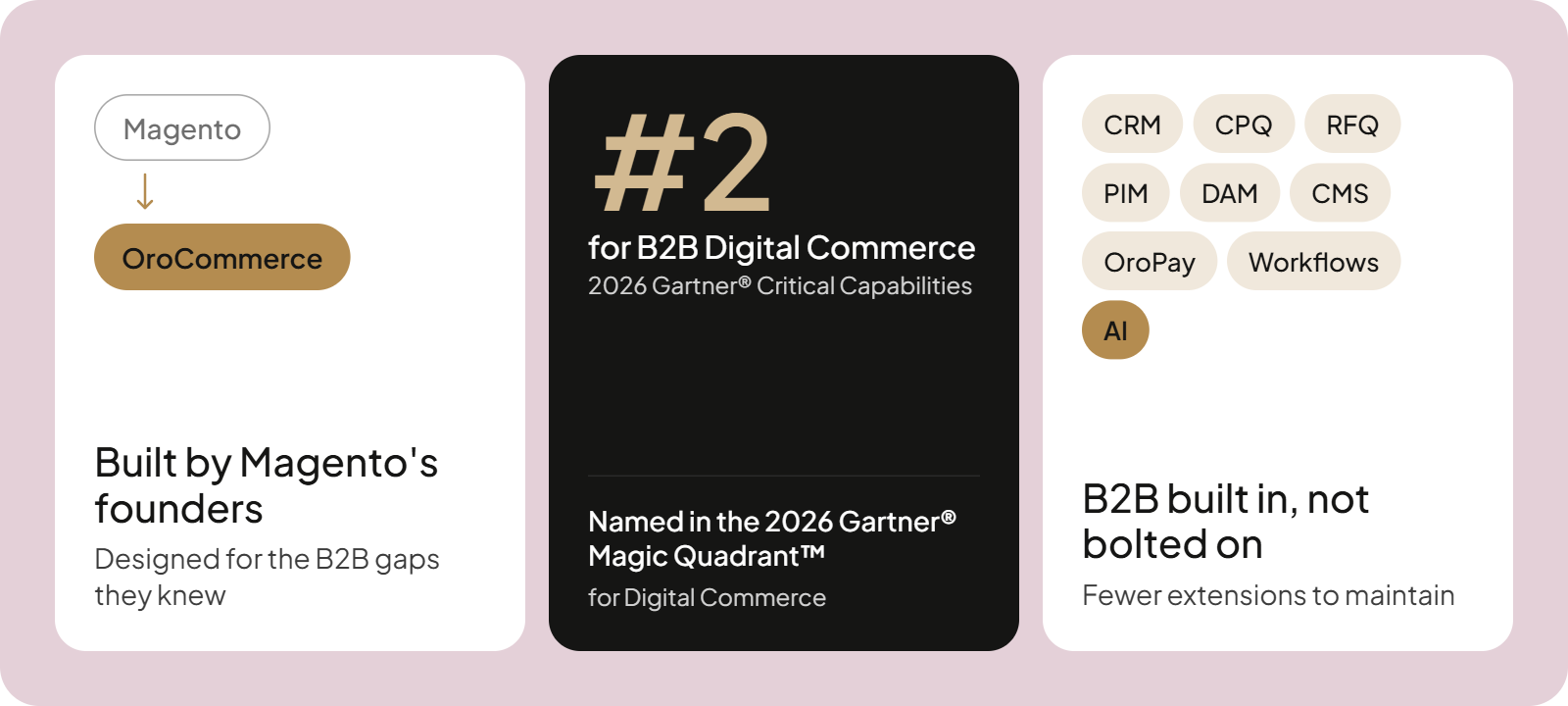
A Magento migration is a good time to reconsider how much B2B functionality you want built into your commerce platform. Oro Inc., founded by members of Magento’s original leadership team, built OroCommerce specifically for this purpose.
As a unified B2B eCommerce platform, OroCommerce brings commerce, customer management, and business operations together, reducing the need for third-party plugins. Gartner ranked OroCommerce second for the B2B Digital Commerce Use Case in its 2026 Critical Capabilities for Digital Commerce.
Built by the team behind Magento, designed for B2B
OroCommerce is B2B-first from the first line of code, so company accounts and contract pricing sit in its core instead of on top of a B2C cart.
Gala Imports, an Australian glass container distributor, decided that building its needs on top of Magento wasn’t sustainable. With OroCommerce, Gala now runs multiple storefronts and reported a 50% higher conversion rate by year’s end and a 25% larger average order the following summer.
France Air, a distributor of ventilation and heating systems serving over 30,000 customers, moved from Magento 1 to OroCommerce after persistent bugs and an outdated storefront left the company at what it called a “technological impasse.” Its new B2B portal supports customer-specific pricing, quick order forms, multiple shopping carts, and access to product specifications and installation guides.
One unified platform instead of an extension stack
Native capabilities replace many of the extensions a store collects:
- Customer portals with contract pricing, stock, and order history
- Built-in CRM, CPQ, and RFQ, with quotes converting straight into orders
- CMS, PIM, and DAM included
- OroPay integrated B2B payments and invoice portal
- Workflow engine for approvals and quote flows
- OroIQ AI assistant for business operations and AI-powered sales order automation
- Multi-org, multi-site backend
- API-first open architecture for seamless integration, headless when needed, SaaS or on-premise
- Role-based access and SOC 2 certification
DiversiTech, an HVAC components manufacturer, grew through 19 acquisitions and ended up with 12 ERPs. OroCommerce replaced its Salesforce CRM and now supports a consistent B2B customer experience after mergers and acquisitions across three sites. AI order intake lifted its North American productivity by 20%.
Table 2: Magento / Adobe Commerce vs OroCommerce for B2B
| Area | Magento / Adobe Commerce | OroCommerce |
|---|---|---|
| B2B architecture | B2B module in Adobe Commerce only | B2B-first core |
| CRM | Separate tool or custom build | Built in, or connect your own |
| CPQ and RFQ | Negotiable quotes; advanced CPQ elsewhere | Built-in CPQ and RFQ |
| PIM and DAM | Separate tools | Included |
| Payments | Gateways and extensions | OroPay with invoice portal |
| Multi-org | Company accounts, extra configuration | Multi-org, multi-site backend |
| Workflow automation | Approval rules; more needs custom work | Workflow engine |
| Upgrade complexity | Extensions and custom modules retested each release | Fewer extensions to retest |
If you want to test these capabilities against your own pricing rules, you can book a demo. For a deeper head-to-head, compare OroCommerce vs Adobe Magento.
How to Plan Your Magento Migration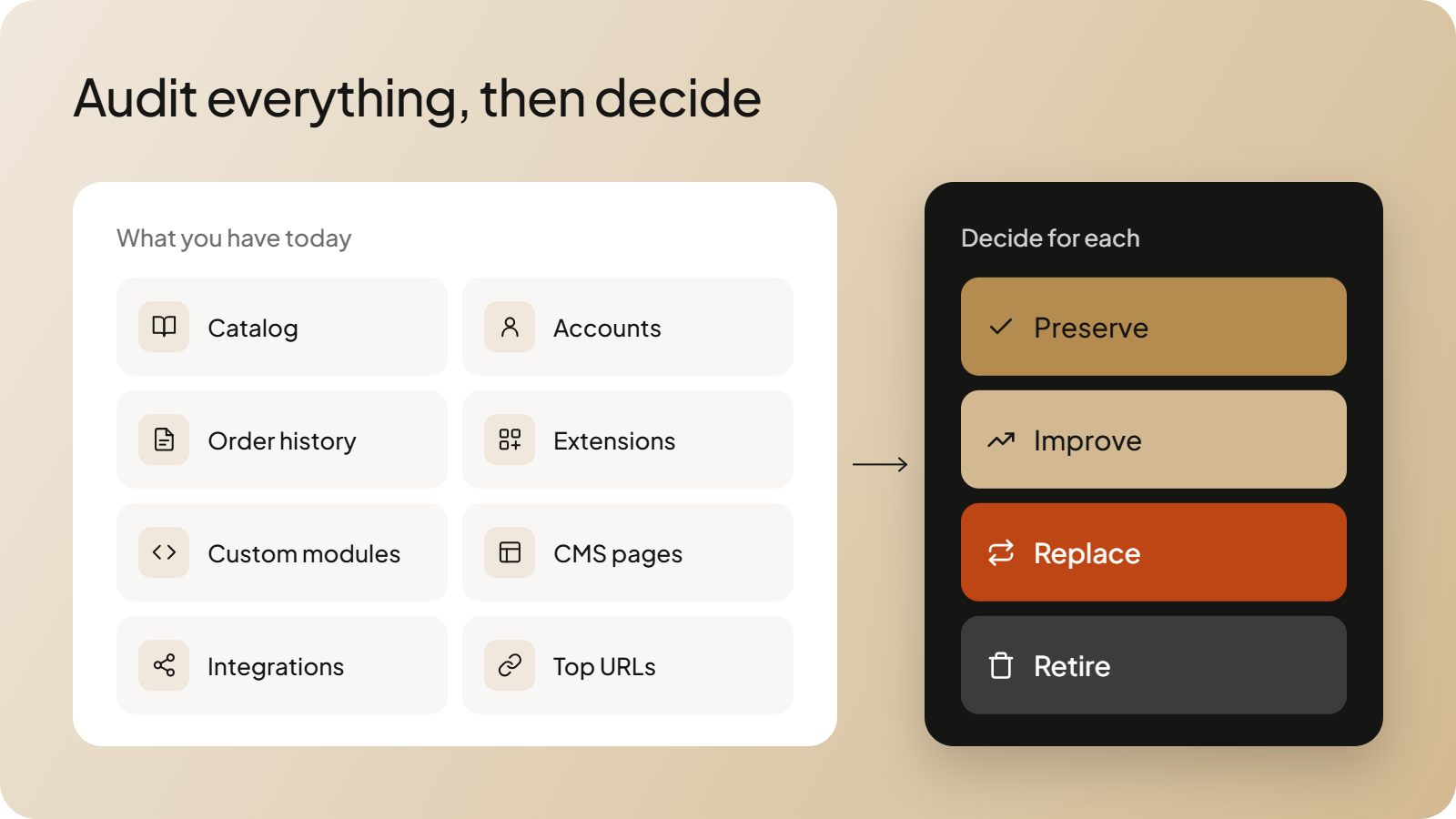
Planning is the stage where you prevent most budget overruns, because every audit finding you skip becomes a change request later. A successful migration starts with a full inventory of your current ecommerce platform, then fixes scope, team, and timeline before anyone writes code.
Audit your current Magento store
Inventory these items on your Magento website before you touch any data:
- Catalog and custom attributes
- Customers and company accounts
- Order history
- Installed extensions
- Custom modules
- CMS pages and blocks
- Integrations
- Current URLs and top-ranking pages
Next, decide what to preserve, improve, replace, or retire.
Define scope, team and timeline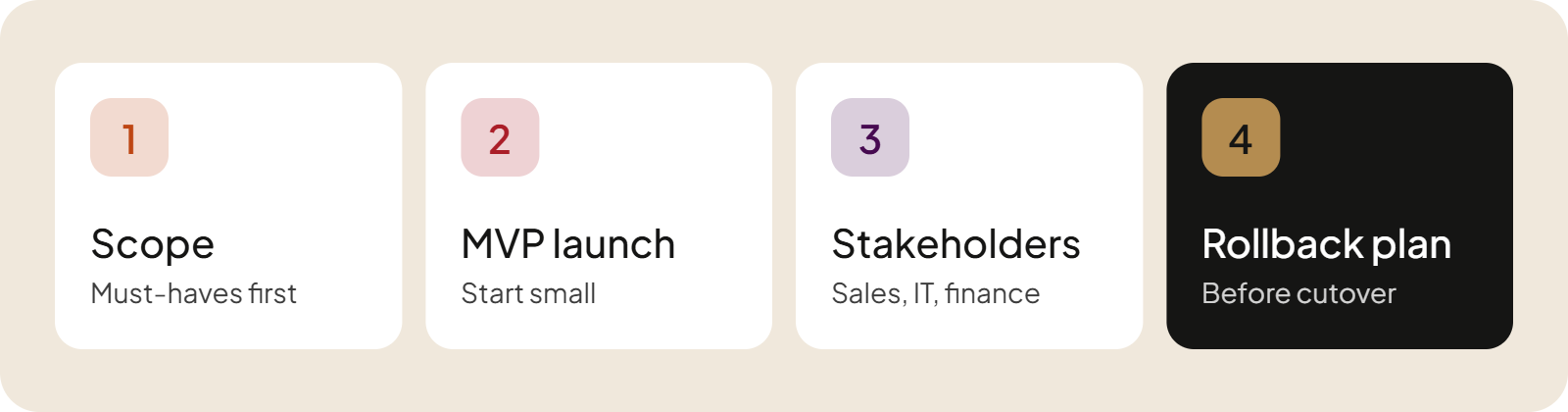
Four decisions shape your migration plan:
- Separate must-have features from nice-to-have ones.
- Define an MVP launch scope.
- Name stakeholders from sales, IT, and finance, plus certified Magento developers if you lack in-house skills.
- Write a rollback plan.
To avoid the risks of eCommerce replatforming, write the rollback plan before the cutover plan. If you hire Magento migration experts or run the migration project in-house, follow the Magento migration process in order: audit, scope, data, rebuild, test, launch.
Magento Data Migration: Products, Customers and Orders
How your data moves depends on your path, and every path needs safeguards. Data migration breaks down by path, so read the subsection that matches yours.
Using the Magento Data Migration Tool (Magento 1 to Magento 2)
Adobe’s official data migration tool copies your catalog and customer records into Magento 2, along with order history. It runs in three modes: settings mode moves configuration, data mode moves records, and delta mode picks up changes made after the first pass.
Match the tool version to your target Magento version, because a mismatch breaks the run. The tool doesn’t move media files, so copy product images and other assets separately. Run the first data transfer on a copy of production, then repeat it in delta mode.
Migrating Magento data to another platform
Replatforming moves data through CSV exports or APIs, then field mapping, then import. CSV scripts and API-based migration tools both work, but you must map every field first, because the new platform’s data structures rarely match Magento’s.
B2B data needs special mapping:
- Price lists and tiered prices
- Customer groups, which become company accounts
- User roles and purchasing permissions
- Payment terms and credit limits
Protecting data integrity
Five checks keep your records intact:
- Take a full backup of your store data before every run.
- Clean duplicates and obsolete records, starting with customer data.
- Run a trial migration on staging.
- Reconcile record counts between source and target.
- Run a final delta sync before cutover.
A data migration tool moves records and leaves business rules behind. Data can transfer successfully while important relationships are lost, so B2B teams should validate customer-specific pricing, company account relationships, purchasing permissions, and order history in the migrated data.
Each check guards against data loss and data corruption before buyers see the new store.
Rebuilding Themes, Extensions and Integrations
Every Magento migration needs a review of your themes, extensions, and integrations. Some can be updated for compatibility, while others must be rebuilt or replaced, especially when you leave Magento 1 or replatform.
Use the review to cut plugin dependency. Native OroCommerce features reduce the number of extensions you have to rebuild, so extension migration takes less of your budget. Follow four steps:
- List every extension.
- Mark each one as keep, replace, or drop.
- Check for native equivalents and new features.
- Rebuild the storefront.
Customized design migration usually means building a new storefront instead of porting the old one, because Magento 2 themes use a different structure.
Reconnecting ERP, CRM and PIM
Decide the system of record for each data type before you reconnect anything: items, inventory, pricing, and orders. Rebuilt third-party integrations should read from one source per type, and third-party service providers such as payment gateways need new credentials and fresh tests. That discipline helps you ensure seamless integration between systems.
Read how to handle ERP integration challenges for B2B before you scope this work.
Testing, Launch and SEO Protection
Lost rankings are the most common silent failure of a Magento migration, so test your storefront and protect your traffic before you launch.
Pre-launch testing
Test these areas before cutover:
- Data reconciliation
- Account login
- B2B flows such as quotes, approvals, and contract pricing
- Checkout and payments
- Integrations
- Page speed and server response times
- Site performance under realistic order volume
- User acceptance testing
Run user acceptance testing with real buyers and sales reps, and have your Magento experts sign off on data reconciliation before anyone schedules the cutover.
Protecting your organic rankings
SEO migration succeeds when you protect what already ranks:
- Run a full crawl of your existing site.
- Build a 1:1 301 redirect map.
- Preserve metadata and structured data.
- Handle faceted navigation.
- Monitor Search Console for 30+ days.
Pair these steps with our B2B SEO strategy tips to protect search engine rankings.
Final Magento migration checklist
Confirm every item before go-live:
- Backup confirmed
- Data mapping approved
- Testing signed off
- Redirects live
- DNS and SSL ready
- Monitoring on
- Support team on standby
- Rollback ready
Schedule the cutover for a low-traffic window so buyers see minimal downtime. A phased launch protects revenue by ensuring minimal disruption for active accounts. Clear customer communication before the switch supports a smooth transition.
Keep certified Magento experts on call for the first week. Start performance monitoring on launch day, and run a post-migration review within 30 days to confirm improved performance.
Magento Migration Cost and Timeline
Plan for months of work, and compare total cost of ownership instead of the build quote alone. According to Elogic Commerce, a Magento development agency, rebuilding a legacy store takes 4 to 12 months and costs $50,000 to $500,000+. A version upgrade takes 2 to 6 months and costs $20,000 to $200,000+.
According to BSS Commerce, an ecommerce solutions provider, a hybrid migration for a mid-sized store takes 2 to 4 months. Many ecommerce companies compare only the build quote, then pay for extensions and upgrades for years. Elogic itself calls its ranges directional, so use these drivers to place your own project:
- Custom modules
- Number of integrations
- Data volume
- Design work
- SEO work
- Licenses and hosting
Partner choice moves the quote too. Magento 2 migration services and Magento upgrade services price a defined version change, while Magento ecommerce development services bill custom work separately. Ask each vendor what its Magento migration service covers after launch, and compare it with any other migration service on your shortlist.
AI now shapes the cost side in three places:
- During the project, AI-assisted tooling can speed up field mapping and test writing.
- After launch, built-in AI such as AI SmartOrder removes manual order entry.
- Add-on AI means more extensions to license and maintain.
Compare costs over three to five years. A unified platform with native B2B features like OroCommerce cuts extension, integration, and upgrade costs because you license and retest fewer extensions, and it leaves budget for future growth. Use our guide to the total cost of ownership for eCommerce to build the comparison.
Conclusion
Magento support deadlines force a decision, and a migration is a rebuild either way. Planning, data integrity, and SEO protection separate a successful Magento migration from an expensive one. For manufacturers, distributors, and wholesalers, moving to a B2B-native platform delivers more than another Magento upgrade cycle.
Book a demo with an OroCommerce expert to see how your pricing, quotes, and accounts would run on the platform.
FAQs
What is Magento migration?
Magento migration is the process of moving a store’s data, functionality, design, and integrations to a newer Magento version or a different platform. It covers three paths: rebuilding an older store on Magento 2, upgrading within Magento 2.4.x, and replatforming off Magento.
How long does a Magento migration take?
According to Elogic Commerce, rebuilding a legacy store takes 4 to 12 months, while a version upgrade takes 2 to 6 months. Complex builds with ERP integrations, custom modules, and a redesign sit at the long end. Data volume and the number of integrations set the pace.
How much does a Magento migration cost?
Elogic Commerce estimates $50,000 to $500,000+ for rebuilding a legacy store and $20,000 to $200,000+ for a version upgrade, and calls the ranges directional. Custom modules, integration count, data volume, design work, SEO work, and licenses and hosting drive the number. Compare three to five years of total cost of ownership instead of the build quote alone.
Is Magento 2.4.6 still supported?
Magento Open Source 2.4.6 lost support on August 11, 2026, with no extension, while Adobe Commerce 2.4.6 has extended support through August 2027. Both editions still need a plan, because PHP reaches end of life on its own schedule. Check your exact edition on Adobe’s lifecycle policy page.
Can I migrate from Magento to OroCommerce without losing SEO rankings?
Yes, if you protect what already ranks. Crawl your existing URLs, build a 1:1 301 redirect map, preserve metadata and markup, and monitor Search Console for at least 30 days after launch. Fix any redirect gaps in the first week, before lost rankings compound.
Is OroCommerce a good alternative to Magento for B2B?
Yes, for manufacturers, distributors, and wholesalers. Founded by members of Magento’s original leadership team, OroCommerce includes B2B-native features such as customer portals with contract pricing, built-in CRM, CPQ, and RFQ, and a workflow engine for approvals. Gala Imports, Sportifrance, and France Air all moved off Magento.